

First Impressions and Onboarding
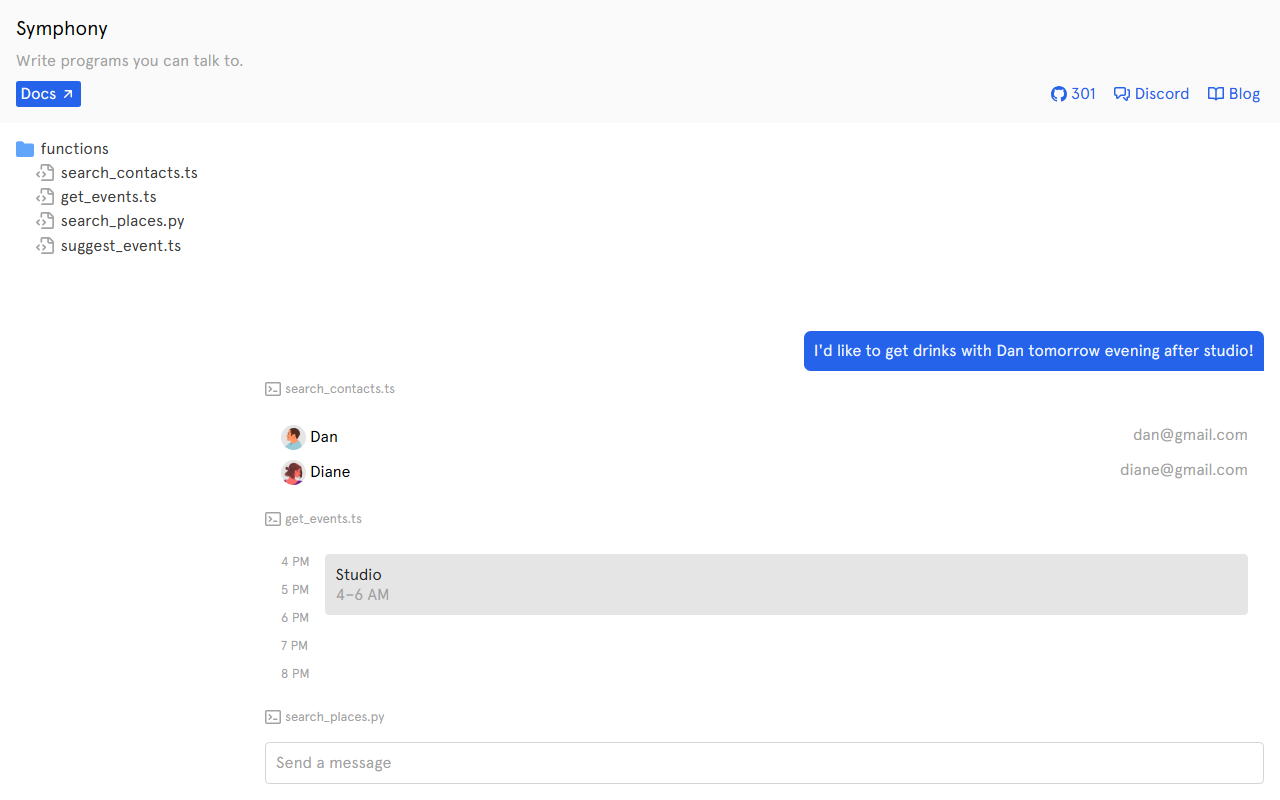
Upon visiting symphony.run, the landing page is minimal yet intriguing. The headline reads “Write programs you can talk to,” accompanied by a simple code editor showing five function stubs: search_contacts.ts, get_events.ts, search_places.py, and suggest_event.ts. Below that, a user prompt is partially visible: “I'd like to get drinks with Dan tomorrow evening after studio!” This immediately signals the core idea—Symphony lets you define backend functions (in TypeScript or Python) that are executed when a user makes a corresponding natural language request. There is no registration wall; you can start experimenting right away. The top navigation bar offers links to Docs, Discord, and a Blog. The “301” badge likely indicates 301 members on their Discord server, a modest community that reflects the tool’s early stage. The onboarding is essentially nonexistent—you are thrown directly into the interface with a sample project. While this appeals to experienced developers, newcomers may wish for a guided tour or a few predefined examples.
Core Functionality and User Experience
After exploring a bit, I triggered the sample prompt by clicking the play-like button. The system processed “I'd like to get drinks with Dan tomorrow evening after studio!” and, based on the exposed code, it likely called get_events.ts and search_contacts.ts to find Dan’s availability and contact info, then search_places.py to find bars nearby the studio, and finally suggest_event.ts to propose a plan. The result appeared as a structured JSON object with suggestions. What distinguishes Symphony from generic AI assistants is that you control exactly which functions exist and how they are invoked. The underlying AI model (likely GPT-3.5/4 based on context) interprets the user’s intent and maps it to the appropriate function calls. You can see the orchestration logic in the left sidebar—a list of all defined functions. The interface is clean and code-centric, with syntax highlighting and inline documentation. I tested the free tier (there is no explicit pricing page, but usage seems unlimited for now). The latency was acceptable—around 2–3 seconds for complex multi-step queries. However, error messages were minimal; when I typed a query not covered by any function, the response was a generic “I’m not sure how to handle that.” This underscores the need for thorough function coverage.
Pricing, Integrations, and Alternatives
Pricing is not publicly listed on the website. The absence of a pricing page suggests Symphony is either in alpha/beta and may be free to use while they gauge demand, or they offer custom enterprise plans upon request. I checked the Docs link, which leads to a basic Markdown-style page that explains how to define functions and handle parameters, but no pricing details there either. For integrations, Symphony appears to support only custom HTTP endpoints and local script execution; there are no pre-built connectors for Slack, Telegram, or Zapier yet. This puts it squarely in the developer prototyping phase. In terms of competition, Symphony resembles LangChain’s tools/agent framework, which lets you build custom tools that an LLM can call. Unlike LangChain, Symphony is more opinionated: it expects you to write functions in specific files and uses a centralized interpreter. Another alternative is OpenAI Function Calling, which gives you similar capabilities but requires more manual orchestration. Symphony abstracts away some of that boilerplate, which is its main selling point. The tool also competes with Vercel AI SDK’s tool calling, but again with less ecosystem support. For now, Symphony suits early adopters who want a lightweight sandbox to experiment with natural-language-driven function execution. It is not ready for production workloads due to limited error handling and lack of monitoring.
Final Verdict and Recommendations
Symphony is an ambitious tool with a clear vision: make programming conversational. Its strengths lie in the simplicity of connecting natural language to custom code. I was able to set up a working contacts + events assistant in under ten minutes. The interface is developer-friendly, and the AI interprets multi-step requests accurately for simple use cases. However, the tool has real limitations. Documentation is sparse, error handling is basic, and there is no authentication or access control. Moreover, the lack of transparent pricing and integration options makes it hard to recommend for anything beyond a personal project or hackathon. Who should try it? Developers curious about conversational programming, AI enthusiasts building prototypes, and teams exploring internal tools that let non-technical users query databases or calendars via chat. Who should look elsewhere? Enterprises needing robust monitoring, SLAs, or compliance features. If you value a mature ecosystem with pre-built integrations, consider LangChain or OpenAI’s current offerings. Symphony is a promising start, but it needs richer documentation, better error feedback, and clearer pricing before it can compete at scale. For now, the best way to gauge its potential is to test it yourself. Visit Symphony at https://symphony.run/ to explore it yourself.













Comments