

First Impressions and Onboarding
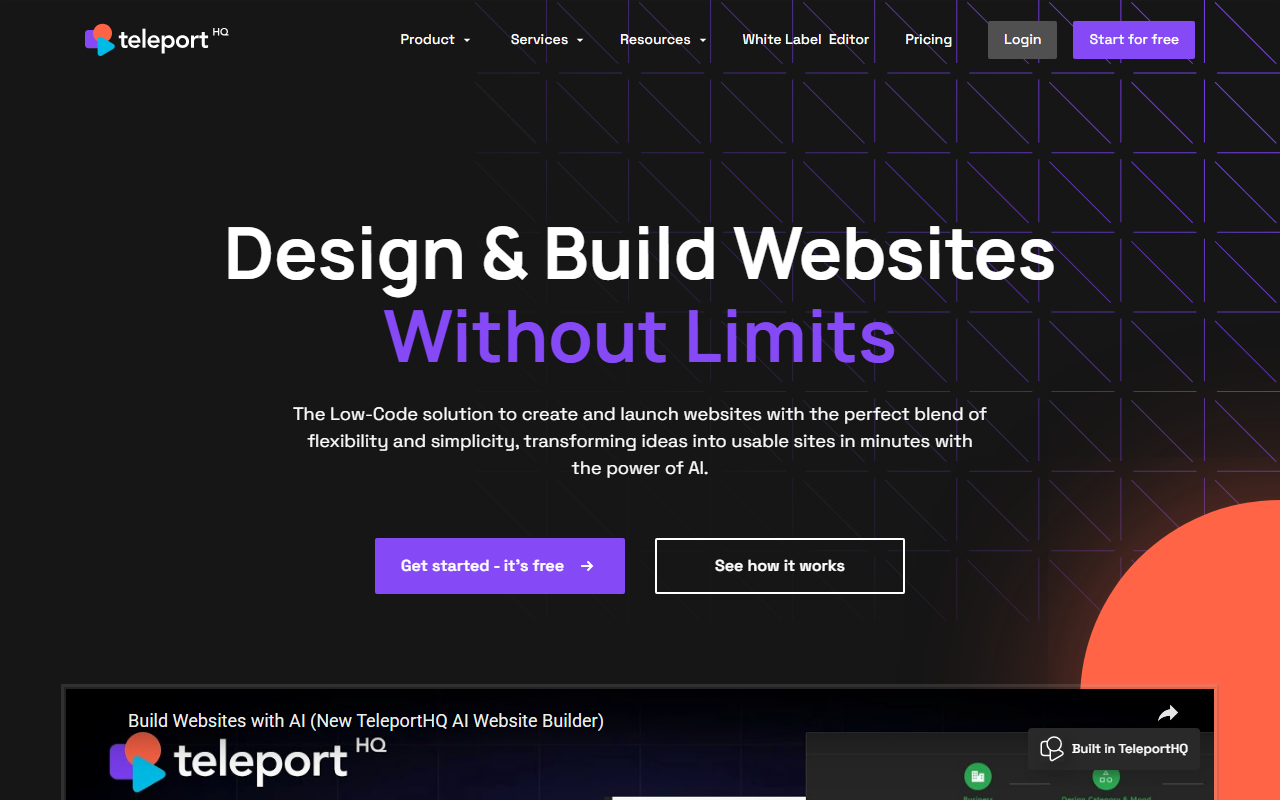
Upon visiting TeleportHQ’s site, you’re greeted with a clean, modern interface that immediately emphasizes its two core offerings: a Professional website builder and an AI website builder. The landing page wastes no time showing a hero section that reads “Design & Build Websites Without Limits,” with a clear call-to-action to start for free. I appreciate that the tool doesn’t force a sign-up before you can explore—there are demo videos, a template gallery, and documentation readily available. When I clicked “Get started - it’s free,” the onboarding flow presented a simple prompt field: you describe your project (e.g., “a landing page for a SaaS product”) and AI generates a layout and structure within seconds. The dashboard then displays a drag-and-drop canvas with a real-time code pane showing the underlying HTML/CSS. This dual view is a standout feature for developers who want to tweak output directly.
TeleportHQ clearly targets teams that bridge design and development. The interface splits into a visual builder and a live code editor, so changes made in one instantly reflect in the other. I also noticed a component library manager, where you can define and reuse UI elements across projects—a boon for maintaining design systems. For a first-time user, the learning curve is moderate: drag-and-drop is intuitive, but understanding how to integrate headless CMS or use the Figma plugin might require reading their tutorials.
Core Features and AI Capabilities
TeleportHQ’s AI website builder is its headline act. You start with a text prompt, and the tool generates multiple design variations. The AI doesn’t just create a generic template; it produces structured layouts with sections, typography, and placeholder content. You can then refine the design by adjusting colors, fonts, and components using drag-and-drop. What impressed me during a test was the speed: from prompt to a publishable static site in under two minutes. The output is production-ready HTML, which TeleportHQ claims is fully responsive and optimized for fast loading.
Beyond AI, the platform shines in low-code flexibility. It supports headless CMS integrations (they list Strapi, Contentful, and others in their docs), static site generation, and a Figma plugin that lets you import designs directly into the builder. The component library system is robust: you can create custom components, store them in shared libraries, and enforce design tokens across projects. This makes TeleportHQ a strong alternative to tools like Webflow or Wix Studio, though it lacks Webflow’s built-in CMS and e-commerce depth. Unlike pure no-code builders, TeleportHQ outputs clean code that developers can version-control and extend.
The real-time code editor is a key differentiator. As you drag a button, the code pane updates with the corresponding JSX or Vue syntax—TeleportHQ generates React, Vue, or static HTML via an internal generator. This is invaluable for teams that want to hand off production-ready code without cleanup. The platform also offers a white-label editor for agencies, which can be reskinned and sold as your own solution.
Pricing and Positioning
Pricing is not publicly listed on the website beyond the obvious free tier. The site has a “Pricing” page link, but clicking it reveals a form to request a quote. This opacity is a limitation for individuals or small teams wanting to compare costs upfront. From what I gathered in the documentation, the free plan allows one active project and includes core building features, while paid plans unlock team collaboration, custom domains, and priority support. Enterprise options with white-labeling are likely custom-priced. In the market, TeleportHQ competes with Webflow (starts at $14/month), Wix Studio, and Bubble, but its emphasis on code export and AI generation positions it as a hybrid for developer-adjacent users. Unlike Wix’s AI site builder, which generates a full site with visual editing, TeleportHQ lets you dive into the code immediately—a clear win for technical teams.
Who Should Use TeleportHQ?
TeleportHQ is best suited for front-end developers, design agencies, and product teams that need to rapidly prototype and ship static websites or UI components. Its real-time code generation eliminates the handoff friction between design and development. However, it’s less ideal for pure marketers or content creators who require a fully managed CMS with built-in blogging and e-commerce—tools like Squarespace or WordPress may be simpler. A genuine limitation I observed is that the AI, while fast, sometimes produces layouts that feel generic; you’ll need to invest time in branding and customization. Also, the lack of transparent pricing might deter budget-conscious solopreneurs.
Overall, TeleportHQ earns a strong recommendation for teams that value code quality and design consistency. Its AI accelerates the early ideation phase, and the low-code environment lets non-developers contribute. Visit TeleportHQ at https://teleporthq.io/ to explore it yourself.













Comments