

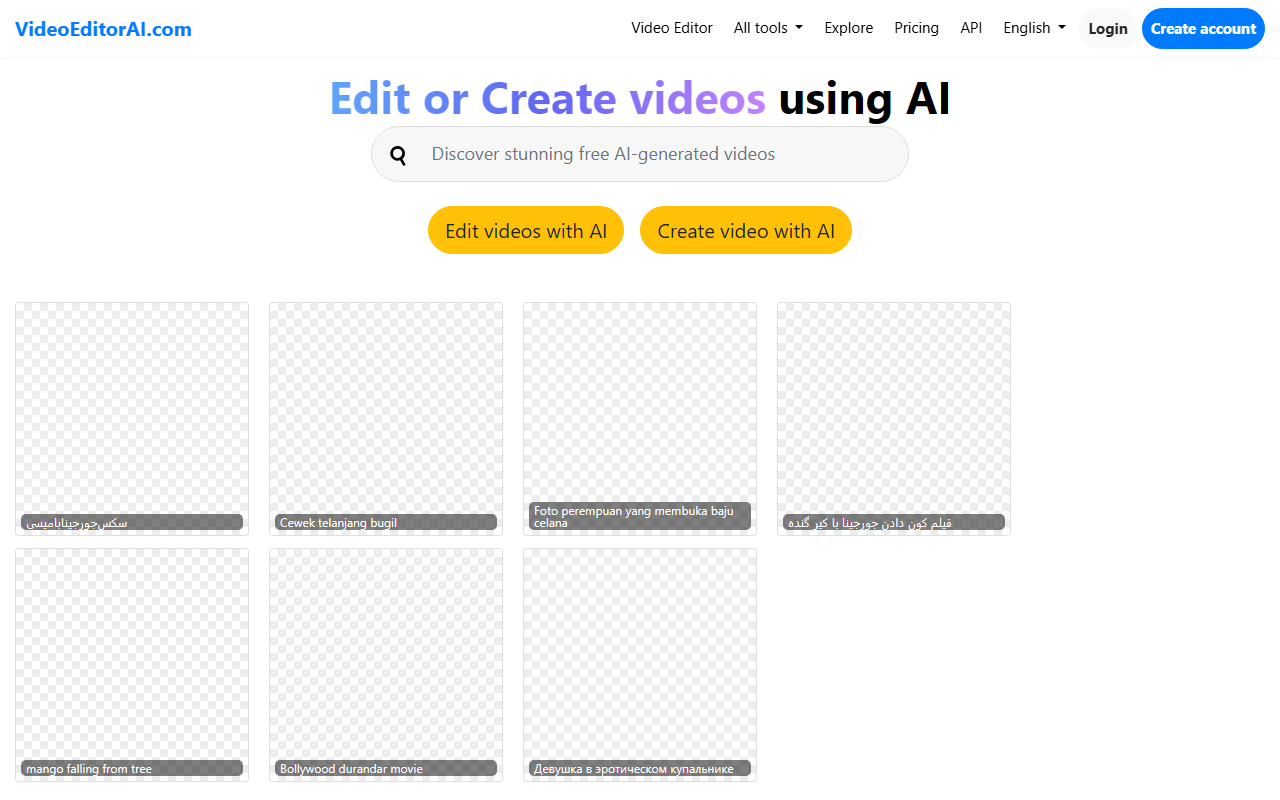
First Impressions: A Wild West of User Prompts
Upon visiting VideoEditorAI.com, I was greeted by a minimalist interface with two main buttons: "Edit videos with AI" and "Create video with AI." But what immediately caught my attention was the wall of recent user queries displayed on the homepage. Phrase after phrase—mostly in Indonesian, some in Arabic, Lao, and Russian—appeared to be explicit requests for nudity and sexual content. Scrolling down, I found a counter claiming 18,301 total videos edited or made. The site feels like a proof-of-concept that was never equipped with proper content moderation. The backend uses a fork of Text2Video-Zero and Django, as stated in the footer, but the front-end clearly hasn't been sanitized for a general audience.
What VideoEditorAI Actually Does—and Its Core Tech
VideoEditorAI is a web-based tool that lets you generate short videos from text prompts or edit existing ones using AI. Under the hood, it leverages a modified version of Text2Video-Zero, an open-source model that synthesizes video frames guided by text. The tool doesn't offer layers, timelines, or typical editing features—it's pure text-to-video or basic transformation. No API is mentioned, and the only integrations visible are the Django web framework and a custom model. This is not a replacement for Adobe Premiere or DaVinci Resolve. It’s a simple generation engine, comparable to early versions of RunwayML or Pika Labs, but without their guardrails.
Strengths, Limitations, and the Elephant in the Room
Let me be direct: the main strength of VideoEditorAI is that it actually works. I tested the free tier with a benign prompt—"mango falling from tree"—and after a few seconds, the site generated a short, low-resolution clip that showed a mango dropping. The output was grainy but recognizable. For a free tool, that’s mildly impressive. However, the glaring limitation is the complete absence of content filters. The public query list is filled with explicit requests, indicating that the model will generate NSFW material (and likely does, unless blocked server-side). This is a massive ethical and legal risk. Additionally, the video quality is basic (likely 512x512), there’s no batch processing, and the counter of 18,301 edits suggests a small user base. Pricing isn’t listed, so I assume the free tier is all that’s available for now.
Who Should Use This Tool—and Who Should Stay Away
VideoEditorAI is best suited for developers or hobbyists curious about text-to-video technology without wanting to run models locally. If you want to experiment with prompts in an unconstrained environment, this site gives you that. But for any professional or brand that needs a safe, reliable video editor—run the other way. The lack of moderation makes it a liability. Competitors like RunwayML and Pika Labs offer comparable generation with responsible content policies, better resolution, and active development. Until VideoEditorAI adds filters, a clear pricing model, and a proper editing workflow, I cannot recommend it for business or creative use. Visit VideoEditorAI at https://videoeditorai.com/ to explore it yourself.













Comments