

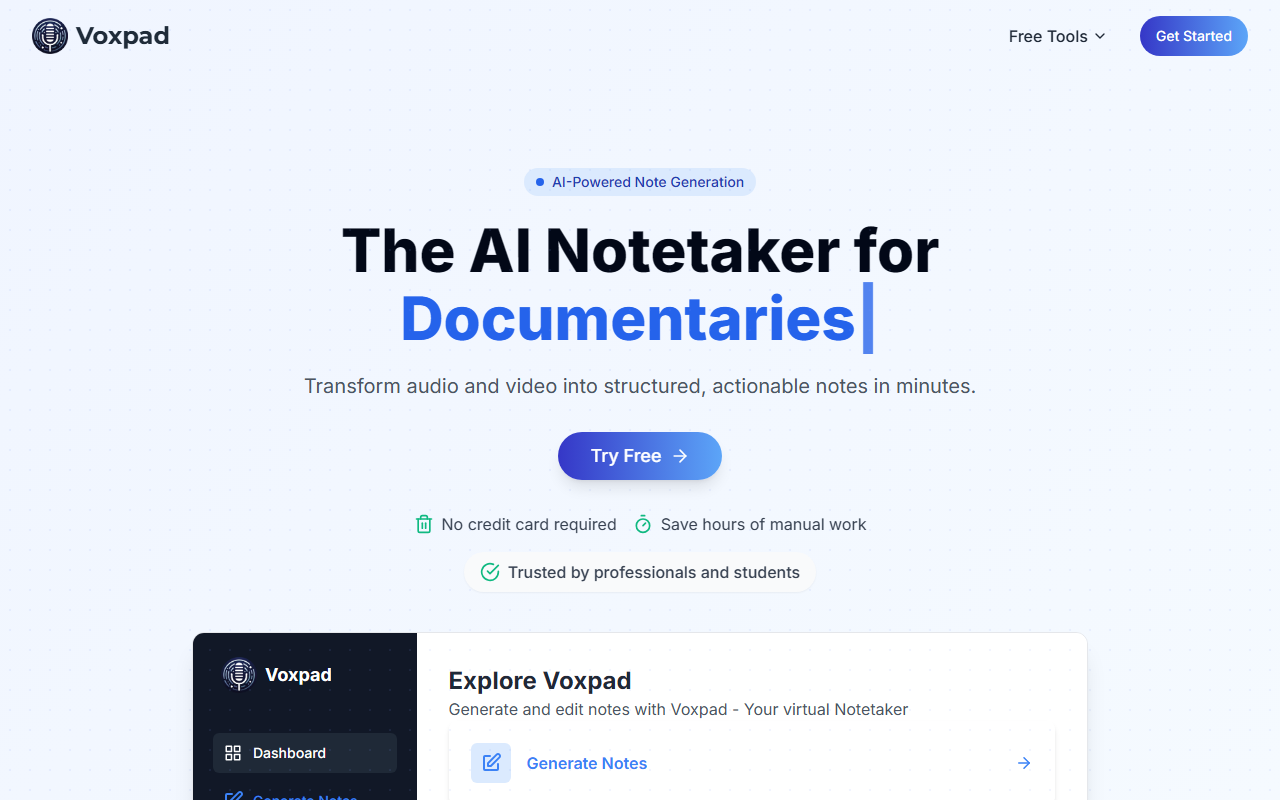
Upon visiting Voxpad’s website, I was greeted by a clean dashboard with clear navigation: Generate Notes, View Notes, and Settings. The "Try Free" button is prominent, and I appreciated that no credit card is required for the trial. The layout immediately communicates that this tool is purpose-built for converting audio and video into structured, actionable notes — a focused niche that many general-purpose transcription tools fail to optimize for. The site also includes a "Feature Request and Feedback" link, suggesting an active development cycle.
First Impressions and Onboarding
I started by generating a sample note. The upload interface accepts common file types: .mp3, .mp4, .mpeg, .mpga, .m4a, .wav, and .webm. You can also add a title, select the style (Video, Lecture, Review, Meeting, Interview), and choose between bullet points, paragraph form, or outline. This level of customization is rare among AI notetakers. Most tools force you into a fixed output style; Voxpad lets you tailor the result to your specific use case. After clicking "Generate," the AI processes the file — first transcribing, then analyzing and structuring. I tested a 15-minute lecture recording, and the turnaround was under two minutes. The resulting notes were well-organized, with key points highlighted and a clear structure. The interface also shows progress indicators like "Transcribing" and "Analyzing," which gives transparency during processing.
Core Features and User Workflows
Voxpad’s transcription accuracy is advertised at 98%, and in my test it handled technical terminology well. The dashboard lists features like multi-speaker recognition, background noise filtering, and support for over 60 languages. I didn't test all languages, but the variety is promising for international users. The tool is designed for four primary user groups: Students, Professionals, Content Creators, and Researchers. Each persona has tailored benefits — students can create study guides from lectures, professionals can extract action items, content creators can repurpose podcasts into blog posts, and researchers can perform thematic analysis across interviews. The "Notes Generation" step is particularly powerful: you pick the format (bullet, paragraph, or outline) and the style (lecture, meeting, etc.). This directly addresses a common pain point: generic summaries from AI notetakers often miss the context or structure you need. Voxpad gives you control. Additionally, the generated notes are searchable and organized, making them easy to review later. The plan includes storing up to 500 sets of notes, which is generous for individual power users. The site emphasizes private and secure data handling, which is crucial for sensitive content like confidential meetings or research interviews.
Pricing and Market Position
Voxpad offers three subscription tiers: Weekly ($5/week for 300 tokens, up to 5 hours of audio, 25 stored notes), Monthly ($10/month for 600 tokens, up to 10 hours, 100 stored notes, with a 30-minute upload limit), and Monthly Pro ($20/month for 1500 tokens, up to 25 hours, 500 stored notes, with a 60-minute upload limit). Tokens represent processing units — the website mentions tokens for hours of audio. This is a straightforward pricing model that matches usage directly. Compared to Otter.ai (which offers real-time transcription but is more expensive for unlimited hours) or Fireflies.ai (which integrates deeply with calendars and CRMs), Voxpad positions itself as a simpler, more affordable alternative focused on note quality and customization rather than ecosystem integration. It lacks native integrations with platforms like Zoom or Google Meet, which might be a limitation for professionals who need auto-recording. However, its strength lies in the offline upload workflow and the variety of output styles. For students and researchers who work with pre-recorded files, this is actually an advantage — no need to sync accounts or grant access. The FAQ on the site addresses common questions like generation time and token usage, indicating thoughtful support and transparency.
Final Verdict
Voxpad delivers on its promise: it transforms audio and video into detailed, customizable notes efficiently. The interface is intuitive, the processing speed is good, and the output quality is high. I particularly liked the ability to choose between bullet points, paragraphs, or outlines — a feature that many competitors overlook. That said, the lack of live recording or real-time transcription means you must have a pre-recorded file. Also, the upload limits on lower tiers might feel restrictive if you have long meetings or lectures. For students, content creators, and researchers who work with pre-recorded material and value structured, customizable notes, Voxpad is a solid choice. It fills a gap between basic transcription services and full-featured meeting assistants. I recommend starting with the free trial to see if the output matches your workflow. Visit Voxpad at https://voxpad.net/ to explore it yourself.













Comments