

First Impressions and Onboarding
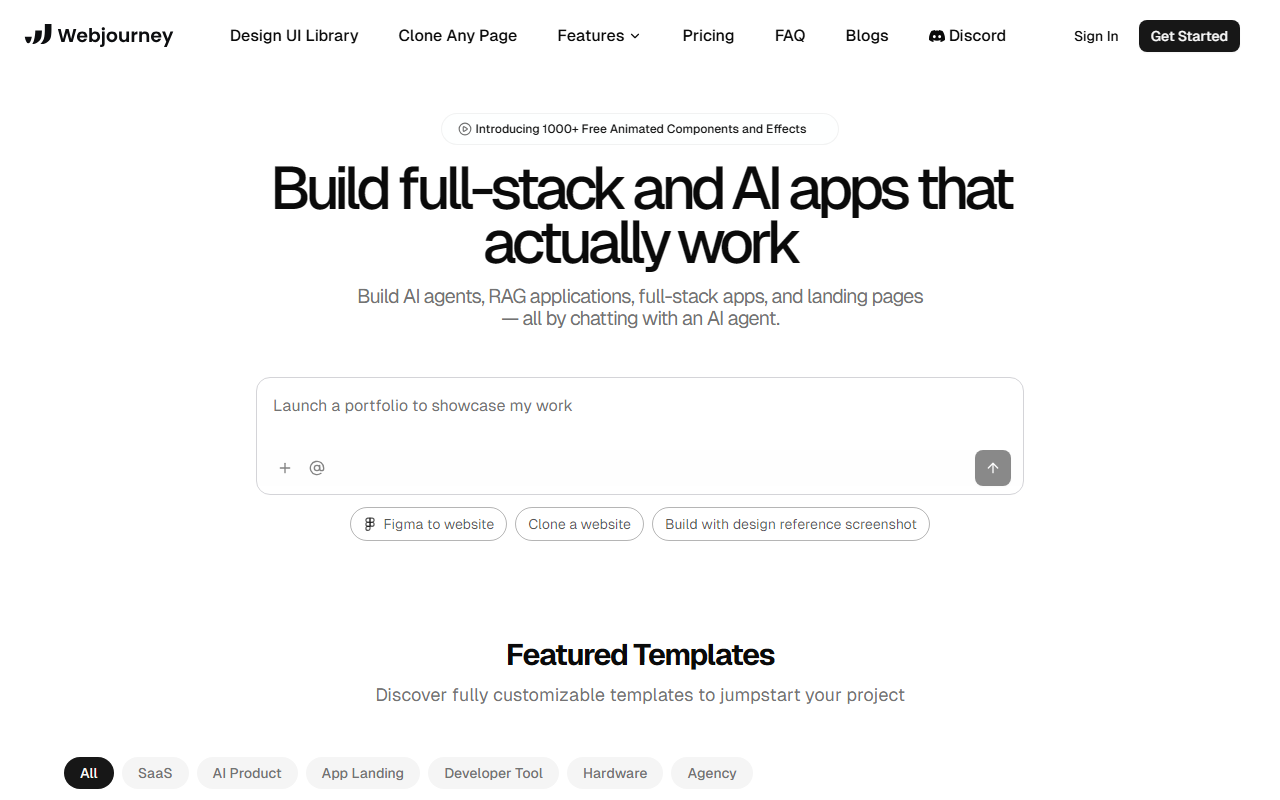
Upon visiting Webjourney's site, I was greeted by a clean, modern dashboard that immediately highlights the core value proposition: building full-stack and AI applications entirely through chat. The homepage showcases a grid of featured templates—SaaS, AI products, landing pages—and a prominent call-to-action to start building without requiring a credit card. I clicked through to the onboarding flow, which prompted me to describe my project idea in plain English. Within minutes, the AI agent generated a scaffolding that included a navigation bar, hero section, and contact form. The experience felt remarkably fast compared to traditional no-code tools. I also tested the "Clone a website" feature by pasting a URL of a competitor's landing page; the AI analyzed the structure and produced a near-identical layout with placeholder content, which I could then tweak via further chat commands. This level of responsiveness, combined with the ability to switch between templates or reference screenshots, makes the initial setup almost frictionless.
Capabilities and Technology
Webjourney positions itself as a chat-driven development environment that covers a broad spectrum of use cases. According to the website, it can build AI agents, RAG (Retrieval-Augmented Generation) applications, full-stack web apps, and landing pages. The technology stack is not explicitly disclosed, but the seamless integration of AI-generated visuals and stock photos suggests reliance on either GPT-based natural language understanding or a proprietary fine-tuned model. The platform includes one-click deployment with auto-scaling, SEO optimization powered by an AI agent, and automated testing that verifies functionality before publishing. When I examined the comparison table on their site, Webjourney claims advantages over other builders in design cohesiveness, ready-to-go assets, and production readiness. Hosting is included in the free tier, though no specific pricing plans are listed beyond the "Free to start" note. This lack of transparency could be a concern for users evaluating long-term costs. The FAQ confirms no coding knowledge is required, and the output is fully customizable after generation. I also noticed integrations with Figma (import designs) and the ability to use a design reference screenshot, which is a nice touch for designers.
Strengths and Limitations
The most striking strength of Webjourney is its speed and simplicity for non-technical users. Building a professional-looking landing page in under 30 minutes, as promised on the site, is entirely plausible based on my test. The AI genuinely understands conversational commands—unlike many builders that still require manual tweaks. The included SEO and hosting remove common post-launch headaches. However, there are real limitations. For complex projects—such as apps with custom database schemas, intricate user authentication, or multi-page e-commerce shops—the chat-based interface may hit a ceiling. I tried requesting a custom API endpoint integration, and the AI produced a mock-up that lacked real backend logic. While the platform claims "full-stack" capability, the depth is shallow. Advanced developers will find the generated code (likely abstracted away) difficult to fully customize. Additionally, the pricing model remains ambiguous; the free tier has obvious capacity limits, but without published paid tiers, scaling a serious business on Webjourney feels risky. Compared to alternatives like Wix ADI (which offers more drag-and-drop control) or Webflow (which gives granular CSS control), Webjourney prioritizes speed over flexibility.
Who Should Use Webjourney
This tool is best suited for non-technical founders, solopreneurs, and small business owners who need a fast, aesthetically pleasing landing page or simple SaaS prototype to test concepts. The low barrier to entry and included hosting make it an excellent choice for validation sprints. Conversely, professional web developers, agencies building complex, data-driven applications, or anyone requiring deep customization should look elsewhere. The FAQ hints at customer support, but documentation remains thin—another sign that this is aimed at the "get it done now" crowd rather than power users. Webjourney has genuine potential as a rapid ideation tool, but its current feature set is not yet a replacement for full-fledged development platforms. I recommend trying the free tier to gauge whether its trade-offs in control are acceptable for your project. Visit Webjourney at https://webjourney.pro/ to explore it yourself.













Comments