

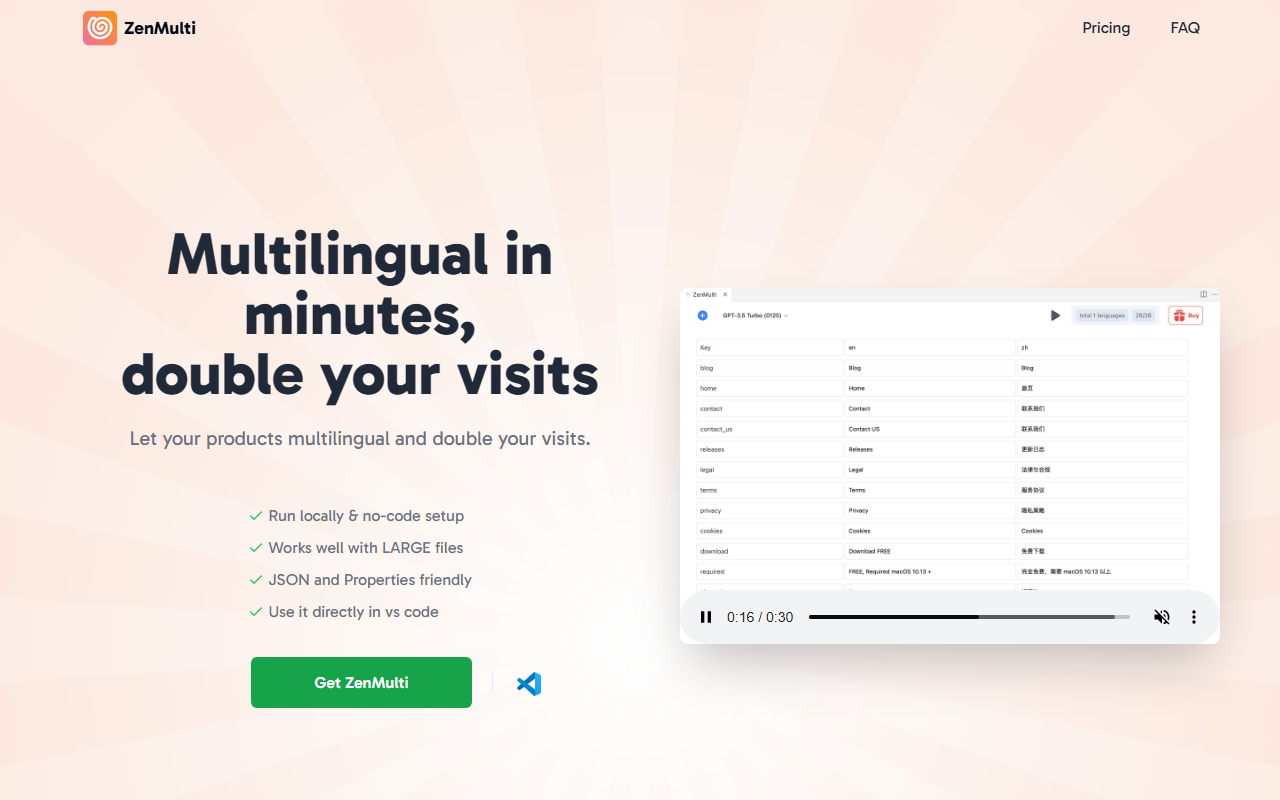
First Impressions and Onboarding
Upon visiting the ZenMulti website, I was greeted by a clean landing page that emphasizes speed and simplicity: "Multilingual in minutes, double your visits." The call-to-action leads directly to a VS Code extension installation. The onboarding flow is exactly as promised. After installing the extension from the VS Code Marketplace, you open a resource file — typically a JSON or .properties file — right-click, and select "Open ZenMulti." There is no complex configuration, no yaml files to edit. The extension immediately prompts you to enter your OpenAI API key and a license key if you have purchased one, then presents a simple interface to select source and target languages.
I tested the free tier (the extension is free to install, but translation requires a license for unlimited use). The free version works for a single file or limited usage? The website states "Install ZenMulti for VS Code - It's Free" and later offers a one-time payment of $39 for unlimited resource files and languages. This implies the free tier is likely a trial with restrictions, but the exact limits are not clearly specified. Regardless, the setup took me under two minutes from installation to selecting my first file.
How ZenMulti Works and Core Features
ZenMulti is essentially a wrapper around OpenAI's ChatGPT API, specifically designed for localizing resource files. It supports JSON and .properties formats natively, which covers most web and mobile app localization needs. The extension runs locally inside VS Code, meaning your source code never leaves your machine except for the translation API call. This is a significant advantage for privacy-conscious developers.
When testing with a 3,000-line JSON file containing product descriptions, the extension handled it without any noticeable lag. The website boasts it "works well with LARGE files," and my experience confirms that. The translation quality depends entirely on the underlying OpenAI model (GPT-4 or GPT-3.5, depending on your API key settings). Because you provide your own API key, you control the model and cost. ZenMulti does not add any markup or change formatting — it preserves the structure of your resource files.
One standout feature is the no-code setup. You don't need to write a single line of code or learn a new DSL. It also supports unlimited languages per license, which is rare for budget-friendly localization tools. Additionally, the extension is available directly in VS Code Marketplace, making discovery easy.
Pricing and Value Proposition
Pricing is straightforward: a one-time payment of $39 USD (down from $49 at the time of writing) for a lifetime license that covers unlimited resource files and unlimited languages. There's no subscription, no recurring fees. You still need to pay for OpenAI API usage separately, which is usage-based (typically pennies per million tokens for GPT-3.5-turbo). Compared to competitors like Lokalise or Crowdin, which charge per seat or per project monthly, ZenMulti is a steal for indie developers and small startups.
However, there are hidden costs. If you translate a very large project with GPT-4, the API costs can add up quickly. ZenMulti does not provide its own translation engine; it relies on your OpenAI account. The license key itself is a one-time purchase, but the FAQ clarifies it's per device/user (up to a few devices, though not explicitly stated). Also, the FAQ mentions a "license manager" to remove devices, which suggests the license is tied to a limited number of installations.
Who Should Use It and Limitations
ZenMulti is best suited for solo developers, small teams, and early-stage startups who need a quick, low-cost way to make their apps multilingual. It's ideal if you already use VS Code and have an OpenAI API key. It eliminates the need to manage separate translation services or hire translators for simple UI strings. If you're a large enterprise with complex translation workflows (e.g., translation memory, human review, CI/CD integration), you'll likely outgrow this tool quickly.
Limitations: The tool lacks built-in translation memory, glossary support, and quality assurance checks. It also does not integrate with version control systems or offer collaboration features. Since it uses OpenAI, translations can sometimes be inconsistent or lose context with large files split across multiple API calls. The FAQ even acknowledges this: "Why does sometimes ZenMulti responds differently... with the same prompt?" — likely due to the non-deterministic nature of LLMs. Additionally, the free tier is ambiguous, making it hard to evaluate before purchasing.
Overall, ZenMulti fills a niche for rapid, no-fuss localization. If you need a scalable, enterprise-grade solution, look at alternatives like Lokalise or POEditor. But for a one-time $39 investment to automate translations directly from VS Code, ZenMulti delivers on its promise.
Visit ZenMulti at https://zenmulti.cc/ to explore it yourself.













Comments