

First Impressions and Setup
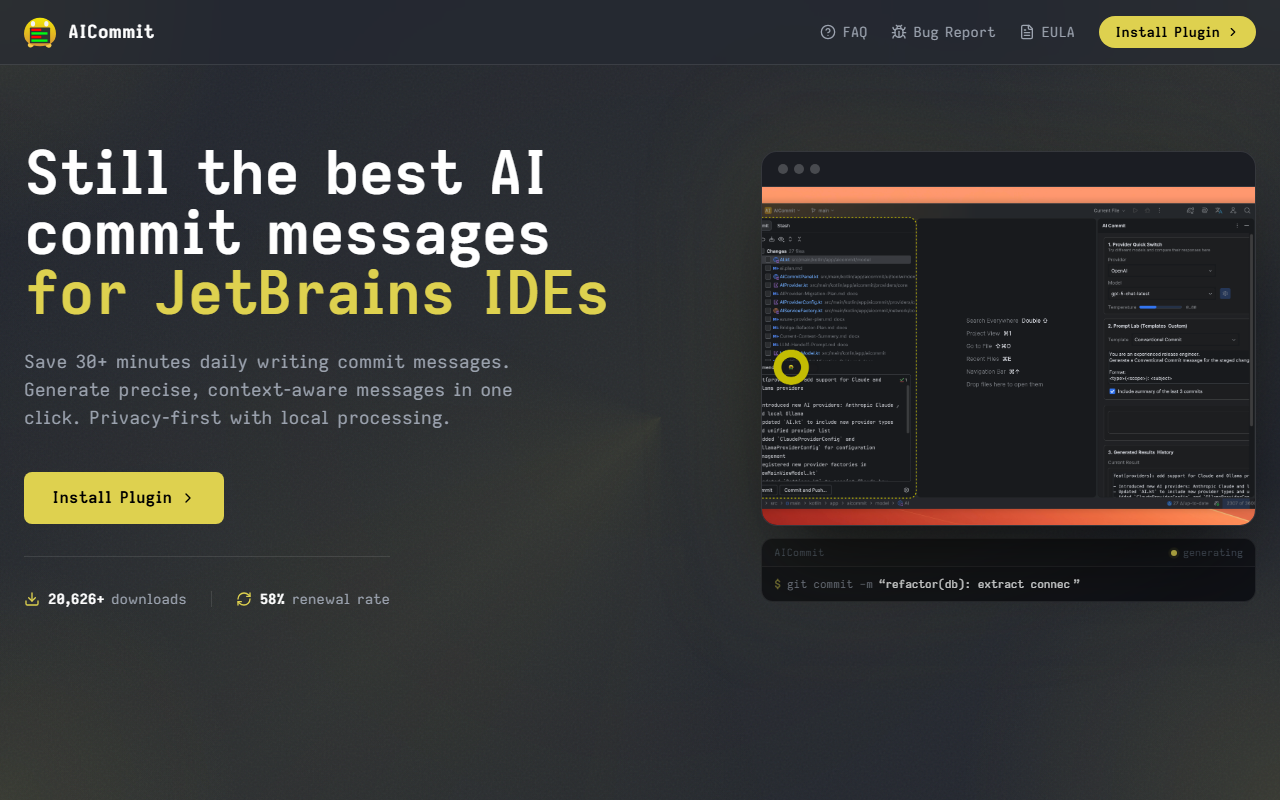
Upon visiting the AICommit website, I was immediately drawn to the clear focus: a JetBrains IDE plugin that automates commit messages. The landing page shows a dashboard-like overview with stats: 21,712+ Marketplace installs and a 58% renewal rate. Those numbers hint at a solid user base and decent retention. I clicked the "Install Plugin" link, which redirected me to the JetBrains Marketplace page. There, I downloaded and installed the plugin directly into IntelliJ IDEA (Community Edition). The onboarding was smooth—after restarting the IDE, a new "AICommit" tool window appeared under the VCS panel. The configuration wizard asked me to select an AI provider from the supported list: OpenAI, Azure OpenAI, Google Gemini, Anthropic Claude, or Ollama. I chose OpenAI and pasted my API key. The entire setup took under two minutes.
Core Features and Workflow
After staging a few changes in my test project, I opened the Commit panel. A small "Generate" button now sits next to the commit message field. One click—and in less than two seconds, a clear, professionally formatted message appeared: "fix: correct edge-case in user authentication flow". The diff analysis felt accurate; the plugin reads only the staged diff and sends it to the chosen AI provider after local processing. I also explored the Prompt Lab, which lets you pick a prompt template (Conventional Commits, Release Notes, etc.) or write your own. You can switch providers on the fly without touching any config files—a nice touch for teams testing different models. The generation history records every message, which helps with debugging or auditing. I tested with Ollama as a local-only option, and the process was equally fast, though the message quality varied depending on the local model size.
The plugin integrates directly into the JetBrains VCS panel, terminal, and Git workflow. You never leave the IDE. For developers who commit frequently, this eliminates the friction of writing or editing commit messages manually. The privacy-first approach is reassuring: code is processed locally before any API call, and no data is stored or logged. The site explicitly states that for cloud generation, content is sent only to the provider you configure. This makes it suitable for enterprise teams with strict data residency requirements.
Privacy, Pricing, and Positioning
AICommit’s privacy model is a genuine strength. Unlike some AI commit tools that send raw diffs to a third-party server, AICommit processes diffs locally before sending only the analysis to the AI provider. You can even go fully offline with Ollama and local models. On the pricing side, AICommit is distributed through the JetBrains Marketplace with a free trial—presumably a trial period, though the website does not list exact pricing tiers. You will need your own API key for the chosen AI provider, which adds a variable cost. For context, alternatives like GitCommit or generic commit message generators often lack deep IDE integration or require separate subscriptions. AICommit focuses exclusively on JetBrains users, so it is not a standalone tool. That limitation means Visual Studio Code users must look elsewhere (e.g., GitHub Copilot). Still, within the JetBrains ecosystem, few plugins offer this level of provider flexibility and privacy controls.
Who Should Use AICommit?
AICommit is best suited for JetBrains IDE users who want to save mental energy on commit messages while retaining full control over their data. It is especially valuable for teams following Conventional Commits or those who need audit trails of message generation. The one-click generation and prompt customization reduce the friction of everyday Git workflows. However, if you do not use JetBrains IDEs, or if you prefer a free local solution like GitLens with basic commit suggestions, this plugin will not fit. Also, because it relies on external AI provider keys, you must trust the provider’s data handling. The 58% renewal rate suggests that about half the trial users find enough value to pay—a reasonable conversion for a niche productivity tool. For any developer using IntelliJ IDEA, WebStorm, or other JetBrains IDEs, I recommend installing AICommit for the free trial and deciding for yourself. Visit AICommit at https://aicommit.app/ to explore it yourself.













Comments