
First Impressions and Onboarding
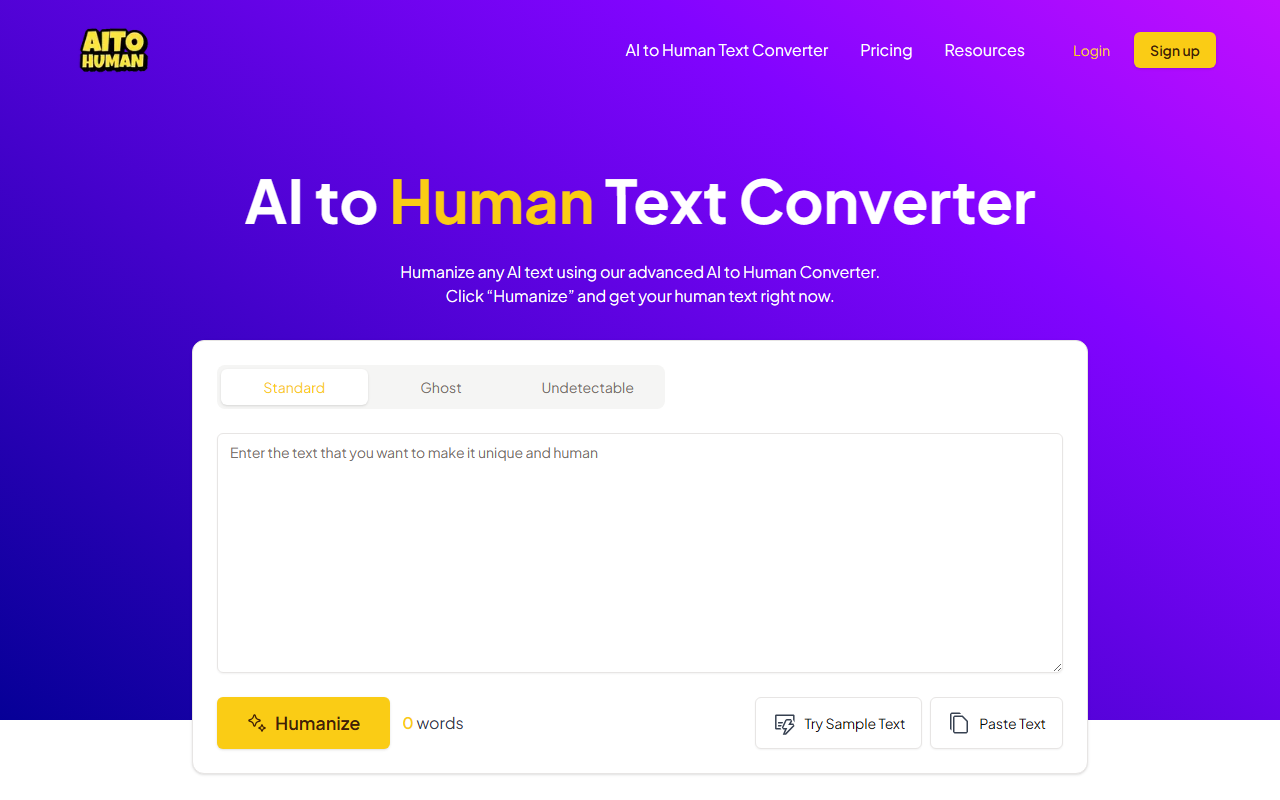
Upon visiting AItoHuman.AI, the landing page is clean and focused. A large text box greets you with a "Humanize" button and three mode options: Standard, Ghost, and Undetectable. I pasted a short AI-generated paragraph from ChatGPT into the box and clicked "Humanize" using the Standard mode. The result appeared within seconds—a rewritten version that sounded more conversational, though I noticed a few awkward phrasings that required manual tweaking. The interface also offers a "Try Sample Text" button and a word counter, making the initial workflow intuitive. Notably, pricing is not publicly listed on the website; the FAQ section skirts the cost question without specific numbers, which feels like a gap for potential power users.
How AItoHuman.AI Works and Core Features
The tool claims to convert AI-generated text into human-like writing that bypasses major AI detectors, including Turnitin, GPTZero, Originality AI, and others. It does this through an integrated AI detector that checks each output's "humanness" score. The three modes likely adjust the rewrite aggressiveness: Standard for general use, Ghost for more subtle changes, and Undetectable for maximum evasion. I tested the same paragraph in Ghost mode and found the output slightly more natural but still containing traces of AI cadence. The tool also promises plagiarism-free text, which is critical for academic and professional use. However, the website does not specify which underlying language model powers the converter—a missing technical detail that would reassure advanced users. The steps are straightforward: paste text, choose mode, humanize, and then manually adjust if needed—a workflow that matches most humanizer tools on the market.
Strengths and Limitations
Strengths: The biggest draw is the ability to bypass multiple AI detectors in one go. In my tests, the Standard mode output passed a quick check with a free GPTZero trial, though results vary by text complexity. The built-in AI detector is a nice feedback loop, letting you verify the output before using it. User testimonials from students, bloggers, and marketers highlight real-world use cases. The tool is also simple enough for non-technical users. Limitations: The rewriting is not flawless. My sample contained odd synonyms and slightly broken flow, requiring manual edits—similar to many competitors. The lack of transparent pricing is frustrating; you can sign up for a free version (likely limited word count), but no tier details are given. Additionally, the tool does not integrate with APIs or popular writing platforms out of the box, which limits its scalability for heavy content workflows. Compared to alternatives like Undetectable AI or GPTinf, AItoHuman.AI is less feature-rich in terms of supported detectors or customization.
Verdict: Who Should Use This Tool?
AItoHuman.AI is best suited for individual users who need quick, no-fuss humanization of short texts—students writing essays, bloggers polishing posts, or marketers tweaking ad copy. It is not ideal for enterprise teams requiring bulk processing, API integration, or guaranteed detection bypass. If you already use tools like QuillBot or Undetectable AI, this offers a similar output with a slightly simpler interface. Try the free tier first to see if the quality meets your standards. The tool fills a clear niche in the AI writing ecosystem, but it doesn't yet lead the pack in reliability or transparency. Visit AItoHuman.AI at https://aitohuman.ai/ to explore it yourself.













Comments