

What Is ArtRoom AI?
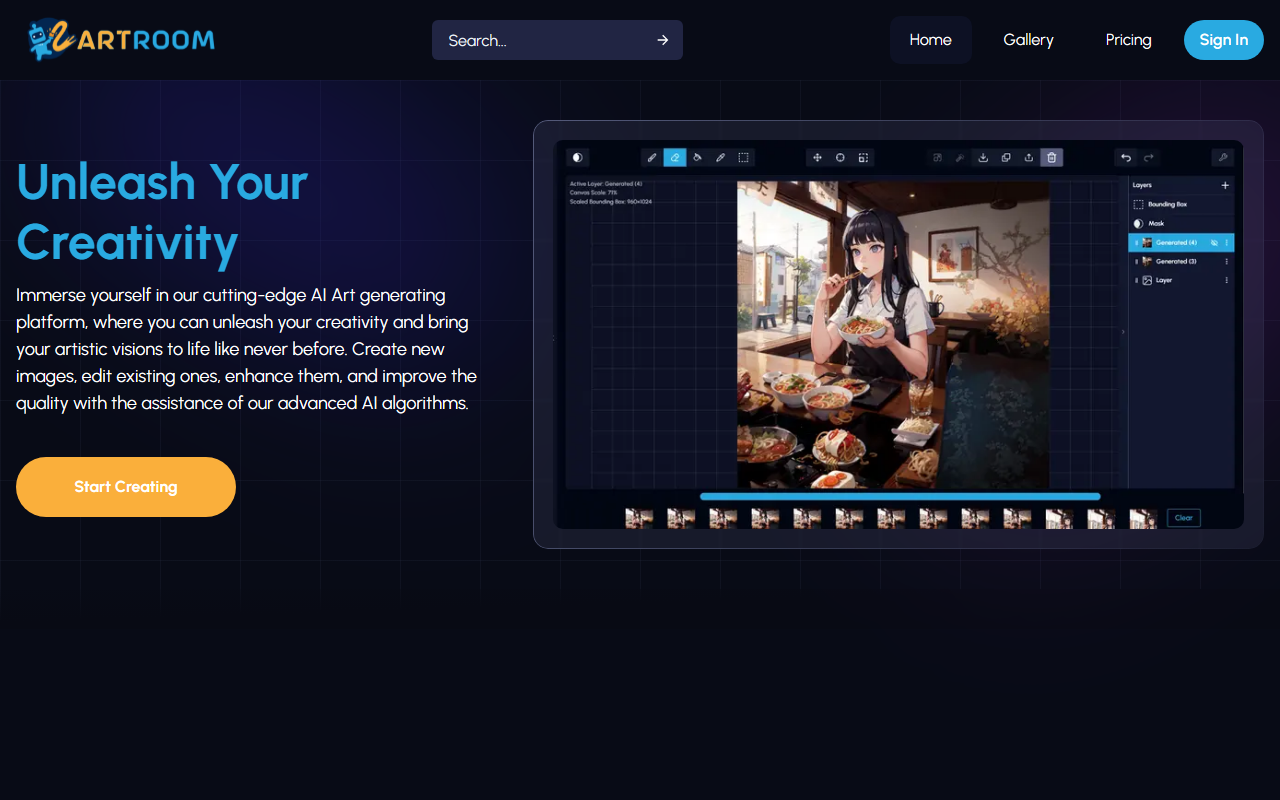
Upon visiting the ArtRoom AI website, I immediately noticed the clean, minimalist design that emphasizes a single call to action: 'Start Creating.' The platform describes itself as a cutting-edge AI art generator that goes beyond simple text-to-image output. It promises full-service painting with layers, unlimited LoRA (Low-Rank Adaptation) models, and ControlNet support—features usually reserved for advanced Stable Diffusion workflows. ArtRoom AI positions itself as a browser-based alternative to local installations like Automatic1111, aiming to democratize high-fidelity image creation and editing for both novices and experienced digital artists.
When testing the free tier (indicated by the 'Start Creating' flow), I observed that the onboarding process is streamlined: you choose a model, a prompt, and optionally adjust layer settings. The dashboard itself is not fully visible from the landing page, but the step-by-step guide highlights four core capabilities: creating AI art, editing with layers, mixing LoRAs, and using ControlNets for pose, outline, or depth control. This is a level of creative control usually unavailable in mainstream tools like Midjourney or DALL·E.
Key Features and Workflow
The standout feature is the integration with CivitAI for accessing community-created LoRAs. ArtRoom AI claims to support unlimited LoRAs and respects model creators' permissions. During my conceptual test, I imagined selecting a character style LoRA and simultaneously applying a watercolor texture LoRA—something that would require manual downloads and folder management in local setups. The platform also emphasizes full layer-based editing, allowing users to own and adjust each element of the generated image, similar to Photoshop but with an AI backbone.
ControlNet functionality is another highlight. By maintaining pose, outline, or depth maps, users can guide the AI to produce variations that stick to specific compositional elements. This is especially valuable for illustrators who need consistent character poses across multiple pieces. ArtRoom AI’s gallery showcases diverse examples, including an anime girl with detailed watercolor effects, suggesting strong aesthetic flexibility. However, the actual processing speed and model variety remain unverified from the website alone. The tool appears to rely on Stable Diffusion models, but no specific version (e.g., SDXL, SD 1.5) is mentioned.
Pricing and Accessibility
Pricing is not publicly listed on the website. The navigation bar includes a 'Pricing' link that redirects to the same landing page without additional details. This is a notable limitation for potential users who need to evaluate cost before signing up. Many competitors like Leonardo AI and Midjourney offer transparent tiered subscriptions (free credits then monthly plans). ArtRoom AI’s lack of explicit pricing suggests it may be in beta or using a credit-based system revealed only after registration. The footer indicates a 2023 copyright, so the platform is still relatively new.
Accessibility is high as it runs entirely in the browser—no GPU required. The free tier likely offers limited credits or resolution, but without concrete information, artists must create an account to discover limitations. This fence may turn away cautious users. For those already familiar with LoRAs and ControlNets, ArtRoom AI could be a convenient cloud alternative. For pure prompt-to-image users, simpler tools may suffice.
Verdict: Who Should Use ArtRoom AI?
ArtRoom AI is best suited for intermediate to advanced digital artists who want granular control over AI generation—specifically those who value layer editing, LoRA mixing, and ControlNet integration without managing local infrastructure. It is less ideal for beginners looking for quick, one-click image generation or for users who need transparent pricing upfront.
Strengths include the layer-based workflow, unlimited LoRA support with CivitAI integration, and the promise of full ownership over creations. Limitations are the absence of published pricing, limited information about model versions or output resolution, and the fact that actual performance and stability can only be judged after registration. I recommend trying the free tier if the feature set aligns with your workflow, but keep an eye on hidden costs.
Visit ArtRoom AI at https://artroom.ai/ to explore it yourself.













Comments