

First Impressions and Setup
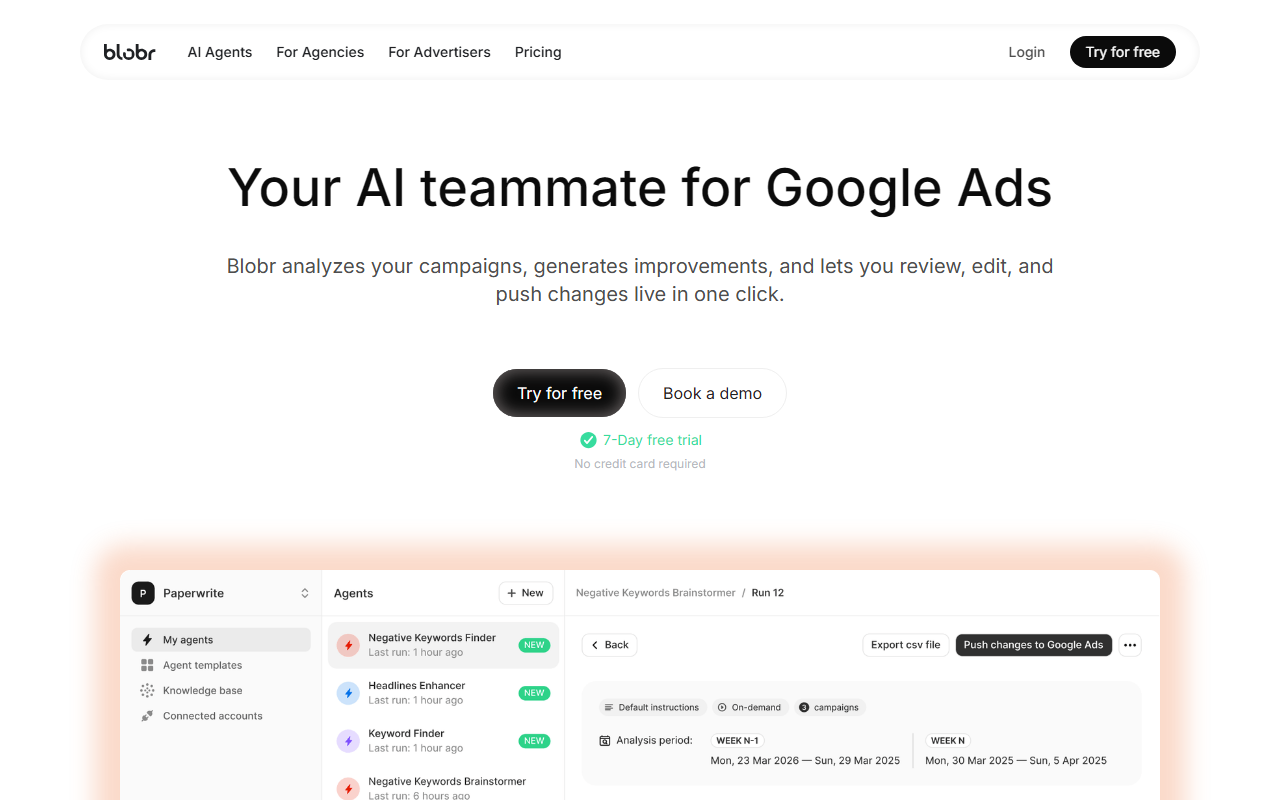
Upon visiting Blobr’s website, the messaging is immediately clear: this is a dedicated AI tool for Google Ads. The dashboard promises to analyze campaigns nonstop and provide actionable recommendations. The onboarding flow is straightforward — a one-click Google Ads connection, after which Blobr ingests historical data and current account structure. I tested the free tier (a 7-day trial, no credit card required) and was able to connect a test account within minutes. The interface is clean, with a sidebar listing AI agents and a main panel showing account health metrics. The focus on “AI teammates” rather than a black-box optimizer felt refreshing.
Core Features and User Experience
Blobr’s core value is a team of over 50 specialized AI agents, each trained on best practices from top Paid Media experts. These agents handle specific tasks: new keyword ideas, negative keyword curation, ad copy, bid adjustments, budget allocation, audience targeting, landing page alignment, and account structure. What impressed me most is the control granularity. For each agent, you set which accounts, campaigns, or ad groups it can analyze; how often it runs (daily, weekly, monthly); and custom rules like tone of voice, naming conventions, thresholds, and brand constraints. This means you can let the AI work autonomously while retaining full veto power.
The output is a prioritized, editable list of recommendations. You can review each suggestion, edit parameters, and push them live to Google Ads in one click. During testing, I observed an agent flagging underperforming keywords and suggesting new long-tail variants based on search intent. The system also detected a recent change in campaign structure and advised rebalancing budgets. The “autopilot” mode with user-defined rules is particularly useful for trust, as Blobr doesn’t make unauthorized changes. It truly feels like having a junior analyst who never sleeps.
Pricing, Competition, and Target Audience
Pricing is not fully displayed on the website beyond the 7-day free trial. After the trial, agencies likely need to book a demo for custom plans. The footer lists Opteo and Optmyzr as competitors. Unlike Opteo’s simpler interface or Optmyzr’s comprehensive toolset, Blobr focuses heavily on AI agents and granular control. Who should use it? It’s ideal for agencies managing multiple Google Ads accounts who want to automate 80% of daily tasks without increasing headcount, and for in-house advertisers who need an always-on expert. However, it’s limited to Google Ads only — no support for Microsoft Ads, Facebook, or other platforms, which might be a dealbreaker for multi-channel teams.
Strengths, Limitations, and Verdict
Strengths: Real-time continuous analysis; highly customizable agents; one-click push to live accounts; transparent recommendations (you see and edit before pushing); built by a team with deep Google Ads expertise (SaaS based in France, trusted by 100+ industry leaders). Limitations: Google Ads only; the learning curve for setting up custom agent rules may intimidate beginners; no public pricing plans — likely enterprise-oriented after trial. My recommendation: If you manage Google Ads accounts and want to save hours weekly while maintaining control, Blobr is definitely worth the free trial. Agencies will appreciate the scalability; solo advertisers will love the expert insights. Skip it if you need cross-platform campaign management or prefer a fully autonomous solution without manual review. Visit Blobr at https://blobr.io/ to explore it yourself.













Comments