

First Impressions and Onboarding
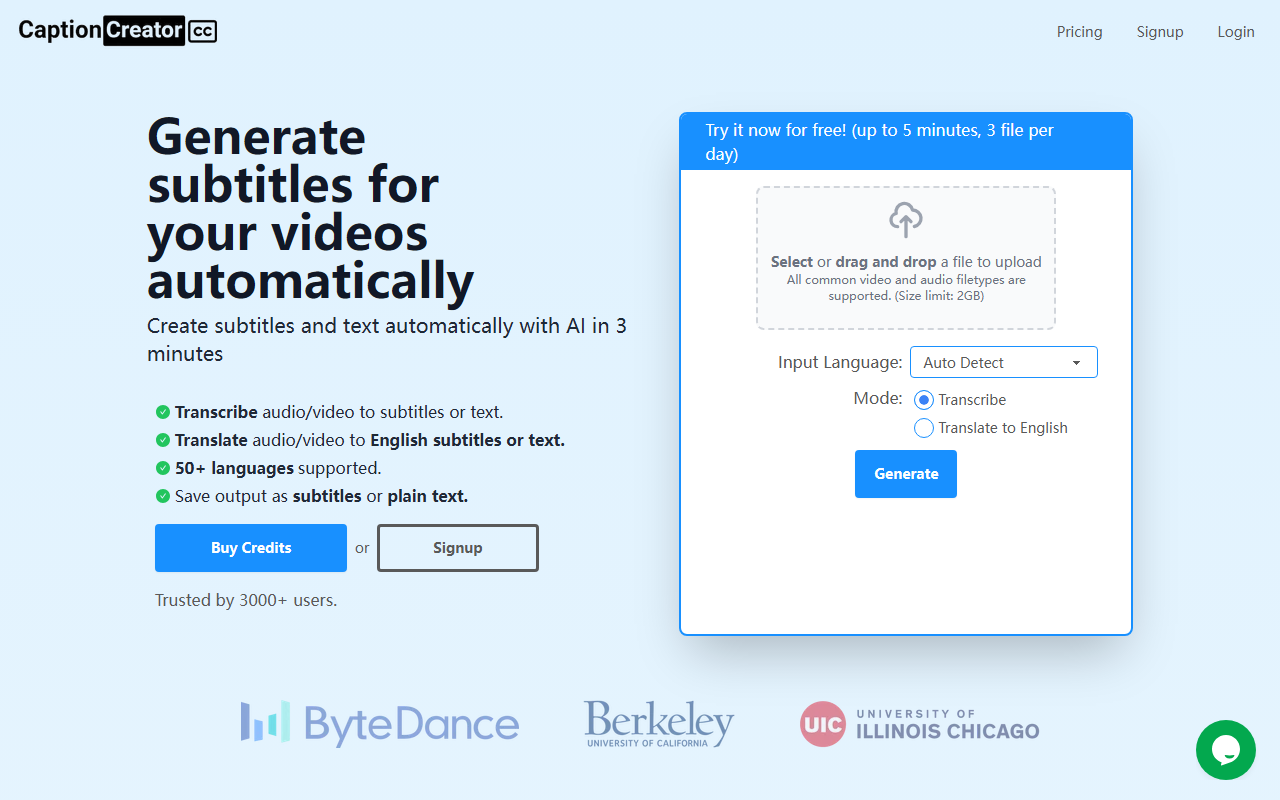
Upon visiting CaptionCreator at captioncreator.cc, the interface is immediately clean and focused. A large drag-and-drop area dominates the page, with a clear call-to-action to try it for free. I chose a 2-minute voiceover clip in Spanish from my desktop. After dropping the file, a language dropdown appeared pre-set to 'Auto Detect', and two mode buttons: 'Transcribe' and 'Translate to English'. I selected Transcribe and clicked the Generate button. The upload was quick, and within about 90 seconds, the subtitle file was ready for download as an SRT or plain text. The progress bar and estimated time were reassuring, and the whole workflow felt very straightforward.
Core Features and Supported Languages
CaptionCreator solves a specific pain point: generating subtitles or transcripts from video and audio files without a subscription or complex software. The tool supports over 50 languages, including major ones like Chinese, Arabic, Hindi, and less common ones like Welsh and Maori. Two modes are available: Transcribe (output subtitles in the original language) and Translate to English (automatically translates the spoken content into English subtitles). The website highlights support for noisy audio, multilingual audio (where speakers switch languages), and diverse accents. During my test with a mildly noisy podcast clip in English, the transcription was highly accurate, catching less common terms like 'macroeconomic tailwinds'. The AI model behind it is not named, but the results suggest a competitive speech recognition engine.
Pricing and Value Proposition
CaptionCreator uses a credit system: $10 for 100 credits, where 1 credit = 1 minute of audio/video. Credits never expire (as long as you use the service once a year), and there are no caps on file length or daily files after purchase. This pay-as-you-need model is a standout compared to subscription competitors like Otter.ai or Rev, which charge monthly. There is also a generous free tier: without an account you get 3 files per day (each up to 5 minutes), and with a free account you can process unlimited files under 5 minutes. The offer is backed by a 30-day money-back guarantee. For occasional users or small projects, this pricing is extremely flexible. However, power users with long-form content (e.g., webinars, lectures) may find the $10 for 100 minutes pricing slightly higher per minute than bulk subscription alternatives.
Final Verdict and Recommendations
CaptionCreator is best suited for content creators, YouTubers, and small teams who need fast, reliable subtitles without ongoing commitments. The accuracy is impressive for clean audio, and the language support is broad. Strengths include speed (2-minute transcription in under 90 seconds), multilingual capabilities, and the no-subscription pricing. Limitations include the 5-minute cap on the free tier (even with a free account), lack of advanced subtitle editing (timing adjustment, styling), and no explicit API for developers. Additionally, there is no speaker identification (diarization) for multi-speaker videos. For users needing those features, alternatives like Descript or Subtitle Edit offer more control. Overall, CaptionCreator delivers on its promise of fast, automatic subtitle generation. I recommend it for anyone who wants a simple, pay-per-use tool to add captions quickly. Visit CaptionCreator at https://captioncreator.cc/ to explore it yourself.













Comments