

First Impressions and Onboarding
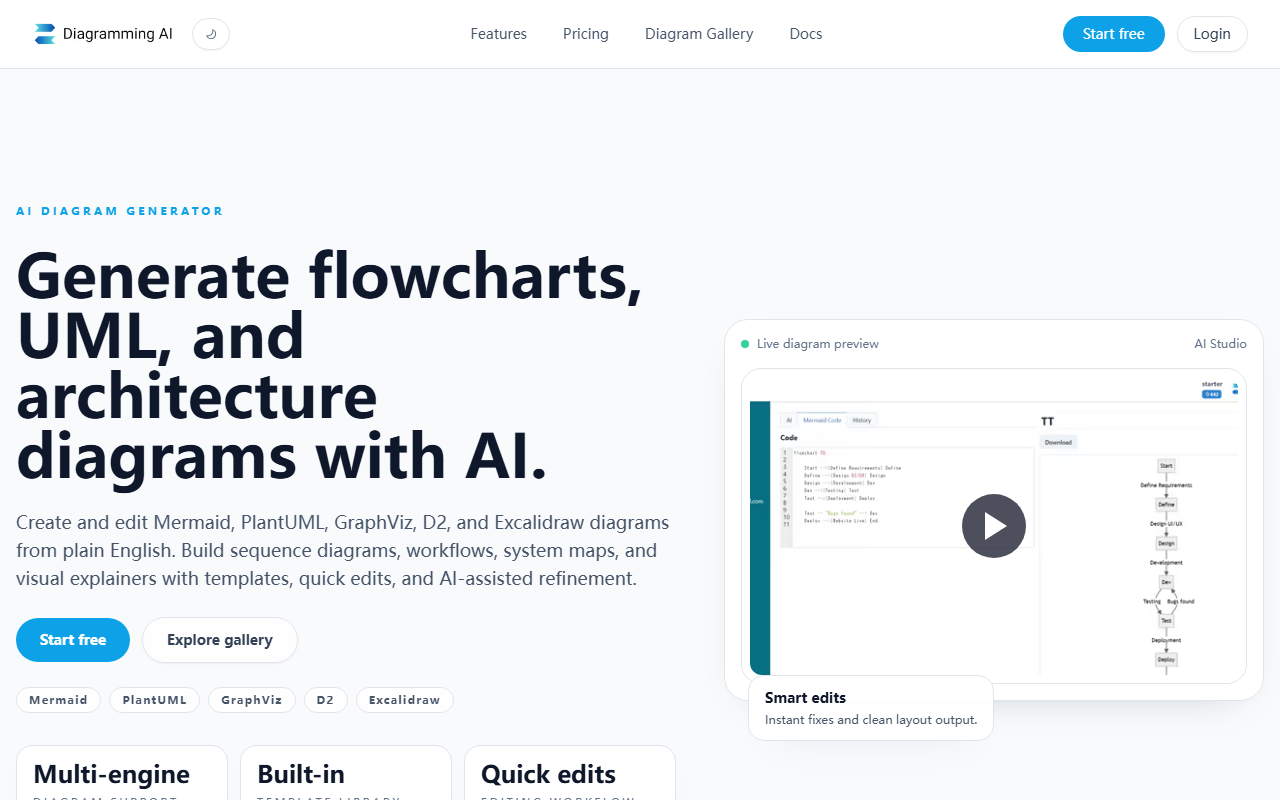
Upon visiting the Diagramming AI site, the landing page presents a clean, minimal design with a prominent "Start free" button and a hero section illustrating the workflow: describe, refine, save and share. The dashboard is straightforward—new users can immediately begin by typing a prompt in plain English. I tested the free tier by entering the prompt "Create a sequence diagram for a user login process." The AI generated a Mermaid diagram within seconds, complete with proper actor and system boxes. The live preview window shows the rendered diagram to the right, and the editor panel on the left displays the underlying code. The onboarding flow is intuitive: no account required to start, but saving and sharing require a login. This low-friction entry point makes it easy to evaluate the tool.
Core Features in Depth
Diagramming AI supports five diagram engines: Mermaid, PlantUML, GraphViz, D2, and Excalidraw. The multi-engine approach is a standout advantage—users can switch between syntaxes without leaving the platform. The AI chat feature offers two modes: Discussion Mode (for general suggestions on diagram improvements) and Update Mode (to issue direct commands like "Change all blue boxes to green"). I tested Update Mode on a PlantUML workflow diagram and the AI responded instantly, modifying the code and preview without breaking the layout. The Quick Edit functionality lets you click on individual elements to resize or restyle them, which is useful for fine-tuning without rewriting code.
Another notable feature is the Visual Editor (V-Edit) powered by Excalidraw. With one click, a text-based Mermaid diagram becomes a draggable canvas where you can reposition boxes, add annotations, or change arrow styles. This bridges the gap between code-oriented diagramming and drag-and-drop visual editing. I also tried the URL-to-Diagram feature: pasting the URL of a tech blog produced a mind map of the site's structure, though it required some manual cleanup. The Image-to-Diagram feature works similarly—upload a screenshot of a flowchart, and the AI attempts to recreate it as code. Results vary depending on image clarity, but it's a useful starting point.
Error resolution is automated: the AI reads error messages from the chosen engine and suggests corrections. When I deliberately introduced a syntax error in a GraphViz diagram, the tool flagged the line and proposed a fix within seconds. This is especially helpful for users less familiar with these markup languages.
Pricing and Market Position
Diagramming AI offers a free tier that includes most core features: creating diagrams in all supported engines, using the chat, quick edit, visual editor, and saving projects. The website mentions "Mermaid, PlantUML, GraphViz, and D2 editors and quick edit features are all available for free." Paid plans likely exist for higher usage limits or team features, but exact pricing was not publicly listed on the visited pages. The platform positions itself as a flexible alternative to tools like Mermaid Live Editor or Draw.io, but with the AI layer on top. Unlike Lucidchart, which is feature-rich but more expensive, Diagramming AI focuses on text-to-diagram automation and multi-format support. It is best suited for developers, technical writers, and system architects who already use text-based diagramming but want AI assistance to speed up creation and editing. Casual users or those needing advanced collaboration features might find draw.io or Miro more appropriate.
Final Verdict
Diagramming AI delivers on its promise of turning plain English into clean, editable diagrams across multiple popular syntaxes. The AI chat and quick edit features genuinely save time, and the Excalidraw integration provides a nice safety net for visual tweaks. The free tier is generous enough for individual use, though heavy users may need to wait for transparent pricing. One limitation: the AI sometimes generates overly complex diagrams for simple prompts, requiring manual simplification. Additionally, the URL-to-diagram and image-to-diagram features are hit-or-miss—they work best with well-structured content. Overall, if you regularly create sequence diagrams, flowcharts, or system maps and want to reduce time spent on syntax, Diagramming AI is worth a serious look. I recommend starting with the free tier to test its capabilities on your typical workflows. Visit Diagramming AI at https://diagrammingai.com/ to explore it yourself.













Comments