

First Impressions and Onboarding
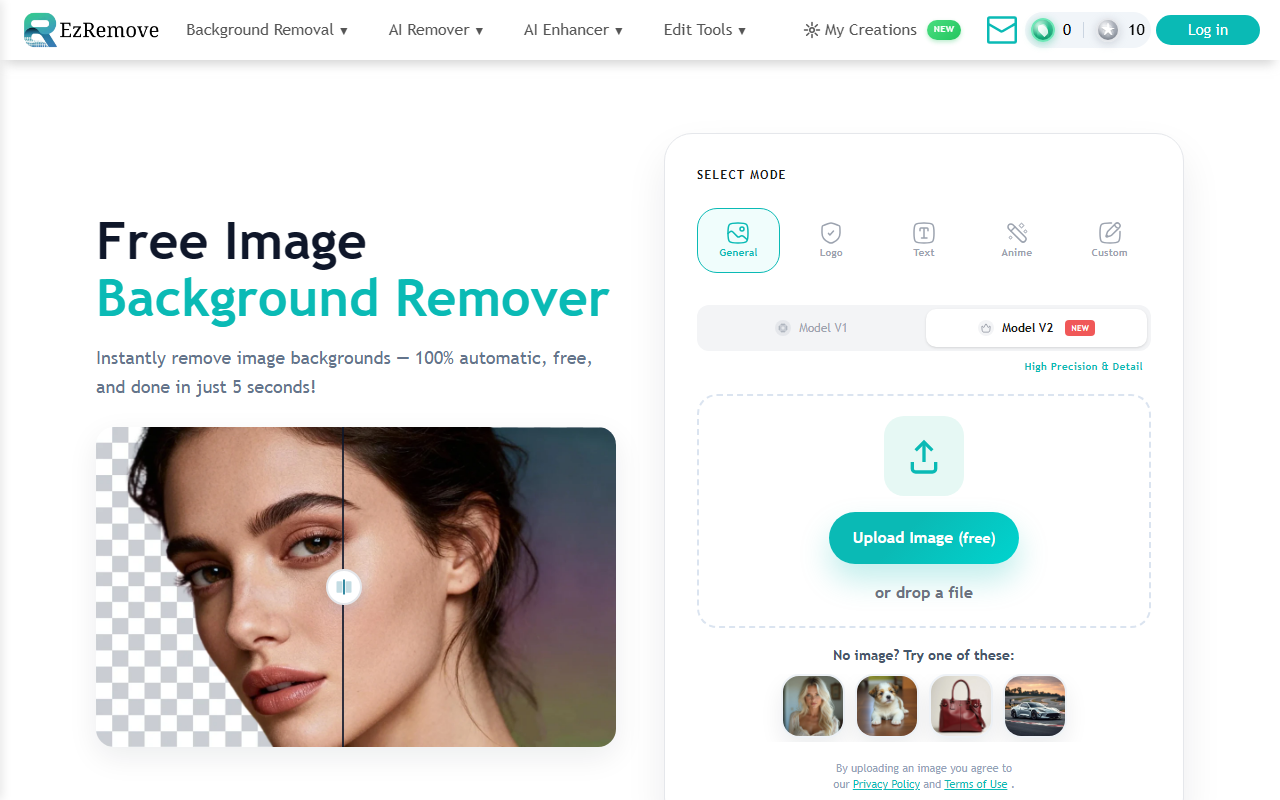
Upon visiting EzRemove, the interface is clean and minimal. The hero section immediately offers a choice between two AI models: Model V1 for general speed and Model V2 for higher precision with details. Below that, five modes are displayed: General, Logo, Text, Anime, and Custom. The Custom mode lets you type a prompt to remove specific objects, which is a standout feature I haven’t seen in most free removers. The upload area is a large drop zone with a clear Upload Image (free) call-to-action. I tested it with a portrait photo using Model V2 in General mode. The processing completed in about three seconds, and the cutout was impressively clean around hair strands. The download button for a transparent PNG appeared immediately. No account creation was required, which makes the initial experience friction-free.
Core Features and How They Work
Beyond basic background removal, EzRemove offers a robust set of features. The batch background remover is prominently linked—handy for anyone processing multiple product shots or event photos. After removal, you can switch the background to a solid color or white, or use the built-in AI Background Generator. This generator lets you describe a new scene (e.g., “wood desk background”) and preview options before exporting. This is a time-saver for eCommerce sellers who need consistent studio-like backdrops. The tool also handles tricky subjects: I tested it on a logo with thin text and a glossy product with reflections. The Logo mode preserved edges well, and the General mode with Model V2 kept the reflective surface from being completely erased. According to the website, EzRemove has processed over 50 million images, indicating reliability at scale.
Performance, Pricing, and Limitations
Pricing is not publicly listed on the website beyond a free tier that allows single uploads. The note “Can’t upload more images” appears after repeated free use, suggesting a daily or session limit—likely with a paid upgrade for higher volume. This is reasonable for casual users but may frustrate professionals handling hundreds of images daily. Compared to competitors like Remove.bg (which offers 500 free credits then $0.20/image) or Adobe Photoshop’s background removal (subscription required), EzRemove’s free tier is generous for occasional use. However, I noticed that the batch removal tool—while mentioned—does not have a clear pricing indicator. The AI Background Generator is a nice addition, but generated backgrounds varied in quality; some looked slightly synthetic. Also, the tool lacks an API for integration into automated workflows, which power users might expect. Overall, performance is fast and accuracy is high for most subjects, but extremely complex edges (e.g., translucent objects) may need manual refinement.
Who Should Use EzRemove?
EzRemove is best suited for eCommerce sellers, social media managers, and content creators who need quick, automated background removal without learning complex software. The multiple modes and AI background generator make it versatile for product photos, logos, and even anime illustrations. If you work with high volumes daily and need an API or unlimited batch processing, a paid service like Remove.bg or a Photoshop subscription might be more reliable. But for ad-hoc tasks or low-volume projects, EzRemove is one of the better free options available. Its intuitive design and transparent PNG export eliminate friction. I recommend testing it on your next batch of product images—you might be surprised at the quality. Visit EzRemove at https://ezremove.ai/ to explore it yourself.













Comments