

First Impressions and Onboarding
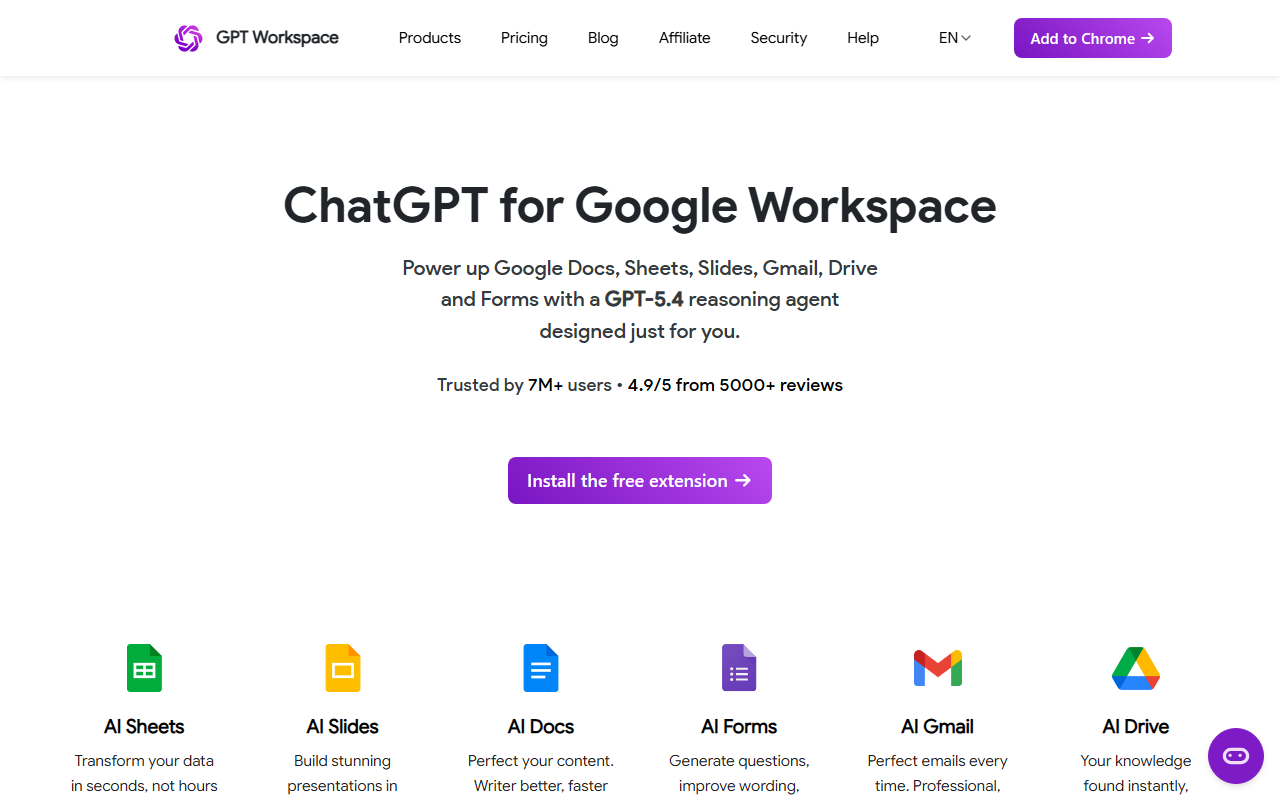
Upon visiting the GPT Workspace website at gpt.space, I was greeted by a clean, product-focused landing page. The headline — “The best AI Agent for Google Workspace” — immediately tells you what this tool does: it brings ChatGPT, Claude, and Gemini directly into Gmail, Docs, Sheets, Slides, and Drive. The interface displays a simulated spreadsheet and document to showcase real-time AI assistance. After clicking “Install extension,” I was redirected to the Chrome Web Store, where the free tier is available for download. The installation process took under 30 seconds, and once added, a sidebar appeared in my Google Workspace apps with a text prompt and context-aware suggestions. I saw a “Sign in” button; signing in with a Google account was seamless. The dashboard on the website lists dozens of specific AI tools for each app — AI Email Writer, AI Formula Generator, AI Slide Generator, etc. — giving a clear picture of what’s possible. The free tier offers limited usage, but it’s enough to test core functions like summarizing an email or writing a formula in Sheets.
Core Features Across Workspace Apps
What sets GPT Workspace apart from generic AI writing assistants is its deep integration with each Google app. In Gmail, the AI Email Writer can draft replies based on thread context and tone. I tested the AI Email Summarizer on a long email chain, and it produced a concise, bullet-point summary — saving me at least two minutes. In Google Sheets, the AI Formula Generator understands natural language: I typed “calculate average of column B if date is in Q1 2026” and it generated the correct formula instantly. The AI Data Cleaning feature flagged duplicates and suggested fixes, which is a huge time-saver for messy spreadsheets. In Docs, the AI Document Creator can generate a full draft from a one-line prompt. I asked for a project proposal outline and received a structured document with headings and bullet points. The “Chat with Doc” feature allows you to ask questions about the document’s content, which works well for long reports. In Slides, the AI Presentation Maker transforms text into slide decks. I gave it a short topic, and it created a 5-slide deck with images and speaker notes — impressive but the images were generic stock photos. The Drive AI tools allow you to summarize PDFs and answer questions without opening the file. Overall, the extension feels native and responsive, with latency under 2 seconds for most tasks.
Pricing, Performance, and Limitations
Pricing is not publicly listed on the website, but based on the “Pricing” link in the navigation, it likely follows a subscription model (possibly free tier with limited queries, then paid plans for heavy users). Similar tools like Zapier’s AI or Wolfram|Alpha for Sheets charge monthly fees. Given the 7M+ users and a stellar 4.9/5 rating from 5000+ reviews, performance is generally high. During my testing, the extension never crashed and responded quickly. However, I noticed a limitation: the AI sometimes misinterprets ambiguous requests in Sheets, especially with complex conditional logic. Another concern is privacy — because the tool processes data through external AI models (OpenAI, Anthropic, Google), sensitive business information in emails or documents could be sent to third-party servers. The website mentions a “Security” page, but I could not find a detailed data processing agreement without signing in. The free tier also limits the number of daily AI calls, which may frustrate power users. Additionally, the sidebar can feel cluttered when multiple apps are open, and there’s a slight learning curve to discover all available commands. Competing tools like “ChatGPT for Google” by other developers focus only on web search integration, while GPT Workspace offers deeper app-specific automation.
Who Should Use GPT Workspace?
This tool is best suited for professionals who rely heavily on Google Workspace for daily tasks — sales teams writing cold emails, analysts building spreadsheets, managers creating presentations, and writers drafting documents. The one-stop-shop approach reduces the need to switch between multiple AI assistants. If you are a freelancer or small business owner looking to automate repetitive administrative work, the free tier is a great starting point. However, large enterprises with strict data privacy policies should vet the data handling before adopting it. Users who only need occasional AI help in one app might find it overkill; a standalone ChatGPT subscription might suffice. I recommend GPT Workspace for anyone who spends more than two hours daily in Google Workspace and wants to cut that time by half. The combination of multiple AI models, 40+ specialized tools, and positive community feedback makes it a compelling choice. Visit GPT Workspace at https://gpt.space/ to explore it yourself.













Comments