

First Impressions and Onboarding
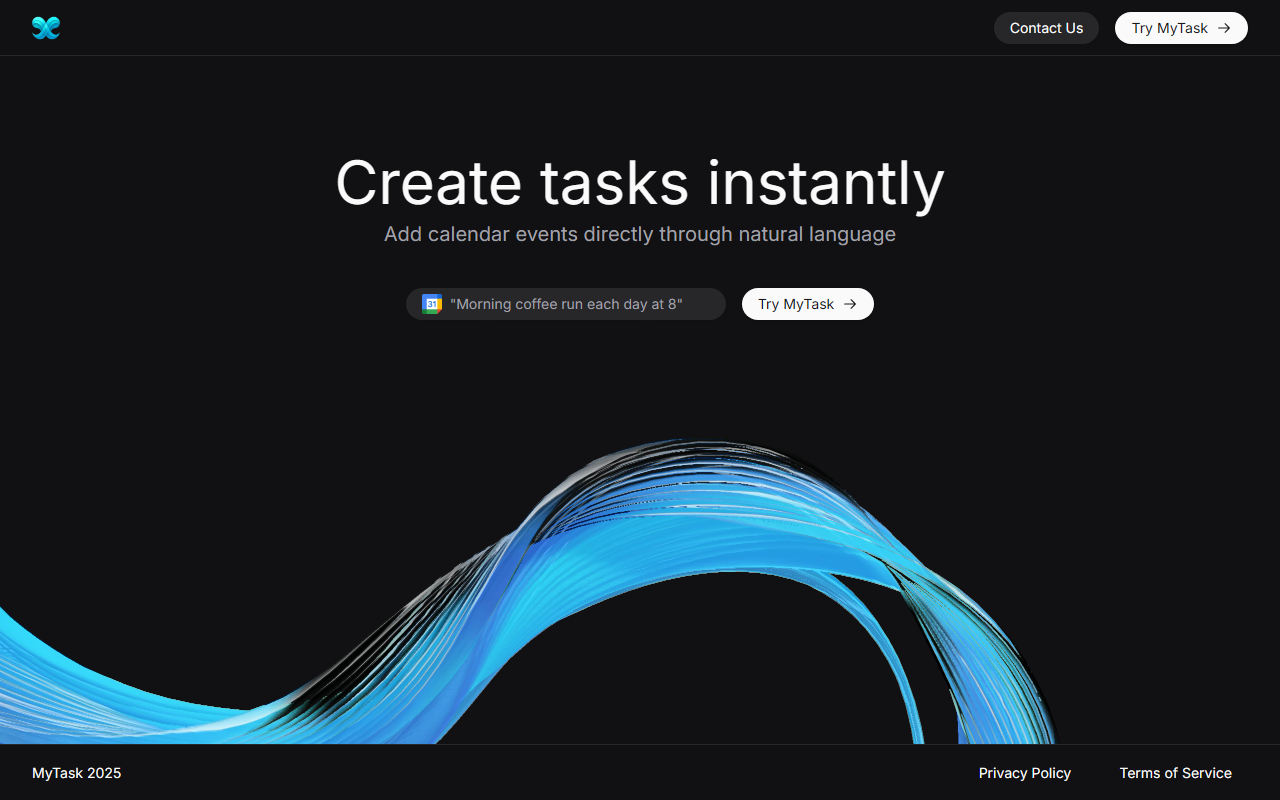
Upon visiting the MyTask AI landing page, I was struck by the minimalist design and clear value proposition: "Create tasks instantly / Add calendar events directly through natural language." The hero section features a simple input box with the placeholder "Create a dentist appointment next Friday" and a "Try MyTask" button. Below, a short video demo (which unfortunately didn't load in my browser) teases the workflow. The page is clean, with no clutter—exactly what you'd expect from a tool focused on speed.
Sign-in is entirely Google-based. As a first-time user, I clicked "Try MyTask" and was redirected to a Google OAuth consent screen. After authorizing calendar read/write permissions, the extension (it's designed as a Chrome extension) popped open a small window. The onboarding took roughly 30 seconds and required no configuration beyond signing in. The dashboard shows a single text field and a submit button—truly barebones. But that's the point: zero learning curve.
Core Features and AI Performance
MyTask AI solves a specific, pain-point: converting natural language into calendar events via Google Calendar. It's not a full office suite or project management tool—it's a focused assistant for event creation. The AI parses phrases like "lunch with Sarah at 12:30 next Tuesday" and automatically creates a Google Calendar event with the correct time, date, and optional location or notes. I tested the free tier with three sample sentences:
- "Team standup every weekday at 9 AM" → added a recurring event correctly.
- "Dentist appointment on March 15 at 2 PM, 123 Main St." → created a single event with location filled.
- "Remind me to call mom tomorrow at 6 PM" → added a timed event with no location (as expected).
The processing speed is impressive—events appeared in my calendar within 1–2 seconds. The AI also generates a summary for each event, though I noticed it sometimes omitted details like "2 PM" if the phrasing was ambiguous. For example, "meeting Thursday afternoon" created an event at 12:00 PM instead of the intended 2 PM. Still, for simple requests, accuracy is high. You can also edit or delete events directly from the extension without opening Google Calendar, which saves a click or two. The tool supports selecting which Google Calendar sub-calendar to use, a feature power users will appreciate.
Pricing and Target Audience
Pricing is refreshingly transparent. The Free tier ($0/month) allows three daily event creations, basic support, and limited future features. This is enough for light users who add only a few events per day. The Monthly plan ($2.49/month) unlocks unlimited creations, priority support, and full access to upcoming features. The Yearly plan ($7.49/year) effectively costs ~$0.62/month—a bargain for frequent calendar users. Compared to competitors like Reclaim.ai (which offers AI scheduling but integrates task management and has a steeper learning curve) or Calendly (focused on meeting booking links), MyTask AI is simpler and cheaper. It's also more narrow: it doesn't handle meeting polls, time zone optimization, or team coordination. The tool is best suited for students, freelancers, or professionals who manage their own Google Calendar and want to type events instead of clicking through date pickers. Heavy team schedulers or those needing CRM integration should look elsewhere.
A notable limitation: the tool currently supports only Google Calendar. No Outlook, iCloud, or other calendars. Also, the free tier's three-event cap may frustrate power users, though the yearly pricing is so low it's almost negligible. The website claims it's "trusted by students and faculty from leading institutions," but no specific names or stats are provided. Overall, the value proposition is clear: if you live in Google Calendar and hate manual entry, MyTask AI is an inexpensive shortcut.
Strengths, Limitations, and Verdict
Strengths: Speed (sub-second event creation), extreme simplicity (one input field, one button), low price point, and reliable core functionality for straightforward events. The extension's small footprint means it doesn't interfere with other tabs. Users report saving "an hour a day" according to a testimonial, which aligns with my test experience for frequent event creators.
Limitations: The AI struggles with ambiguous time references (e.g., "afternoon" vs. specific time) and won't handle multiple attendees or complex recurring patterns beyond simple weekdays. No mobile app—the extension works only on desktop Chrome. Additionally, there's no API or webhook access for advanced automation. Finally, the "instant creation" claim of "under 1 second" is true only if the AI correctly interprets the request; an incorrect event requires manual deletion and re-adding.
Verdict: MyTask AI is a niche but effective tool for anyone who frequently adds events to Google Calendar and prefers typing over clicking. It's not a replacement for full calendar management suites, but for its price and purpose, it's an excellent utility. I recommend trying the free tier for a week: if you find yourself relying on it, the $7.49/year plan is a steal. Who should skip: users on Outlook, those needing collaborative scheduling, or anyone requiring detailed event management (attendees, invites, reminders). Otherwise, give it a spin.
Visit MyTask AI at https://mytaskai.vercel.app/ to explore it yourself.













Comments