

First Impressions and Onboarding
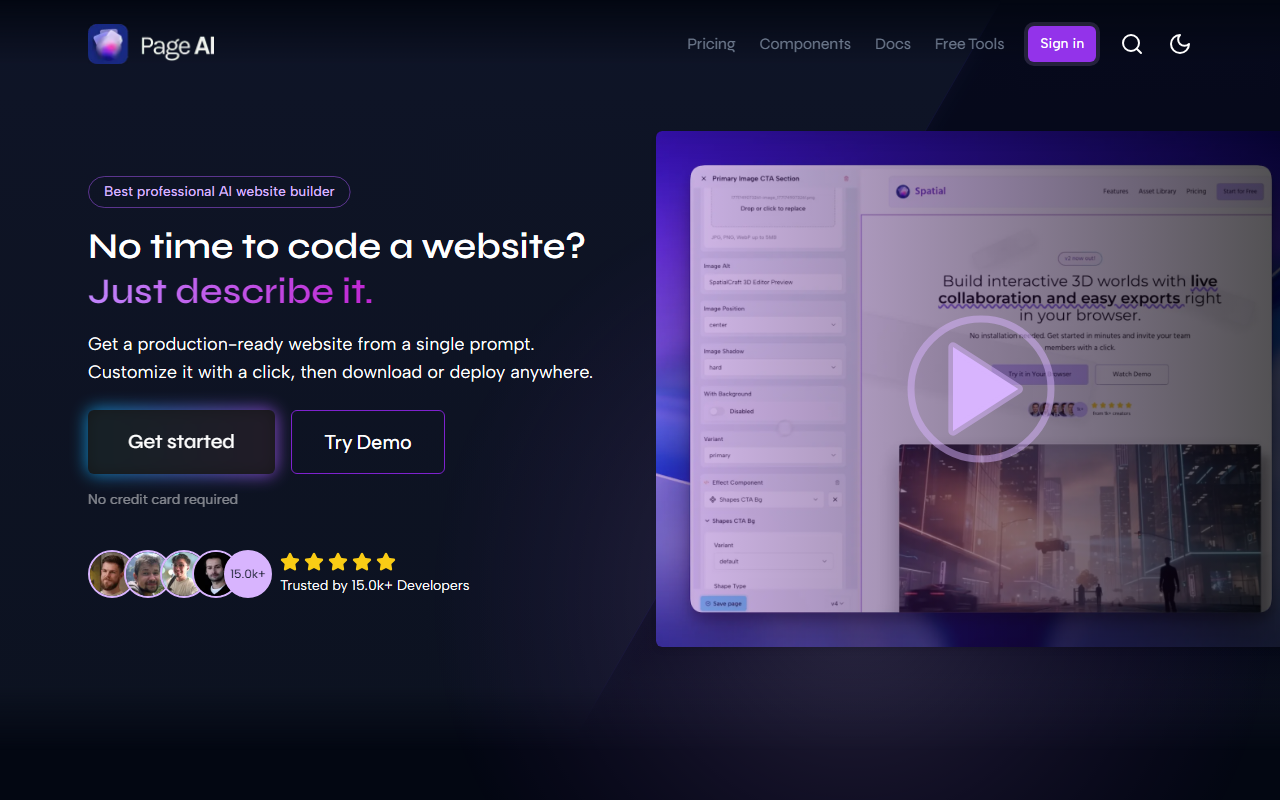
Upon visiting pageai.pro, I was greeted by a sleek landing page that immediately communicated its value proposition: “No time to code a website? Just describe it.” The call-to-action to try a demo or sign up was prominent, and the claim of no credit card required lowered the barrier to entry. I noticed a counter stating over 15.5k developers trust the platform, which suggests a growing user base. The onboarding flow is straightforward: after signing up, you’re prompted to describe your project in natural language. I typed “portfolio for a UX designer” and watched as the AI generated a wireframe, selected a theme, and produced copy in seconds. The live preview appeared immediately, with a drag-and-drop editor ready to tweak every element.
How PageAI Works and What It Delivers
PageAI is more than a simple site generator. It uses specialized AI agents in phases: prompt analysis and research, design (wireframe, theme, assets, copy), coding (clean, maintainable code using Next.js, TypeScript, Shadcn UI, and Tailwind CSS), and a customization phase where you can edit via a visual editor. The output is a full codebase you can deploy to Vercel with one click—or download and host anywhere. The tool comes pre‑loaded with SEO meta tags, JSON‑LD, an MDX blog, privacy pages, a component library, dynamic social images, sitemaps, RSS feeds, tag support, built‑in search, multiple blog layouts, dark mode, and favicons. These features alone saved me an estimated 40+ hours of manual setup. The code is yours forever with no subscription or lock‑in, which is a major differentiator in the AI website builder space.
Pricing and Market Positioning
PageAI’s pricing is not publicly listed on the website beyond the promise that no credit card is required to get started. The site emphasizes that there are no hidden fees and that you own the code, which hints at a one‑time payment model rather than a recurring subscription. This approach contrasts with competitors like Framer AI (which charges monthly for hosting and advanced features) and Wix ADI (which locks you into its ecosystem). PageAI is clearly aimed at developers and technical professionals who need production‑ready code they can extend and own. While it lacks a free tier beyond the demo, the absence of ongoing costs could be appealing for those building multiple projects.
Strengths, Limitations, and Verdict
The standout strength of PageAI is the quality of the generated code. It’s not a static mockup; it’s a deployable Next.js site with real components and best practices. The drag‑and‑drop editor is surprisingly flexible, allowing theme‑wide changes without touching the codebase. However, the tool is not for everyone. Non‑developers may find the underlying code complexity daunting—even with the visual editor, advanced customizations still require familiarity with TypeScript and MDX. Additionally, the website lacks transparent pricing, making it hard to evaluate cost before signing up. For developers or agencies who want to ship professional sites rapidly and retain full ownership, PageAI is a powerful choice. I recommend trying the demo to see if the workflow matches your needs. Visit PageAI at https://pageai.pro/ to explore it yourself.













Comments