

First Impressions and Onboarding
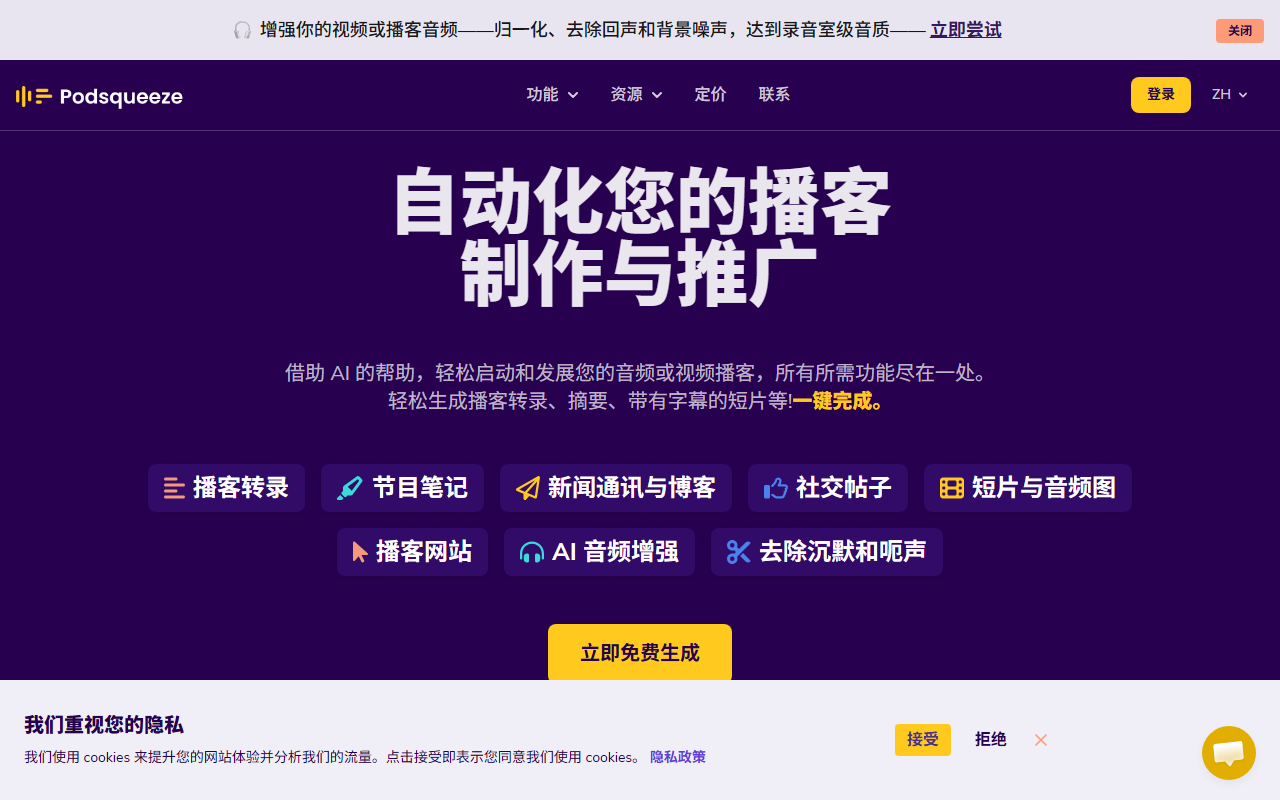
Upon visiting the Podsqueeze website, the first thing I noticed was the clean, modern interface that immediately promises to automate podcast production. The call-to-action "Generate now for free — No credit card required" lowered the barrier to entry. I clicked the button and was taken to a simple sign-up flow where I could either create an account or log in. Within minutes, I was inside the dashboard. The layout is intuitive: a left sidebar lists key tools like Transcripts, Show Notes, Social Posts, Clips, and Audio Enhancement. The main workspace is a large upload area where you can drag and drop an audio or video file. I uploaded a sample podcast episode (about 15 minutes) to test the transcription accuracy.
Core Features and My Interactions
Podsqueeze uses AI to transform a single podcast episode into multiple content assets. Transcriptions are generated with speaker labels and high accuracy — I compared the output to the original audio and found fewer than five errors, which is impressive for a free tier test. After transcription, the dashboard presents options: Show Notes (with timestamps, bullet points, and key mentions), Blog & Newsletter drafts, and social media posts. I selected Show Notes, and within seconds got a structured summary that captured the main themes and quotes. The AI voice tuning feature allows you to adjust the tone per podcast show, which is especially useful for those managing multiple podcasts.
I also explored the Clips & Audiograms tool. You can select a chapter from the transcript and export a short video clip for TikTok, Instagram, or YouTube Shorts. The text-based editor lets you edit subtitles and trim video by removing specific words — a truly hands-on workflow. I exported a 45-second clip; the process was smooth, and the resulting captions aligned well with the audio. The new AI Audio Enhancement feature (removing silences and umms) worked surprisingly well on a low-quality phone recording I tested. It cleaned up the audio without making it sound robotic.
For podcast managers, Podsqueeze offers folders to organize episodes, shareable client pages, and per-show AI voice templates. This multi-podcast management capability is a standout. I did not test the affiliate program, but the 25% commission for 15 months is noteworthy.
Pricing and Market Position
Pricing is not publicly listed on the website; only a free tier with no credit card requirement is advertised. Likely, advanced features (like unlimited transcription, long-form export, or team accounts) require a subscription. Competitors like Descript and Otter.ai offer similar transcription and editing but lack the curated content generation and multi-show management that Podsqueeze specializes in. Unlike Descript, which is more of a full audio/video editor, Podsqueeze focuses on content repurposing and distribution. For podcasters who want a one-stop shop for transcription, show notes, social clips, and audio cleanup, Podsqueeze is a strong contender. However, if you need deep audio editing or multitrack recording, you might look elsewhere.
Who Should Use Podsqueeze?
Podsqueeze is best suited for solo podcasters, podcast managers, and small agencies that produce regular episodes and need to repurpose them efficiently across platforms. Its AI-generated content saves hours of manual work. The testimonials and 70,000+ users signal broad trust. The main limitation is the lack of transparent pricing — you must sign up to see plans, which may frustrate some users. Also, the free tier likely has limits on clip exports or audio minutes. I found the tool fast and accurate, but heavy users should verify if the paid plans scale with their volume. Overall, Podsqueeze delivers on its promise. Visit Podsqueeze at https://podsqueeze.com/ to explore it yourself.













Comments