

First Impressions: A Desktop-First Approach to AI Coding Prompts
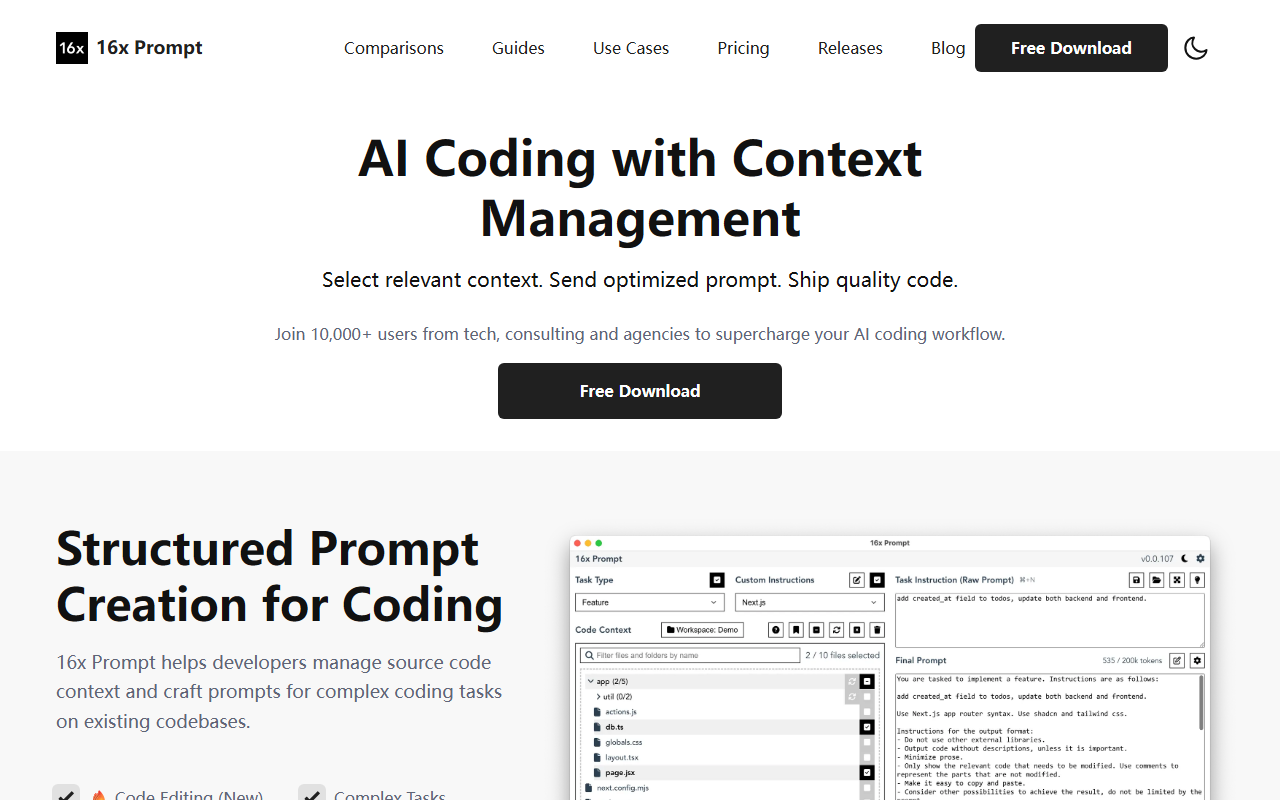
Upon visiting the 16x Prompt website, I immediately noticed the emphasis on “context management” and “structured prompt creation.” This is not another chat interface or IDE plugin—it’s a dedicated desktop application designed to help developers wrangle source code context and build precise prompts for large language models. I downloaded the free version to see how it feels in practice. The onboarding is clean: a dark-mode-ready UI with a file explorer, a prompt editor, and a token counter. You drag and drop files from your project, enter your instruction, and 16x Prompt automatically optimizes the prompt with formatting instructions. It then exports the final prompt—either copied to your clipboard or sent directly to an LLM via your own API key. This workflow feels deliberate and powerful, especially if you have ever struggled to cram relevant code context into a single ChatGPT message.
Features in Depth: Context, API Flexibility, and Code Editing
16x Prompt shines in how it handles context. You can create workspaces for different projects—say a frontend React app and a backend Python API—and include multiple repositories in one workspace. The app automatically respects token limits and shows you a running counter, so you never accidentally exceed your model's context window. The new code editing feature, called “Code Edit,” applies AI-generated changes directly to your files with visual diffs, and every change is backed up for rollback. When testing the free tier, I dragged three TypeScript files into a workspace, wrote a refactoring instruction, and saw the prompt optimised with an extra “package.json” context snippet. The result was a clean, ready-to-paste prompt that included exactly the relevant imports and functions.
The tool supports a wide range of LLM providers: OpenAI, Anthropic Claude, Google Gemini, DeepSeek, OpenRouter, Ollama, and Azure OpenAI, plus any OpenAI-compatible endpoints like Fireworks or DeepInfra. This BYOK approach means you control costs and can choose the best model for each task. I also appreciated the ability to compare responses side-by-side—for instance, I tested GPT-4.1 against Gemini 2.5 Pro on the same prompt and spotted differences in how each handled a complex SQL join. Custom instructions let you save tech-stack-specific guidelines for Next.js, Python, or SQL, which is a huge time-saver for repetitive tasks like writing documentation or creating new pages.
Pricing and Limitations
16x Prompt is free to download, but the free version caps you at 10 prompts per day. That’s enough to evaluate the workflow but not enough for daily use. The website does not publicly list exact pricing tiers—only a “Life-time License” is mentioned, with invoices available for that purchase. There is a no-refund policy, which the FAQ explains is due to Stripe fees. This is a limitation; you cannot trial the unlimited version without committing. Another limitation is that the app is desktop-only (no web or mobile version) and relies on you bringing your own API keys if you want direct sending. For developers who prefer a purely local workflow, the copy-paste mode works without internet, which is a genuine privacy strength. However, if you are looking for a fully autonomous AI coding agent (like Cursor or GitHub Copilot’s inline suggestions), 16x Prompt is a different tool—it focuses on the prompt engineering step, not real-time code completion.
Who Should Use 16x Prompt?
This tool is best suited for developers who already use ChatGPT, Claude, or similar LLMs for coding but find themselves spending too much time copying context and formatting prompts. If you refactor large codebases, work across multiple repositories, or need to enforce consistent coding styles via custom instructions, 16x Prompt gives you a structured environment to do that. It is less ideal for beginners who want an all-in-one AI assistant that automatically suggests fixes in their editor—tools like Cursor or JetBrains AI Assistant are more integrated for that. Ultimately, 16x Prompt’s strength is its flexibility: you control the context, the model, and the prompt structure. With 10,000+ users reported, it has a growing community. I recommend downloading the free version to test its context management workflow—if the 10-prompt limit feels too restrictive, consider the lifetime license for serious daily use.
Visit 16x Prompt at https://prompt.16x.engineer/ to explore it yourself.











Comments