
First Impressions and Onboarding
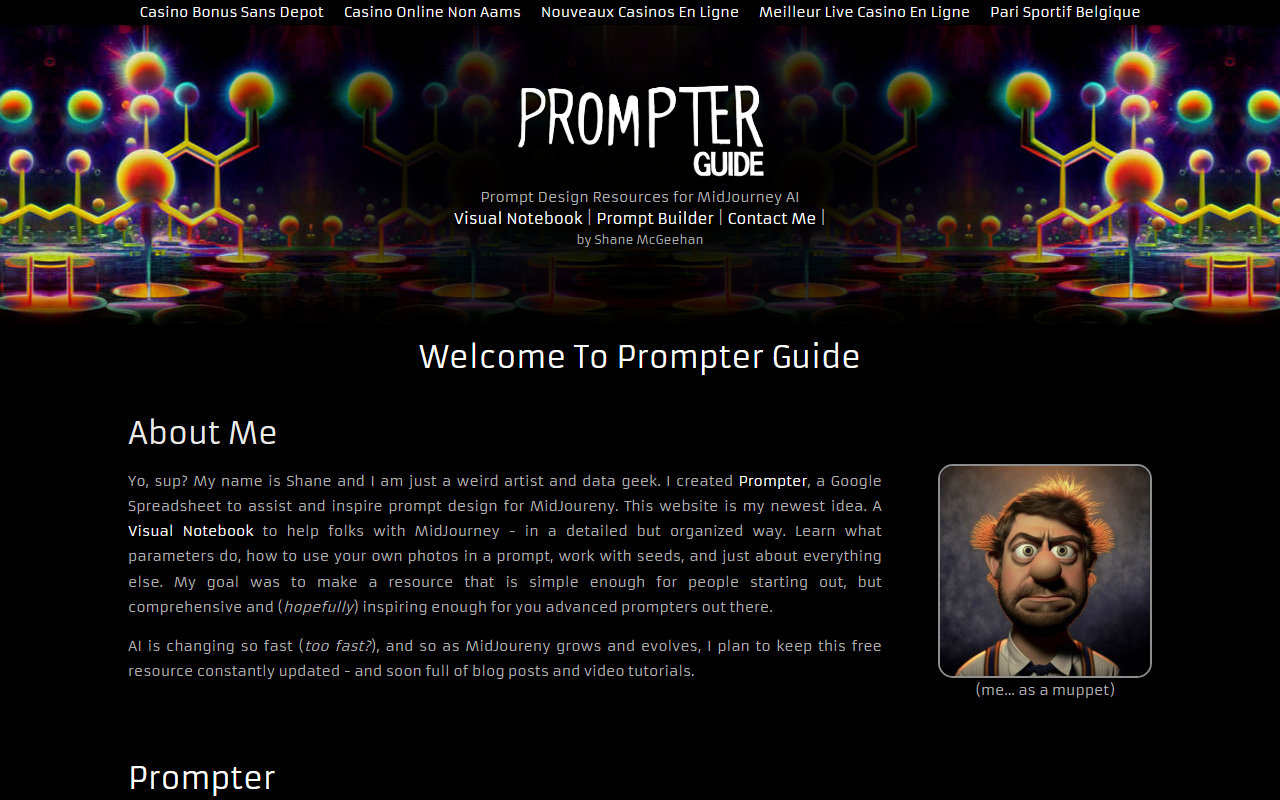
Upon visiting Prompter Guide, the first thing I noticed was the site’s straightforward, no-frills design. The homepage presents a clear menu: Visual Notebook, Prompt Builder, and Contact Me. However, the page is cluttered with a long list of casino-related and gambling links at the bottom—likely filler content or SEO spam from an unrelated source. This distracted from the otherwise clean intent of the resource. The creator, Shane McGeehan, introduces himself with a playful tone, describing himself as a “weird artist and data geek.” His personality comes through, making the site feel more like a passion project than a polished commercial product. The onboarding is simple: you land on the Visual Notebook, which is essentially a categorized table of contents linking to sections about MidJourney basics, parameters, workflow, and more. There’s no sign-up or paywall—just click and learn.
Core Features and Practical Use
The heart of Prompter Guide is the “Prompter” tool—a Google Spreadsheet that acts as a prompt builder. When testing the free tier, I found the spreadsheet well-organized: columns for subject, descriptor, camera, lighting, color, artist references, and parameters like chaos, stylize, and aspect ratio. It simplifies prompt construction for MidJourney, especially for users who feel overwhelmed by the command-line-like interface within Discord. The Visual Notebook itself is a deep reference guide. I explored the “Parameters” section, which explains quality, stylize, seeds, and the various MidJourney algorithm versions (V1–V4, test, testp). The “Aspect Ratios” section provides concrete examples—cinema, phone, photography—and even includes super-wide and super-tall presets. One concrete interaction I observed: clicking a category like “Image Prompts” jumps you to a detailed explanation of how to upload your own images, set image weight, and mix images. The site does not host any AI itself; it’s purely a learning resource and prompt builder. There’s no API, no integration with MidJourney beyond copying prompts manually. That keeps it simple but limits automation. For a user who wants to build prompts systematically, the spreadsheet is a gem. For someone looking for one-click generation, this isn’t it.
Pricing and Market Position
Prompter Guide is completely free. There are no premium tiers, subscription plans, or hidden charges. Shane mentions accepting donations, but I saw no prominent donation link during my test—likely it’s in the spreadsheet or mentioned in passing. The tool is a one-person project, not a funded startup. Unlike competitors such as PromptBase (a marketplace for buying/selling prompts) or MidJourney’s own built-in reference, Prompter Guide focuses on education and creative inspiration rather than commerce. It’s best suited for beginners who need structured guidance and intermediate users who want a visual notebook to organize their prompt experiments. Advanced prompt engineers may find the content basic, but the spreadsheet’s modular design still offers utility. The site also has a blog and plans for video tutorials, though at the time of review only the notebook and builder are mature. The inclusion of irrelevant gambling links is a notable weakness—it undermines trust and suggests the domain may have been at some point repurposed or poorly maintained. However, the core educational content appears accurate and genuinely helpful.
Final Verdict
Prompter Guide delivers what it promises: a free, visual notebook and prompt builder for MidJourney. It shines in its simplicity and the passion of its creator. I recommend it to anyone starting out with MidJourney who wants a structured way to learn parameters and build prompts without spending money. The spreadsheet is especially useful for batch experimenting. However, the extraneous casino links and lack of a polished interface may deter users who prefer a more professional presentation. Look elsewhere if you need an interactive prompt generator or a tool that integrates directly with Discord. For a free resource created by a single artist, Prompter Guide is a generous and functional gift to the AI art community.
Visit Prompter Guide at https://prompterguide.com/ to explore it yourself.













Comments