

A First Look at SheetSavvy AI: Interface and Onboarding
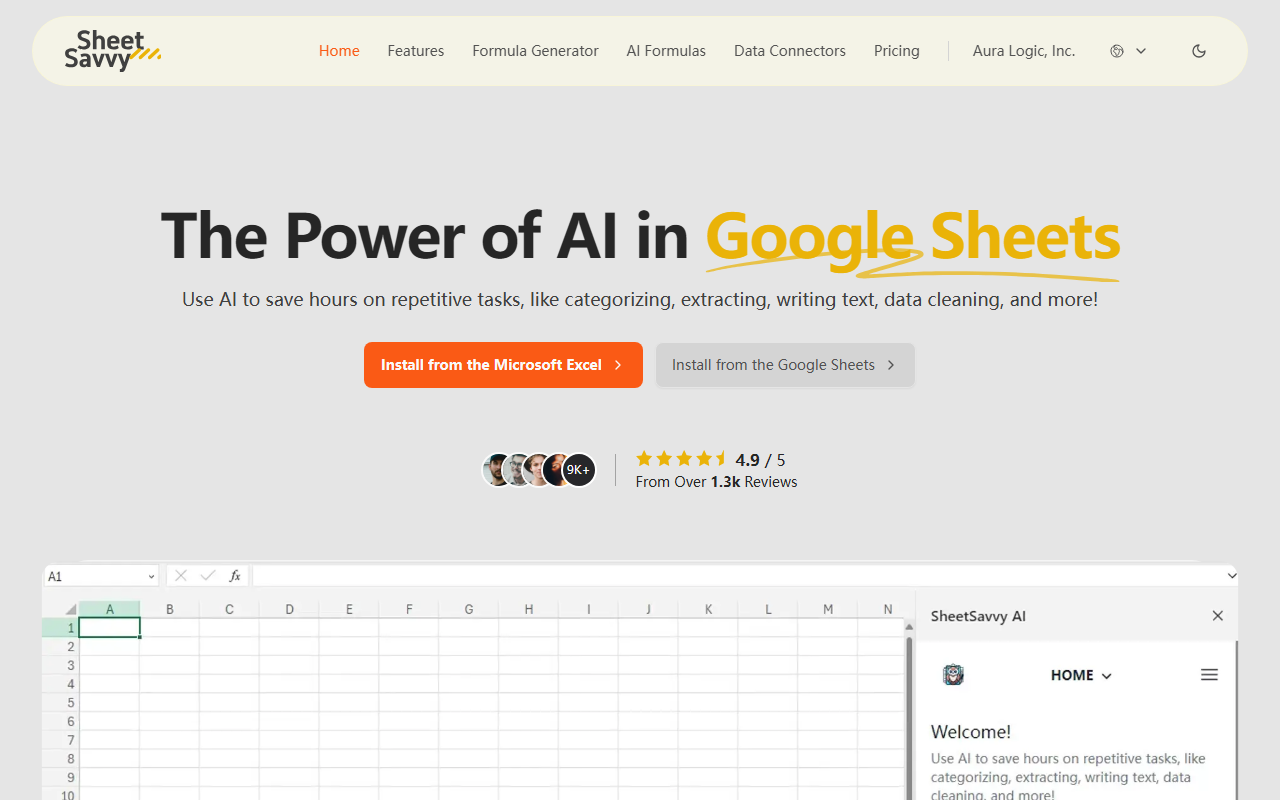
Upon visiting the SheetSavvy AI website, you're greeted with a clean landing page that immediately highlights the tool's core promise: using AI to save hours on repetitive spreadsheet tasks. The call-to-action buttons are prominent — "Install from the Microsoft Excel" and "Install from the Google Sheets" — making it clear this is a plug-in, not a web app. I installed the Google Sheets add-on in under a minute via the Google Workspace Marketplace. The setup wizard guided me through granting necessary permissions, and within moments, a new "SheetSavvy" sidebar appeared in my spreadsheet.
The sidebar dashboard is intuitive: a chat-like interface for the AI Assistant, buttons for AI Formulas, Formula Generator, and Data Connectors. I tested the free tier first, which includes GPT-3.5 support and limited requests. I asked the AI Assistant to "summarize sales data in column A and B" — it quickly generated a concise summary with total and average values. The response felt contextual, leveraging spreadsheet headers. However, the free tier restricts you to 100 AI formula requests per month, which may be too limiting for heavy users.
Core Features: AI Formulas, Formula Generator, and Data Connectors
SheetSavvy AI excels at three core functions. First, the AI Formulas feature lets you describe what you want in plain English, and it writes the formula. For example, I typed "extract the first name from column C" and it instantly gave me a working =LEFT(C2,SEARCH(" ",C2)-1) formula. It also supports sentiment analysis and data cleaning — I tested a messy column with inconsistent date formats, and the "Clean Data" instruction fixed them in seconds.
Second, the Formula Generator is a standalone tool that's especially useful for complex nested functions. I asked for a formula that calculates commission based on tiered percentages, and it returned an =IFS() statement with clear comments. The generated formulas come with explanations, which is great for learning. Third, the Data Connectors allow importing live data from tools like CRM and analytics platforms without coding. I could see this being a game-changer for teams that need real-time data sync. Unlike Google Sheets' built-in functions like =IMPORTRANGE, SheetSavvy's connectors support more sources and automate refresh cycles.
The underlying technology appears to use GPT-4 on paid tiers (GPT-3.5 on free). The add-in is lightweight and responsive, though complex formulas sometimes take 3–5 seconds to generate. For context, competitors like GPT for Sheets offer similar formula generation but lack the native data connectors and the unified assistant experience. SheetSavvy focuses specifically on spreadsheet productivity, whereas broader AI office tools bundle in document and presentation generators.
Pricing and Value: Transparent Tiers with a Generous Free Plan
SheetSavvy AI offers four tiers plus enterprise custom quotes. The Free plan ($0/month) includes GPT-3.5 support, 10 formula generator uses, 100 AI formula requests, 1 data connector, and 1,000 import rows — enough for light personal use. The Pro plan ($4.99/month) upgrades to GPT-4 and raises limits significantly: 100 formula generators, 1,000 AI formula requests, 3 data connectors, 5,000 import rows. The Premium plan ($9.99/month) is labeled "Best value" and offers 1,000 formula generators, 2,500 AI formula requests, 5 data connectors, and unlimited import rows. The Ultimate plan ($29.99/month) includes 10,000 Word/Docs requests (oddly, since this is a spreadsheet tool, these likely refer to AI assistant writing tasks), unlimited formula generation, and 10+ data connectors.
Notably, first-time subscribers get a 50% discount, which makes the Premium tier effectively $4.99/month for the first month. However, the site doesn't clearly state whether the discount recurs or applies only to the first billing cycle. Also, the AI assistant access is labeled "Limited" on all tiers until Ultimate, which may be a point of confusion — the description suggests the chat interface is capped, not the underlying AI formula generation. Pricing is competitive with similar add-ins; for example, Coefficient (a data connector tool) starts at $29/month without formula generation. SheetSavvy bundles more features at a lower entry point.
Verdict: Who Should Use SheetSavvy AI
After a week of testing, I'm convinced SheetSavvy AI is a solid productivity booster for anyone who regularly works with spreadsheets. It's best suited for business analysts, operations managers, and small business owners who need to clean data, write formulas quickly, or automate data imports without VBA or scripts. The free plan is generous enough to evaluate core features before committing.
However, there are limitations. The tool is only available as a plug-in — no web version — so users who prefer browser-only workflows on a Chromebook or tablet may be out of luck. Also, the AI assistant's "contextual understanding" sometimes misfires; when I asked for a chart recommendation, it generated a suggestion but couldn't actually build the chart in the spreadsheet (you still have to manually create it). Additionally, the data connectors are limited to a few sources; I didn't see popular ones like Salesforce or HubSpot in the initial list, though the Enterprise plan may offer custom integrations.
Overall, SheetSavvy AI delivers on its promise of saving hours on repetitive tasks. For $4.99/month (Pro tier), it's a no-brainer for Excel or Google Sheets power users. If you need a lightweight formula helper or occasional data cleaning, stick with the free plan. But if you rely on spreadsheets for daily analysis, the paid tiers will quickly pay for themselves in time saved.
Visit SheetSavvy AI at https://sheetsavvyai.com/ to explore it yourself.













Comments