

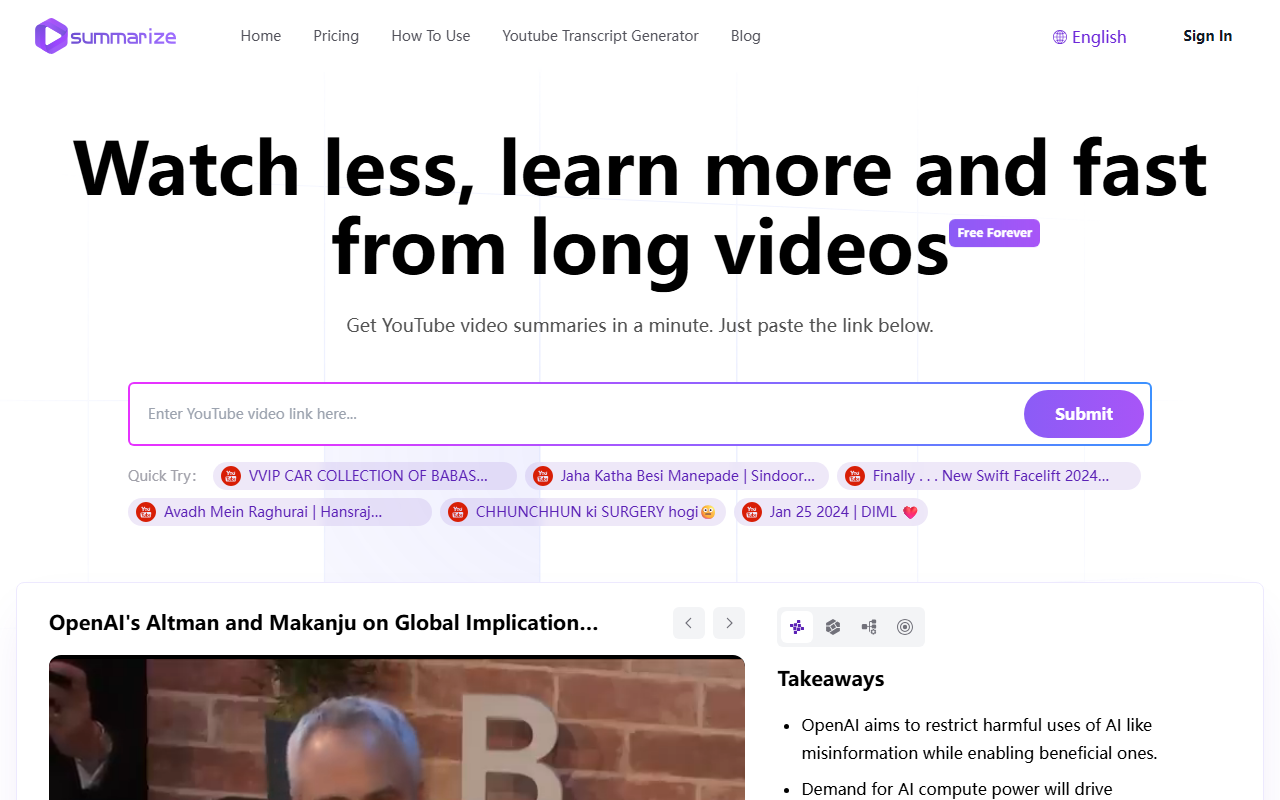
Upon visiting Summarize.ing, I was struck by how clean and minimal the interface is. The homepage presents a single input field with the prompt: “Get YouTube video summaries in a minute. Just paste the link below.” Below that, a row of sample videos from different niches – car collections, odia music, car launches, devotional songs, and a vlog – hints at the tool’s versatility. I decided to test it with the OpenAI Altman and Makanju interview provided as a “Quick Try” example. The entire process, from pasting the link to receiving the summary, took about 45 seconds. The result was a well-structured page with a “Takeaways” list, a short “Detailed Summary” paragraph, and a set of key concepts and Q&A. No sign-up was required for this test.
How Summarize.ing Works and What It Delivers
The workflow is exactly as described: paste a YouTube URL, click Submit, and relax. But what you get back is more than a simple text blob. Summarize.ing uses Claude 3.5 Sonnet – currently one of the most advanced AI models – to produce multiple summary formats. In the example I saw, the AI extracted 10 bullet-point takeaways, a paragraph overview, and then offered additional sections: Detailed Highlights, Mind Maps, Segmented Summaries, Key Concepts & Keywords, and Common Questions & Answers with 8–10 items. The Segmented Summaries feature is especially useful for long tutorials or lectures, breaking the video into logical chunks. The generated Q&A set helped reinforce the main points – for instance, questions about AI regulation, job displacement, and energy demands were answered concisely. This multi-dimensional output transforms a 45-minute video into a reference you can scan in two minutes.
Pricing, Limitations, and Market Positioning
The website loudly advertises “Free Forever for Standard Use,” and during my test, I encountered no paywall or usage cap. The FAQ states that basic summarization is free, with future premium plans for power users. That said, I noticed no public pricing tiers – only a promise of future extras. This is both a strength (no cost barrier) and a potential limitation: heavy users may eventually hit unseen quotas. Compared to alternatives like YouTube Summary with ChatGPT (which requires a ChatGPT subscription or API key) or other freemium summarizers, Summarize.ing stands out by offering a polished, all-in-one output for free, powered by Claude 3.5 Sonnet. However, it currently only supports YouTube – no other video platforms. The tool is best suited for students, researchers, journalists, and lifelong learners who watch educational, tech, or news videos. If you need summaries from Vimeo, podcasts, or live streams, you’ll need to look elsewhere.
Final Verdict
Summarize.ing delivers on its promise: fast, free, and surprisingly thorough video summaries. The integration of Claude 3.5 Sonnet gives it an edge in nuance compared to simpler GPT-based alternatives. The strengths include zero friction (no sign-up for basic use), comprehensive output (mind maps, Q&A, keywords), and excellent design. The limitations are its YouTube-only scope and the uncertainty around future premium pricing. For now, anyone who regularly watches long YouTube content – from conference talks to coding tutorials – should bookmark this tool. It genuinely helps you watch less and learn more. Visit Summarize.ing at https://summarize.ing/ to explore it yourself.













Comments