

Getting Started with TextSummarizer
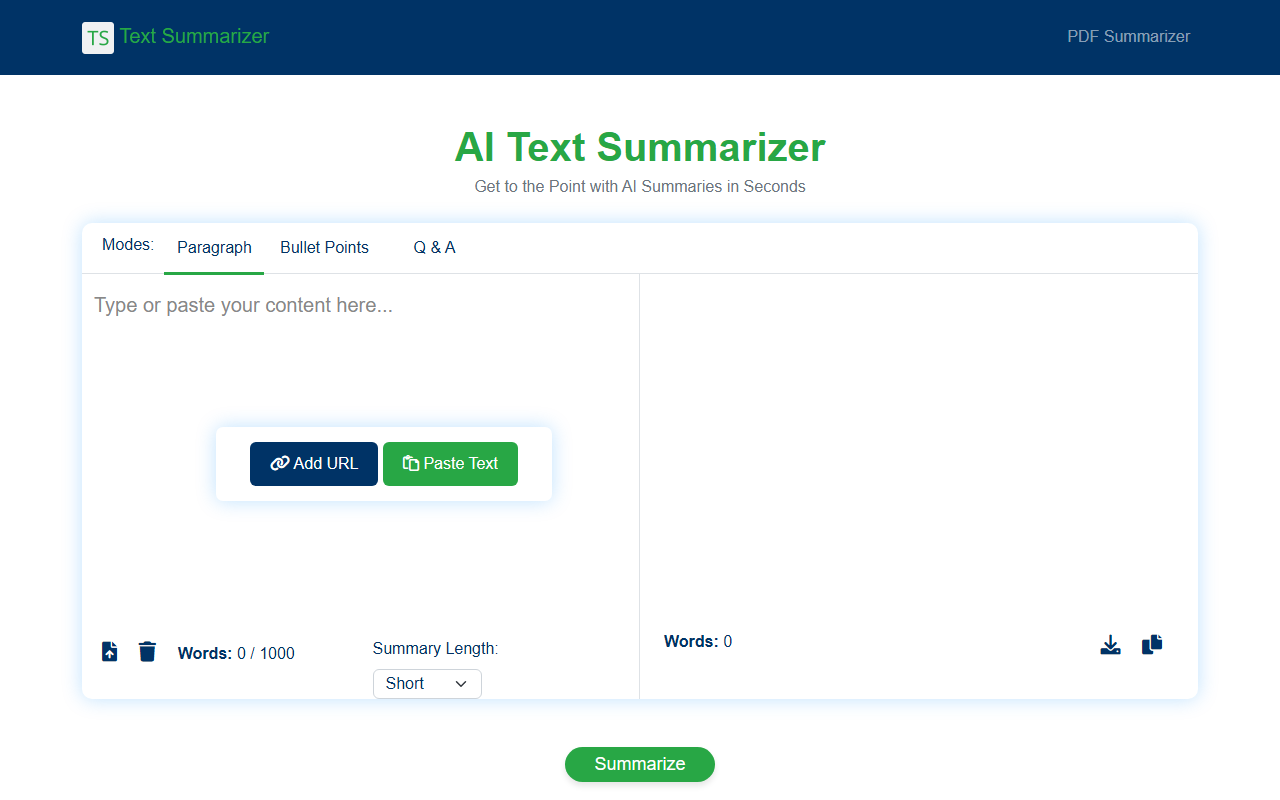
Upon visiting TextSummarizer.net, I was greeted by a clean, minimalist interface with a single call to action: paste text or enter a URL. The dashboard presents three summary modes: Paragraph, Bullet Points, and Q&A. Below that, a text box with a 1000-word limit and a slider for summary length (Short, Medium, Detailed). I tested the free tier by pasting a 500-word article. Within seconds, the tool generated a concise bullet-point summary that captured the main arguments without losing context. The Q&A mode was particularly impressive, turning a dense research paper into a few clear questions and answers. The tool runs entirely in the browser, with no sign-up required for basic use.
Core Features and Performance
The standout feature is the ability to summarize via URL. When I entered a blog post link, the tool automatically fetched the content and gave me a summary in about three seconds. This saved me from copy-pasting. The AI model appears to use natural language processing (NLP) and machine learning algorithms, as stated on the site. Summaries retained original meaning and avoided hallucinations, a common issue with free summarizers. I also appreciated the three output formats. Bullet points work best for quick skimming, while Q&A helps with comprehension. One limitation: the free version caps input at 1000 words. For longer documents, you need the Pro version, which is still on a waitlist. Additionally, there is no API or browser extension available, which may disappoint power users who want to automate workflows.
Pricing and Competition
TextSummarizer is free for the basic tier, with a Pro version "coming soon." The site does not list specific Pro pricing, only a waitlist sign-up. Compared to alternatives like QuillBot's summarizer (free tier with 1200 words and premium plans) or SummarizeBot (freemium with API), TextSummarizer focuses on simplicity. It lacks advanced features like custom tone or language support beyond English. However, for a free tool, it delivers reliable and fast summaries. The lack of transparent Pro pricing is a drawback—users cannot evaluate whether the upgrade will be worth it.
Who Should Use TextSummarizer?
This tool is ideal for students, researchers, writers, and professionals who need quick, no-nonsense summaries of articles, papers, or reports. The URL feature alone makes it a time-saver for content curation. Journalists and marketers can use it to digest long reports and extract key points for social media snippets. However, if you need to summarize books or documents longer than 1000 words regularly, or require API integration, look elsewhere. TextSummarizer does its job well within its limitations. I recommend trying the free version for everyday reading and keeping an eye on the Pro waitlist for expanded capabilities. Visit TextSummarizer at https://textsummarizer.net/ to explore it yourself.













Comments