

First Impressions and Interface
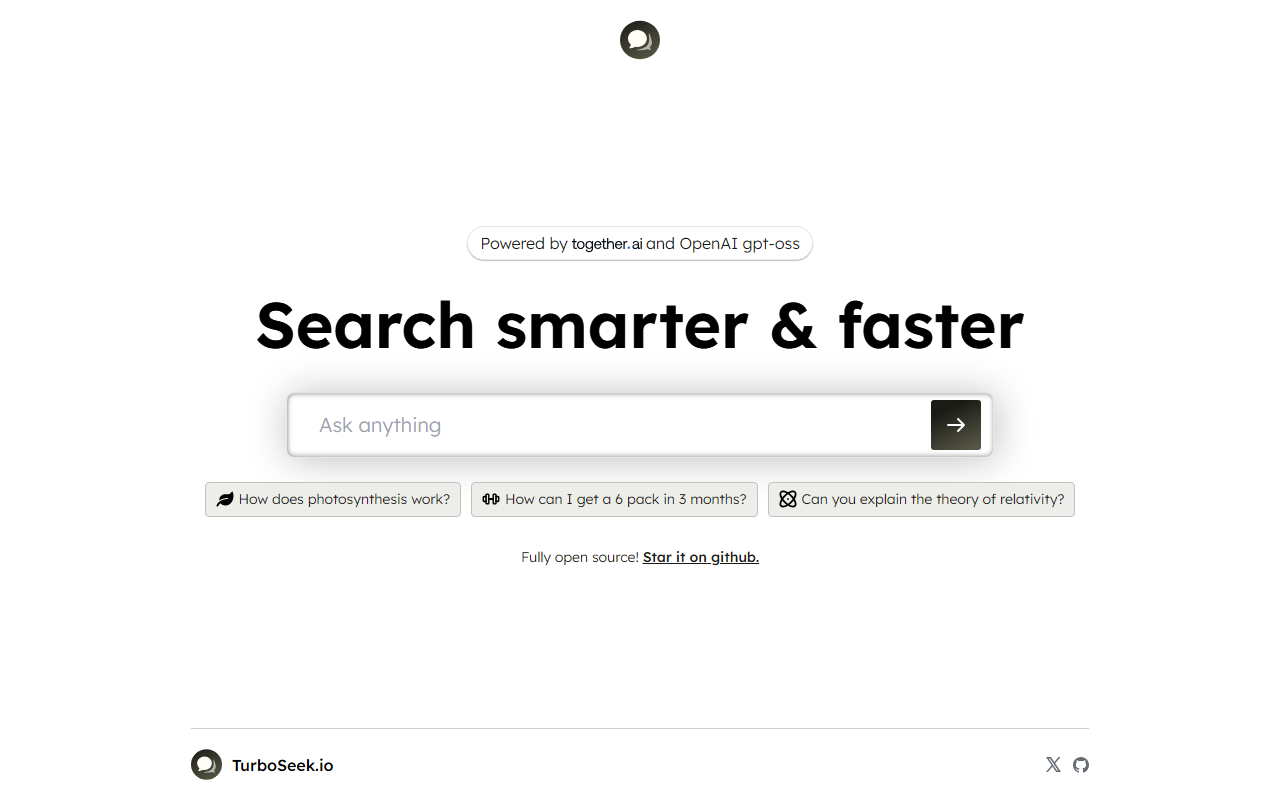
Upon visiting Turbo Seek at https://turboseek.io/, I was greeted by a clean, minimalist landing page. The interface is dominated by a single search input box with placeholder questions like “How does photosynthesis work?” or “Can you explain the theory of relativity?”. There are no sign-up buttons, no dashboard, and no clutter. Below the search bar, a link to the GitHub repository confirms the tool’s open-source nature. I clicked the search bar and typed a question. The response appeared within two seconds — a crisp paragraph with no citations or follow-up options. For a first test, I asked “How can I get a 6 pack in 3 months?” and received a realistic summary of diet and exercise principles, not generic hype. The simplicity is refreshing: you search, you get an answer, and that’s it. No account creation, no session tracking that I could see. This makes Turbo Seek ideal for quick, one-off queries where privacy matters more than context retention.
Performance and Technology
Turbo Seek’s homepage states it is “Powered by and OpenAI gpt-oss”. While “gpt-oss” is not a standard model name, it likely refers to an open-source variant of GPT-3.5 or a fine-tuned version of OpenAI’s API. The responses I observed were coherent and reasonably accurate, though they lacked depth on complex topics. For example, asking about the theory of relativity returned a simplified explanation suited for a layperson — not incorrect, but not as nuanced as a dedicated chatbot might provide. The tool also appears to have no memory of previous queries; each search is stateless. This is fine for individual lookups but limits conversational flow. On the technical side, there is no visible API or integration documentation on the website itself, though the open-source code on GitHub may offer that. The site loads quickly and seems to handle multiple queries without delay. For a free, open-source tool, the response quality is on par with entry-level AI search assistants like Perplexity’s basic tier or Google’s AI Overviews, but without the citations or rich formatting.
Pricing, Open Source, and Limitations
Pricing is not publicly listed on the website. Given that Turbo Seek is fully open source and invites users to star it on GitHub, the web version is likely free to use with no usage limits — at least for now. However, this also means there is no enterprise support, no account system, and no guaranteed uptime. The reliance on OpenAI’s GPT-oss implies that operational costs are covered by the developer or through community contributions. A notable strength is transparency: you can inspect the code, modify it, or even self-host your own instance. This is a major differentiator compared to closed-source alternatives like Perplexity or Bing AI. On the downside, Turbo Seek lacks advanced features: no image search, no document upload, no voice input, and no citation links. The answers are purely text-based and can sometimes be too brief. For students or researchers needing verifiable sources, this may fall short. The tool is best suited for developers who appreciate open-source AI, privacy advocates who want a no-log search, or anyone needing quick answers without the overhead of a full conversational AI. If you require in-depth analysis or multi-turn dialogue, look toward ChatGPT Plus or Claude. Overall, Turbo Seek delivers exactly what it promises: a fast, lightweight, open-source AI search engine. It excels in simplicity and transparency, but power users will want more.
Visit Turbo Seek at https://turboseek.io/ to explore it yourself.













Comments