

First Impressions and Onboarding
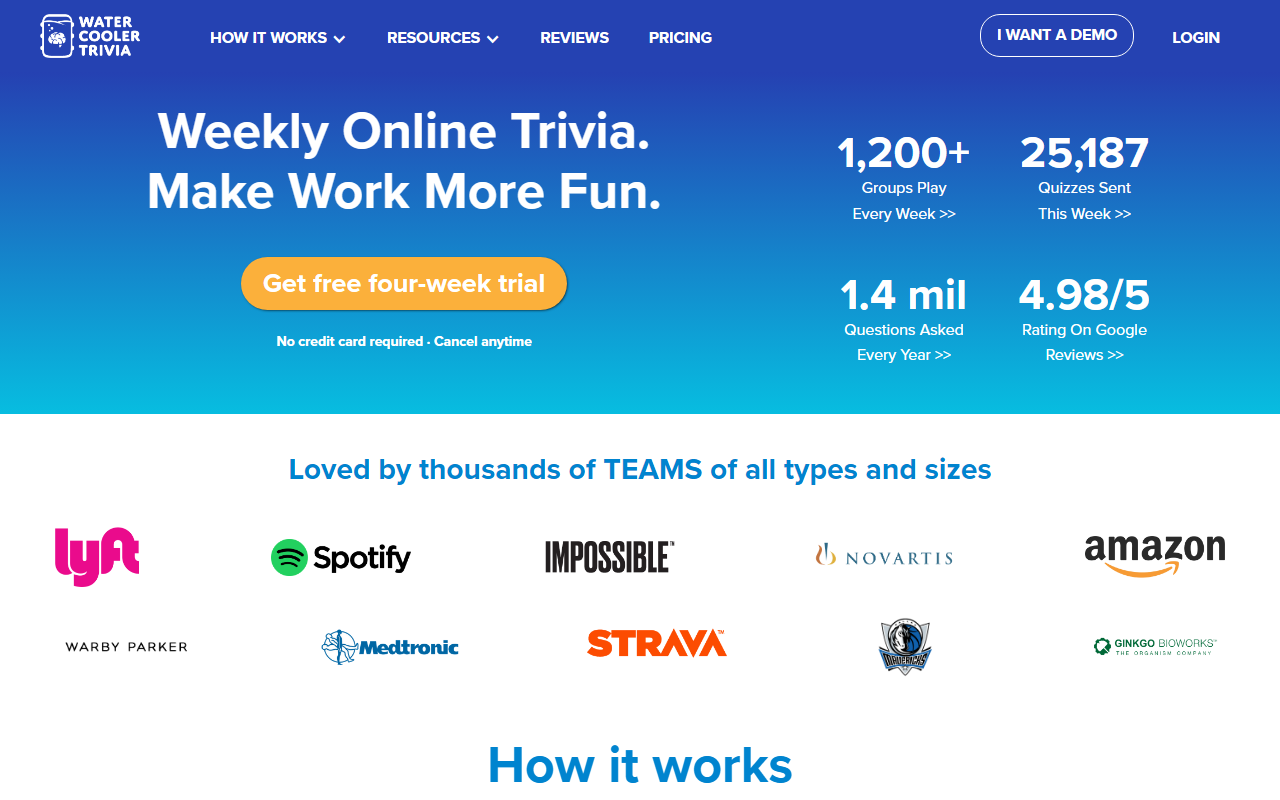
Upon visiting the Water Cooler Trivia website, I was immediately struck by the clean, playful design. The headline “Make Work More Fun” sets the tone, and within seconds I noticed the prominent call-to-action for a free four-week trial with no credit card required. This is a refreshingly low-commitment entry point for any team lead looking to test the waters. The onboarding flow is impressively fast: the site claims it takes under 60 seconds, and my own test confirmed it. You simply choose your delivery channel—email, Slack, or Microsoft Teams—enter your team’s details, and confirm the start date. No download or complex configuration was needed. Within minutes, I had a quiz scheduled for the following week.
The dashboard (once you create a free trial) shows a clean interface: your upcoming quiz, past results, and a settings panel for timing and recurrence. The whole experience feels purpose-built for busy managers who want to add a little joy without adding more administrative overhead. The tool’s core technology is straightforward—there’s no AI generation here (quizzes are hand-written by trivia pros)—but the real magic is in the delivery and social features. The platform integrates natively with Slack and Teams, sending the quiz as a direct message or to a channel.
How It Works and Daily Use
Each week, Water Cooler Trivia delivers a new set of questions based on your team’s chosen schedule. You can decide when the quiz arrives (e.g., Monday morning) and how long it remains open for responses (typically a day or two). The questions are written by humans and cover a broad range of topics—pop culture, history, science, and more. During my trial, I noticed the tone was light and inclusive, with a clear emphasis on fun rather than competition. Guessing and misspelling are explicitly encouraged, which reduces the friction for less confident participants.
One feature I particularly liked is the “emoji superlatives” awarded for funny or creative answers—this gamification turns even wrong responses into conversation starters. After the submission window closes, the results are shared automatically via the same channel. The winner’s responses are revealed (only the winner, to avoid embarrassment), alongside a leaderboard that refreshes weekly. In my observation, this sparked genuine chatter in my test Slack group: colleagues joked about each other’s obscure knowledge and shared laughs over the graders’ commentary. The entire workflow is designed to be frictionless—no app to open, no web login required after setup. Just answer inline and wait for the results.
Pricing and Value
Pricing is refreshingly transparent: $1 per user per month. This makes Water Cooler Trivia one of the most affordable team-building tools I’ve reviewed. There are no hidden tiers or per-feature charges—pay for the number of active participants, and cancel anytime. The free four-week trial gives you full access, and you can start with as few as two people. Compared to alternatives like QuizBreaker (which starts around $3/user/month for similar features) or more comprehensive platforms like TeamBonding (which requires upfront contracts), Water Cooler Trivia is a clear value leader.
What you don’t get with the low price: custom question creation, analytics beyond basic leaderboards, or support for large enterprise SSO. The tool is intentionally simple—it does one thing (weekly trivia) and does it well. The company reports 1,200+ groups playing every week and 25,187 quizzes sent in the week I visited, with a 4.98/5 rating on Google Reviews. These numbers indicate strong user satisfaction, likely driven by the “set it and forget it” nature. For teams that want reliable, low-effort fun without a budget line item, this is a no-brainer.
Who Should Use It
Water Cooler Trivia is best suited for remote or hybrid teams of 5–50 people that already use Slack, Teams, or email heavily. It’s ideal for managers who want a recurring, positive social ritual without managing content or logistics. The tool works especially well for teams where weekly trivia becomes a shared joke, a source of inside references, or just a break from the project grind. However, it’s not for teams that need deep customization, localization in multiple languages, or enterprise compliance features. If your team is larger than 100, the cost scales linearly but you might miss advanced team segmentation.
One limitation I observed: the trivia content is entirely English-language and North America–centric. Teams with a global, multilingual makeup may find some questions culturally obscure. Also, the tool lacks a mobile app—responders answer inline in Slack/Teams/email, which works but feels less polished than a dedicated app. Still, for its targeted purpose, Water Cooler Trivia delivers exactly what it promises: a weekly dose of fun that builds culture through shared curiosity. I recommend signing up for the free trial to see if it sparks the same conversations in your team. It certainly did in mine.
Visit Water Cooler Trivia at https://watercoolertrivia.com/ to explore it yourself.













Comments