

First Impressions and Onboarding
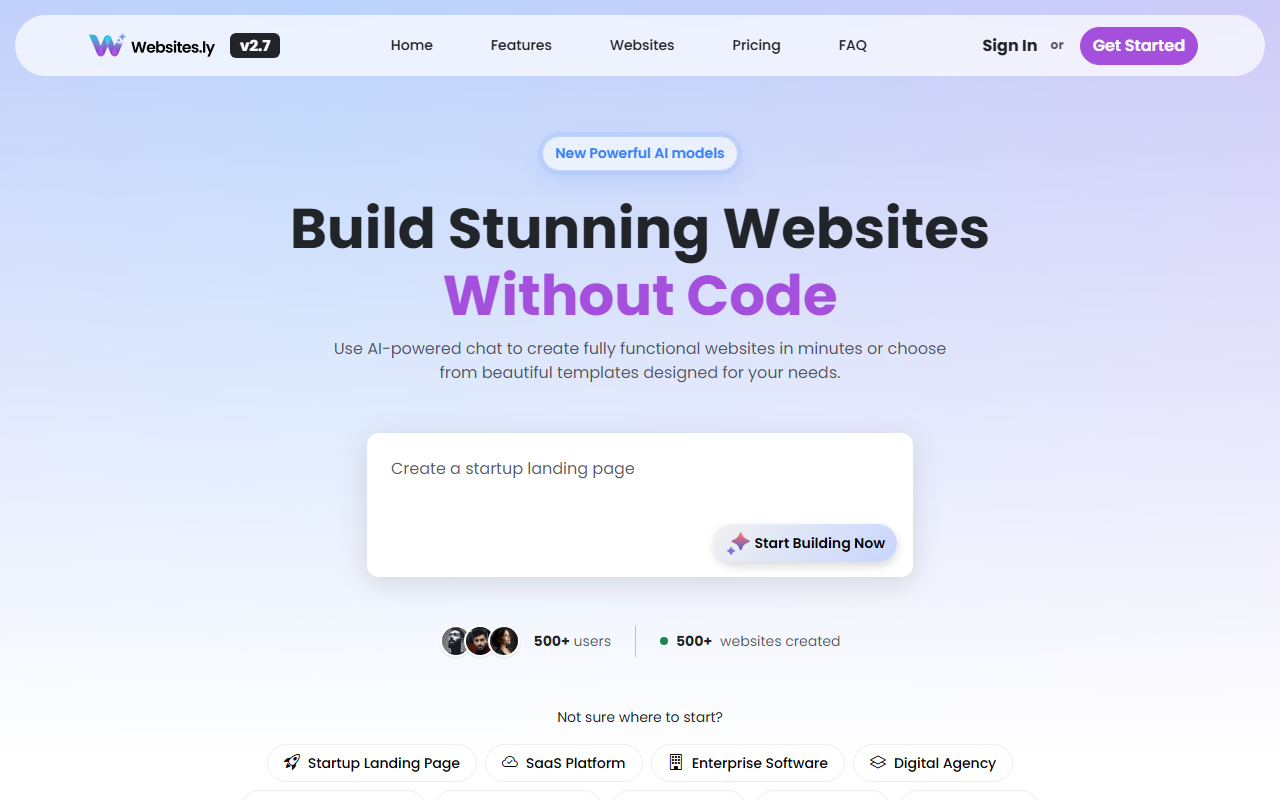
Upon visiting Websites.ly, the homepage immediately showcases its core value proposition: "Build Stunning Websites Without Code" with a prominent chat interface. The design is modern and uncluttered, featuring a hero section with AI-generated previews and a showcase of sample sites in various niches like real estate, health, and education. The onboarding flow is straightforward: you start by choosing a template or typing a description into the AI chat assistant. When I tested the free tier, I typed "Create a website for my food blog" and was guided through a series of prompts to select theme colors and page structure. Within seconds, the AI generated a multi-page layout with homepage, about, and contact sections. The interface then lets you switch between the visual editor and a code editor for HTML/CSS tweaks. This dual approach balances ease of use with developer flexibility.
Core Features and Capabilities
Websites.ly is powered by "latest AI models" (specifics not disclosed) that turn natural language into functional sites. The key features include an AI Chat Assistant that writes code and designs layouts, a Code Editor for direct HTML/CSS access, Multi-Page Support to go beyond landing pages, a File Manager for media uploads, Version History to restore previous drafts, and Custom Domain connection. There are also prebuilt templates for industries like SaaS, enterprise, restaurant, and personal finance. The AI handles SEO basics, image placement, and responsive design automatically. The platform offers a free subdomain (yoursite.websites.ly) and supports publishing with one click. Notably, it includes a visual representation of "Theme Colors" and "Pages" during the AI prompt, giving users control over the creative direction. However, I found that the AI sometimes generated generic text that needed manual replacement, and the selection of templates, while broad, lacks the polish of dedicated design tools like Framer or Webflow.
Pricing and Market Position
Websites.ly offers a free tier at $0/month with access to the AI website builder, basic templates, AI chat, and file manager. Paid plans start from $19/month, which add up to 3,000 tokens per month and presumably more features like custom domains and advanced templates. The full pricing table is not publicly listed beyond that teaser, which is a transparency drawback. Compared to Wix ADI or Squarespace, Websites.ly differentiates itself through its conversational AI assistant and rapid generation speed. It targets non-technical users—entrepreneurs, freelancers, and small business owners—who need a professional site quickly without learning a builder. However, for developers or those needing e-commerce, custom integrations, or advanced analytics, platforms like WordPress or Duda may be better suited. With over 1,000 users and 1,000 sites created, it's a promising but young tool.
Final Verdict and Recommendations
Websites.ly excels at turning ideas into live websites in minutes, with minimal friction. Its strength lies in the AI chat workflow, which feels like a natural conversation rather than drag-and-drop. The inclusion of a code editor and version history adds depth rarely seen in similar AI builders. However, limitations include a small community, opaque pricing details, and AI outputs that may require editing for specificity. The free tier is generous enough to test the waters, making it a low-risk try. I recommend Websites.ly for beginners and non-developers who want a quick, AI-driven site without dealing with hosting or coding. Advanced users should consider it as a prototyping tool but may outgrow it quickly. Visit Websites.ly at https://websites.ly/ to explore it yourself.













Comments