
First Impressions: A Minimalist iOS Tool for Creative Play
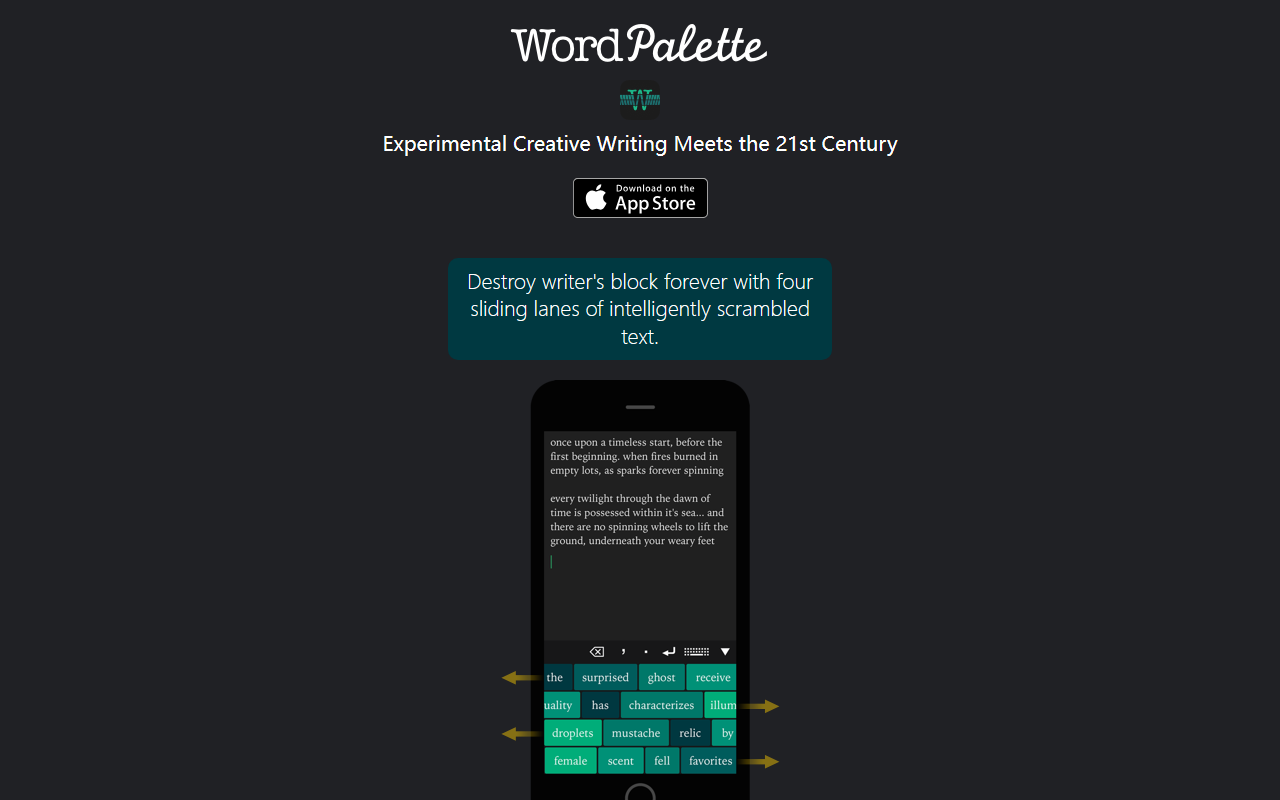
Upon visiting the Word Palette website, you are greeted with a clean, almost poetic description: “Experimental Creative Writing Meets the 21st Century.” There is no demo video or interactive preview—just a promise to “destroy writer’s block forever with four sliding lanes of intelligently scrambled text.” The tool appears to be an iOS‑only app (no Android or web version mentioned). The landing page directs you to an email address and a Twitter handle, suggesting a small, independent development team.
Because it is a mobile app, I cannot give you a hands‑on interface walkthrough from the browser. However, the screenshots and copy hint at a keyboard‑centric design: “Quickly switch between keyboards with a tap or a swipe.” This implies that Word Palette integrates with the iOS keyboard, allowing you to generate text directly into any app that accepts keyboard input. The core experience revolves around four sliders that scramble words from user‑created “Palettes.”
How Word Palette Works and What Problem It Solves
Word Palette tackles a very specific pain point: the paralysis that comes from staring at a blank page. Instead of a blank canvas, you are presented with four lanes of moving, shuffled text. The key insight is that randomness can bypass your internal editor and reveal phrases you would not have consciously chosen. The app lets you collect your favorite lyrics, articles, stories, etc., and turn them into Palettes—custom word banks. You can then mix and match these Palettes to control which words appear in the scrambled sliders.
Technologically, this is not a large language model or a generative AI in the ChatGPT sense. It is a rule‑based system that rearranges tokens from your imported texts. The “intelligent” scrambling likely involves maintaining parts of speech or sentence structures to keep results somewhat coherent. The value proposition is less about generating polished prose and more about sparking unexpected connections. It is a creative workout tool, similar to magnetic poetry but digital and dynamic.
Pricing is not publicly listed on the website. The app is presumably available on the App Store (free or paid), and there is no mention of subscription tiers or API access. This lack of transparency is a limitation for potential users who want to evaluate cost before downloading.
Target Audience and Market Position
Word Palette occupies a niche between conventional AI writing assistants (like Jasper or Copy.ai) and pure brainstorming tools (like mind mapping apps). Unlike GPT‑based tools that generate complete paragraphs, Word Palette leaves the synthesis to you. It is best suited for poets, lyricists, fiction writers, and anyone engaged in creative exploration who feels stuck in linear thinking. It is less useful for business writing, SEO content, or technical documentation, where predictability and clarity are valued.
Alternatives include the iOS app “iWrite” (a writing prompt generator) or “Magnetic Poetry” digital editions, but none offer the custom‑Palette mixing feature. The tool’s experimental nature and intimate (keyboard‑level) integration set it apart, but also limit its appeal to a smaller audience willing to embrace unpredictability.
Strengths, Limitations, and Final Recommendation
The primary strength of Word Palette is its originality. By focusing on remixing your own curated text, it encourages a deeply personal creative process. The ability to collect multiple sources and blend them across four sliders gives you fine‑grained control over randomness. For writers who thrive on serendipity, this could be a breakthrough tool.
However, the limitations are equally clear. First, it is iOS‑only, excluding the vast majority of desktop and Android users. Second, the absence of publicly available pricing information raises concerns about commitment: you may need to download the app blind to know the cost. Third, the tool provides no guidance on how to effectively build Palettes or interpret the scrambled output—the website offers only a few lines of copy. A tutorial or sample workflow would greatly improve onboarding.
Finally, because it relies on your own imported texts, the quality of output depends entirely on your input. If you feed it banal source material, you will get banal scrambles. It is not a magic cure for writer’s block; it is a catalyst that requires active participation.
I recommend Word Palette to creative writers who enjoy playful, non‑linear methods and are willing to experiment. If you need a reliable, prompt‑based AI writer for practical tasks, look elsewhere. But if you want to break free from your usual patterns and discover what you “didn’t know you wanted to say,” this tool is worth a try. Visit Word Palette at https://wordpalette.io/ to explore it yourself.













Comments