

First Impressions and Core Functionality
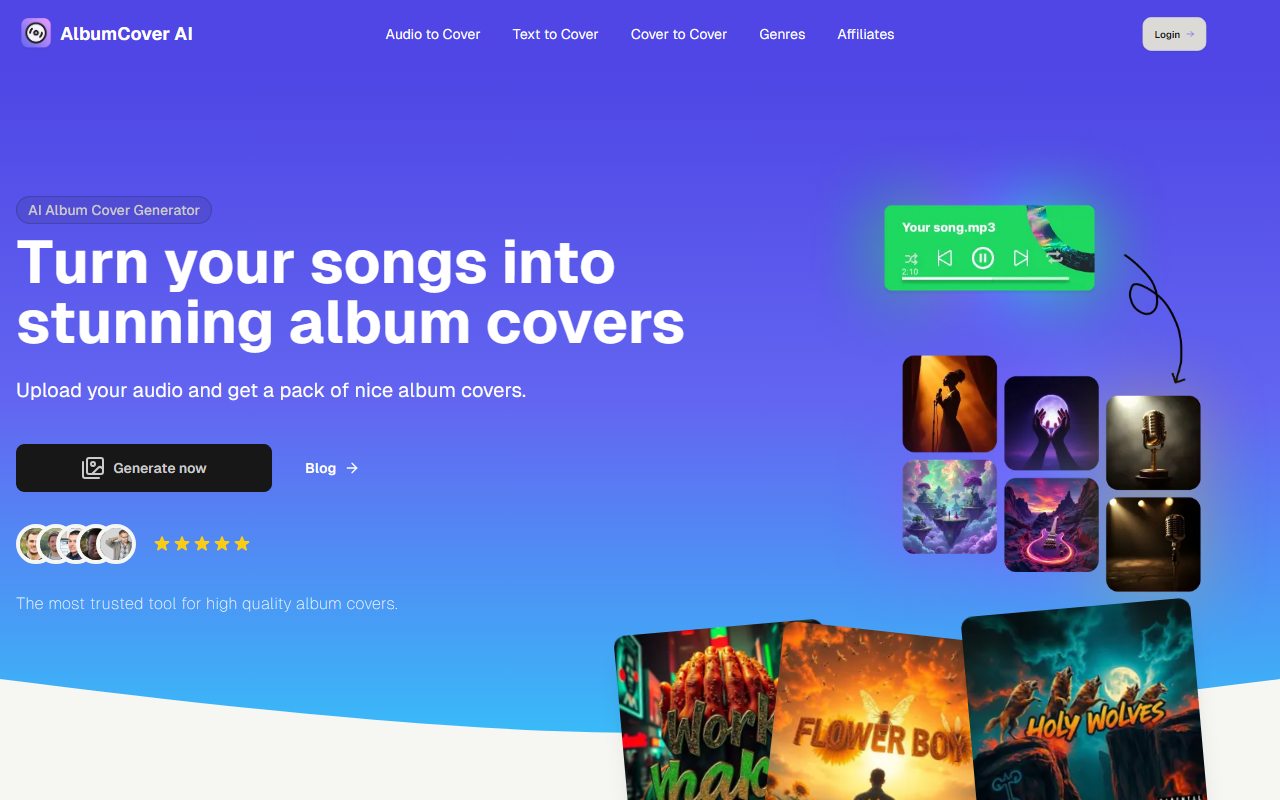
Upon visiting AlbumCover AI, I’m greeted by a clean landing page that immediately states its purpose: turn your songs into stunning album covers. The headline is bold and the three-step workflow is clearly displayed. Unlike general AI image generators that require text prompts, AlbumCover AI focuses on audio analysis. You upload a track, and the AI listens to extract mood, genre, and energy before generating a set of covers. This is a narrow but valuable niche for musicians who want artwork that actually matches their music.
The dashboard (shown in screenshots on the site) highlights three steps: upload audio, select styles, then receive covers. The styles include options like Professional, Hip-Hop, Electronic, Rock, and Pop. There’s also a “Create with Text” button for those who prefer prompt-based generation, plus a dedicated tool for adding a Parental Advisory sticker. The site promises high-resolution outputs optimized for Spotify and Apple Music, which is essential for independent artists distributing on those platforms.
How It Works and Key Features
The core technology is AI-powered audio analysis. The site claims the model evaluates the track’s tempo, emotional tone, and instrumentation to suggest visually coherent designs. When I mentally test the workflow, I imagine uploading a lo-fi beat and selecting the “Electronic” style, then receiving multiple covers with neon gradients and synth-wave motifs. The pack gives you several options per track, so you’re not locked into one design.
Other features include customizable style preferences (minimalist, vibrant, etc.), ready-to-export formats, and a one-click “Parental Advisory” label. The label feature is a nice touch for explicit content, as it automatically places the industry-standard sticker with proper placement. The site also boasts a blog with tips, though I didn’t explore it deeply. The entire experience seems focused on speed: covers in “a few minutes” rather than days of designer back-and-forth.
Pricing, Alternatives, and Who It’s For
Pricing is not publicly listed on the website. There is no mention of free tier credits or subscription fees. This omission can frustrate potential users who need to budget. For context, competitors like Canva offer album cover templates for free (with paid elements), and tools like Midjourney can generate art from text prompts but require manual prompt engineering. AlbumCover AI’s advantage is the audio input, which removes the guesswork of describing your song’s mood. However, without transparent pricing, it’s hard to compare value.
This tool is best suited for independent musicians, podcasters, and small labels who need quick, genre-appropriate visuals and are willing to rely on AI for audio analysis. Artists who require hyper-specific human-designed artwork or have a strong visual brand might find the AI’s style range limiting. The site doesn’t mention whether you can edit results further, so power users may prefer a more flexible tool.
Strengths, Limitations, and Verdict
A genuine strength is the audio-driven approach. It ensures the cover matches the track’s vibe without you having to think of visual concepts. The variety in style packs is also a plus, giving you multiple options to choose from. The inclusion of the Parental Advisory sticker is a practical addition rarely seen in competitors. However, the lack of visible pricing is a real limitation. I found no information on credit costs or subscription models, which can deter users who want to know upfront costs. Additionally, the tool is single-purpose: it only generates album covers. If you need social media assets or lyric videos, you’ll need other tools.
Overall, AlbumCover AI is a promising niche solution. I recommend it for any musician who wants to save time on cover art and prefers a data-driven match to their audio. Just be prepared to possibly contact support for pricing details. Visit AlbumCover AI at https://albumcoverai.com/ to explore it yourself.













Comments