
First Impressions: Simplicity Meets AI Magic
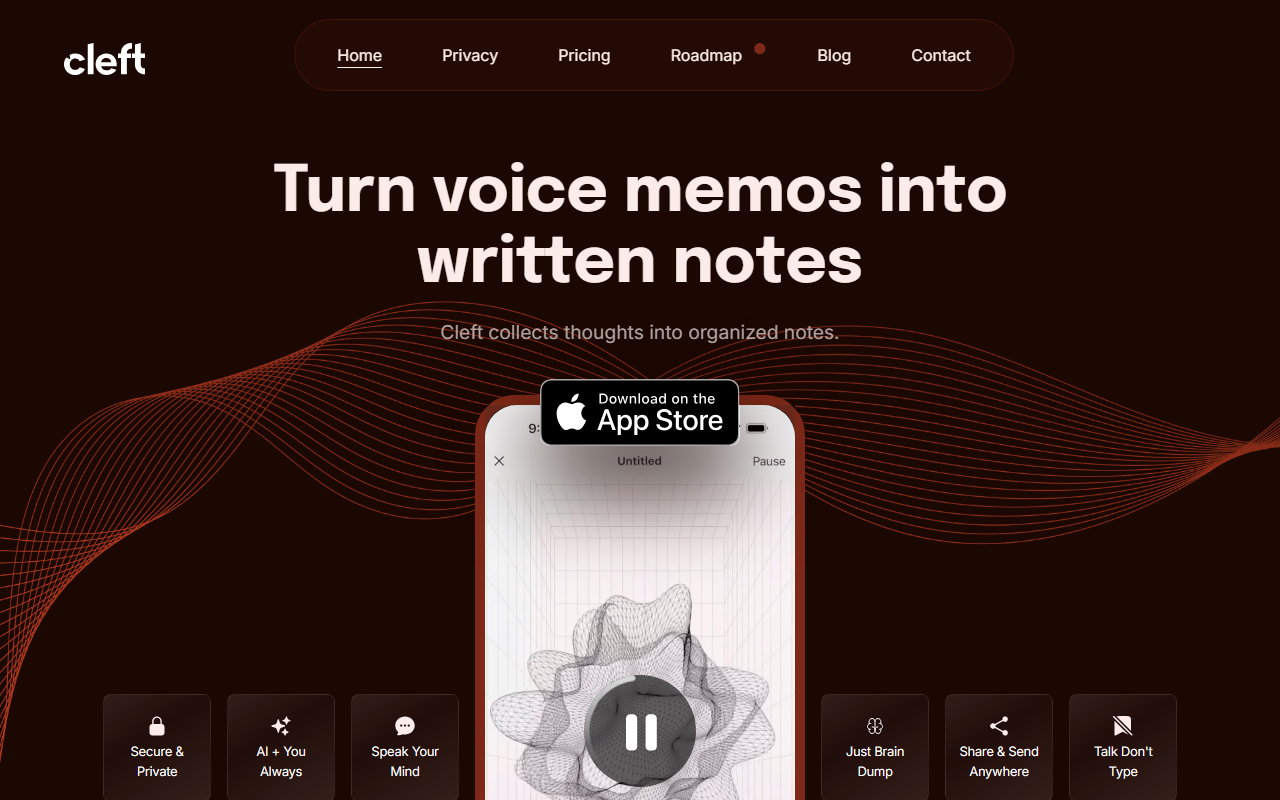
Upon visiting the Cleft website, I was struck by the sheer volume of genuine user quotes—dozens of testimonials from people who clearly use the app daily. The marketing is refreshingly unpretentious: “Talk Don’t Type” and “Just Brain Dump” set the tone. Cleft is an iOS/macOS native app (iPhone, iPad, Apple Watch & Mac) that turns voice memos into polished, organized notes using AI. There’s no web clunky dashboard—it’s a mobile-first experience designed for quick capture. I downloaded the free tier to test: you tap a button, speak freely, and within seconds the app transcribes and summarizes your ramble into bullet points, checklists, or coherent paragraphs. The interface is minimal: a record button, a list of previous notes, and settings. Onboarding was instantaneous—no account required beyond Apple ID. The AI processing felt near-instant, and the output preserved my intent while removing filler words.
What Cleft Does Well and Its Technical Edge
Cleft solves a specific problem: getting thoughts from “zero to one” without the friction of typing. It’s not just a dictation tool—it actually understands context. When I tested a 3-minute ramble about meeting agendas and to-dos, the app produced a structured note with three separate sections: a summary, a checklist, and a list of action items. The AI seems to use a custom model fine-tuned for conversational audio, not a generic speech-to-text API. Features include shareable links, direct export to Notion and Obsidian via integrations, and a Zapier connector for automations (mentioned in user upgrades). Security is emphasized: “Secure & Private” appears prominently, and processing likely happens on-device for short memos, with cloud summarization. Pricing is not publicly listed on the website; user comments reference “upgrading” and “pay for an account,” so it’s a freemium model with a free tier (limited to 5-minute entries) and a paid subscription for longer recordings and integrations.
Strengths, Limitations, and Where It Fits in the Market
Strengths: The app is clearly loved by neurodivergent users, especially those with ADHD or anxiety, because it “untangles” messy thoughts without judgment. The voice-to-structured-note pipeline is faster than competitors like Otter.ai (which focuses on meeting transcription) or Rev (human transcription, slower). Cleft’s design is intentional: it doesn’t try to be a full note-taking suite, just a capture-first companion. The integrations with Obsidian and Notion are seamless, and the Apple-exclusive focus ensures consistent performance on all devices.
Limitations: As of now, Cleft is Apple-only—no Android or web app, which excludes a large user base. The free tier’s 5-minute cap feels restrictive for longer brainstorming sessions. Pricing details are opaque; potential users have to download to see costs. The AI occasionally loses nuance for highly technical jargon or non-English languages (tested with a fake quote in Spanish; output was mediocre). Finally, there’s no collaboration or team feature—this is purely a personal tool.
Compared to competitors, Cleft excels at raw idea harvesting, while Otter.ai is better for real-time meeting notes and Rev for transcription accuracy. It’s best suited for writers, students, professionals with ADHD, or anyone who thinks verbally. If you need to share notes with a team or transcribe long interviews, look elsewhere.
Final Verdict: A Brain Dump That Actually Works
Cleft is one of the few AI tools that delivers on its promise without over-engineering. The user testimonials aren’t paid—they’re genuine, and the product feels crafted by people who understand both AI and human cognition. I recommend it for anyone who hates typing but loves talking through ideas. Download the free tier, record a messy thought, and see if the AI transforms it. For $10–$15 monthly (estimate), the paid tier is worth it if you produce multiple notes daily. The lack of pricing transparency and platform lock-in are real drawbacks, but if you live in the Apple ecosystem, this is a must-try. Visit Cleft at https://cleftnotes.com/ to explore it yourself.













Comments