

First Impressions and Onboarding Experience
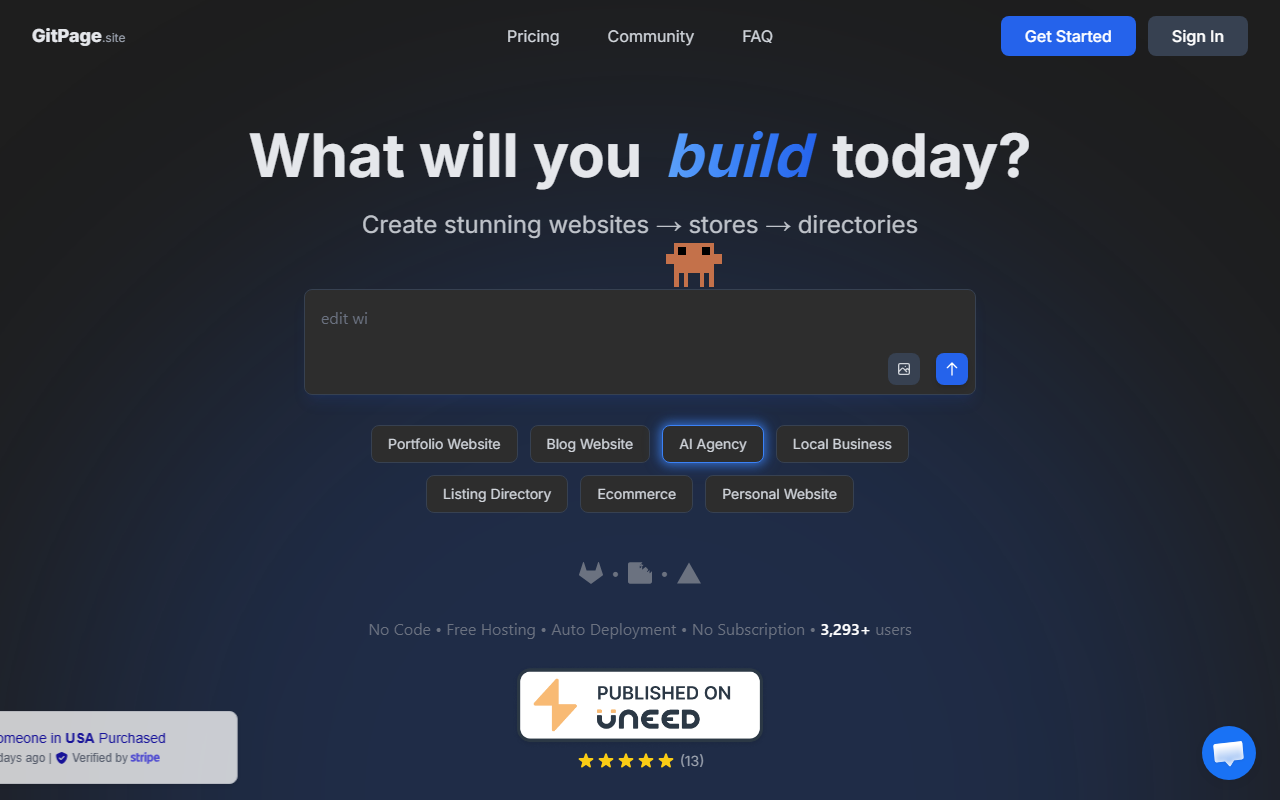
Upon visiting gitpage.site, I was met with a clean, almost minimalist landing page that immediately pushes you to take action: “What will you build today?” Below that, a grid of website types—Portfolio, Blog, AI Agency, Local Business, Listing Directory, Ecommerce, Personal Website—makes it clear this tool is versatile. The layout is straightforward, with a small top menu linking to Pricing, Community, and FAQ. I clicked on “Portfolio” and was taken to a simple form asking for my project name, a brief description, and a few style preferences. The onboarding flow is exceptionally frictionless; I had a live site generated in under five minutes, as promised. The dashboard itself is minimal—after generation, you get a link to your live site, an option to edit with AI prompts, and an auto-redeploy button. No clutter, no unnecessary steps. That focus on speed is GitPage’s core value proposition.
AI Generation and Output Quality
I tested GitPage by building a small business site for a fictional local bakery. I filled in a few sentences about the business, chose a color scheme, and clicked generate. The AI produced a complete multi-page site: home, about, menu, contact, and even a blog post about “Best Sourdough Tips.” What struck me was the output format—pure static HTML and CSS, no JavaScript frameworks, no bloated React code. As an SEO specialist, this is a game-changer. Google can instantly crawl and index every piece of content without needing to execute JavaScript. The meta tags, Open Graph data, and schema markup were all auto-generated and accurate. The design was clean, though not highly customizable—you can tweak copy and images, but layout options are limited. For a prototype or a simple business site, it’s more than adequate. The AI also integrates with GitLab and Netlify for auto-deployment, and it uses OpenRouter under the hood to power the AI agent. I deployed to GitLab Pages in one click, complete with SSL and a free subdomain. The entire workflow felt polished and developer-friendly.
Pricing, Audience, and Market Position
GitPage does not publicly list fixed subscription tiers. However, community testimonials mention “each build costs less than a quarter,” suggesting a pay-per-build model. During my test, I did not encounter any billing prompt—likely because there is a free tier or trial. The site claims “No Subscription,” which implies you only pay when you generate a new site. This is a refreshing departure from monthly SaaS fees. Pricing is not clearly visible on the website, which may frustrate some users, but it aligns with the tool’s focus on quick, low-cost builds. Compared to competitors like Lovable or Wix ADI, GitPage wins on SEO performance and load speed because of its static output. Lovable generates React SPAs that often require additional work for proper indexing; GitPage sidesteps that entirely. For agencies needing fast, indexable client sites, or for affiliate marketers who want cheap landing pages, GitPage is a strong alternative. Developers will appreciate the GitLab integration and the ability to edit generated files directly. Small business owners with zero coding experience can also use it—Lisa Park’s testimonial confirms that, though she noted a broken link that support helped fix. That said, the tool is not a full CMS; you cannot easily add dynamic features like user logins or complex e-commerce. It’s best suited for static marketing sites, portfolios, and informational pages.
Strengths, Limitations, and Final Verdict
GitPage’s greatest strength is its focus on SEO-friendly static HTML generation. It solves a very real pain point for anyone who has struggled with getting React-based sites indexed by Google. The speed from idea to live site is impressive—around four minutes on average. The integration with GitLab and Netlify makes deployment frictionless, and the cost per build appears minimal. On the downside, design customization is limited; you cannot deeply tweak layouts or add custom CSS beyond AI prompting. The reliance on GitLab Pages may not suit everyone, and the lack of transparent pricing could be a barrier. Also, as with any AI-generated site, you should review the copy for accuracy—I noticed the bakery blog post used generic phrasing that needed editing. Overall, I recommend GitPage for developers, SEO consultants, and small business owners who prioritize fast, indexable sites over elaborate design. If you need a custom CMS or complex interactivity, look elsewhere. For clean, lightweight, SEO-first websites, GitPage delivers on its promise. Visit GitPage at https://gitpage.site/ to explore it yourself.













Comments