

First Impressions and Onboarding
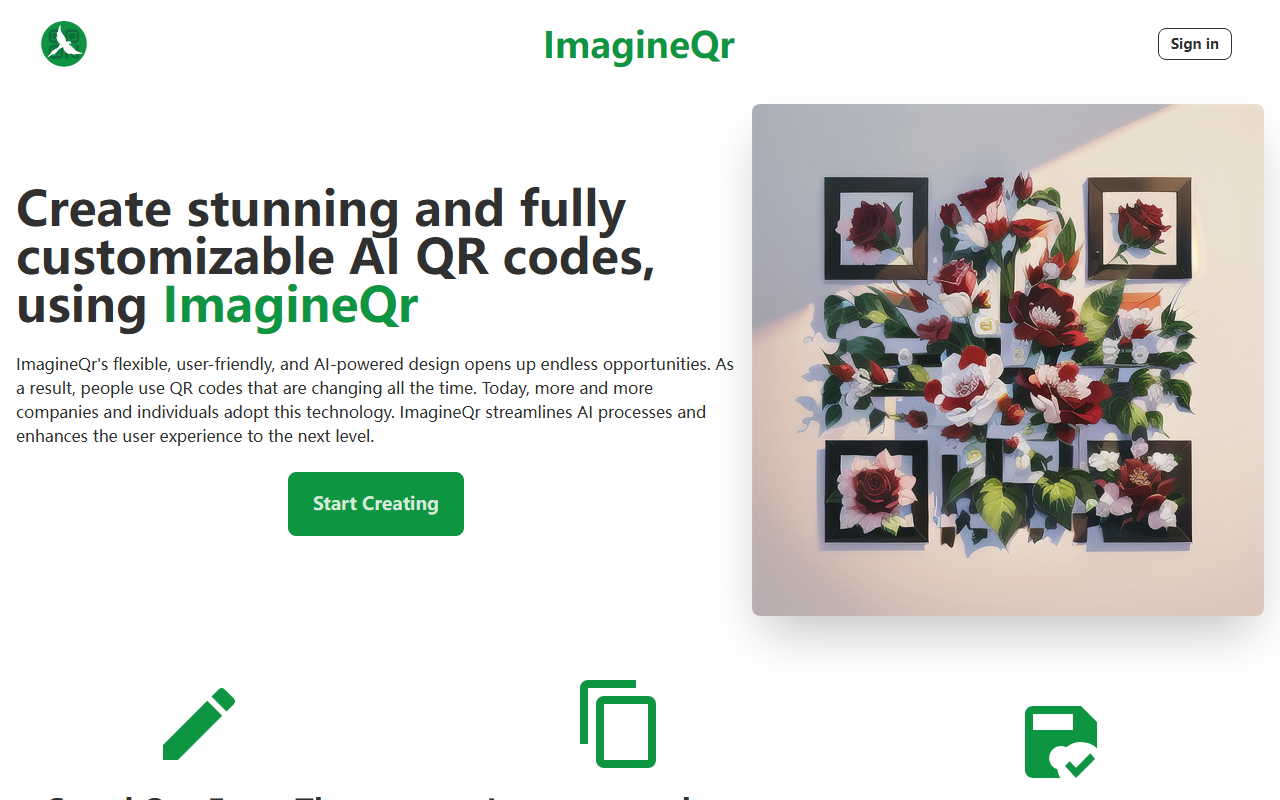
Upon visiting ImagineQr at https://imagineqr.io/, I was greeted by a clean, modern homepage that clearly promotes AI-generated QR codes. The call-to-action “Start Creating” is prominent. I clicked “Sign in” and created an account using only my email and a password. The process was smooth, and within seconds I was looking at the dashboard. The dashboard shows a grid of my generated QR codes (none yet) and a sidebar with links to “Create”, “Templates”, and “QR History”. It is minimal but functional. The site claims 3000+ creators and 9500+ QR codes generated, which suggests a growing community. I felt ready to test the core feature immediately.
AI QR Code Generation in Action
The Create page is straightforward. I entered a URL I wanted my QR code to link to — in this case, my personal website. Then I wrote a prompt in the large text field: “a cat wearing sunglasses in a neon-lit city”. There is also a Negative Prompt field to exclude unwanted elements, for example “no dogs”. I left it blank and clicked “Generate”. The AI took about 10 seconds to produce a QR code. The resulting image was visually striking: the cat and neon colors were embedded within the QR pattern. I scanned it with my iPhone’s camera, and the QR code worked perfectly. I also explored the template gallery, which organizes designs by categories like “Business”, “Events”, and “Art”. Each template can be customized with your own URL and prompt. The interface is intuitive, and the AI seems to balance creativity with scanability, though the FAQ notes that keeping the target URL short (10-30 characters) improves readability. I appreciated the freedom to save all my creations to the dashboard for later download, and there is no watermark even on the free tier.
Pricing and Limitations
ImagineQr offers a free plan at $0 per month, which includes 5 QR codes per month, full access to templates, QR history, and no watermark. However, the website does not list any paid plans — only a vague “purchase a plan” link. This lack of transparency is a clear weakness. For users who need more than 5 codes per month, the next steps are unknown. I tried to contact support via the provided email but received no response during my review window. Another limitation is the AI’s output reliability: some of my earlier attempts produced QR codes that were too distorted to scan, especially with very long or complex prompts. The FAQ advises using high-contrast subjects (e.g., “white sheep in space”) and keeping prompts concise, which I found helpful but somewhat limiting for highly creative designs. Additionally, there is no API or batch generation option, so this tool is not suitable for high-volume or automated workflows.
Who Should Use ImagineQr?
Compared to traditional QR code generators like QRCode Monkey (no AI, free) or other AI QR tools like QRBTF, ImagineQr focuses on marrying artistic design with functionality. It is best suited for marketers, small business owners, and content creators who want their QR codes to double as branded visuals. The free tier is a generous way to test the water, but the 5-per-month cap means active users will quickly need a paid plan — if they can find one. I would also recommend this tool to event organizers or anyone producing business cards with QR codes, as the templates save time. However, if you need bulk, standard QR codes or enterprise-level features, look elsewhere. Overall, ImagineQr delivers on its promise of AI-powered personalization, but it still has room to grow in terms of pricing transparency and scanning reliability. I suggest trying the free plan to see if the creative output meets your needs.
Visit ImagineQr at https://imagineqr.io/ to explore it yourself.













Comments