

First Impressions and Onboarding
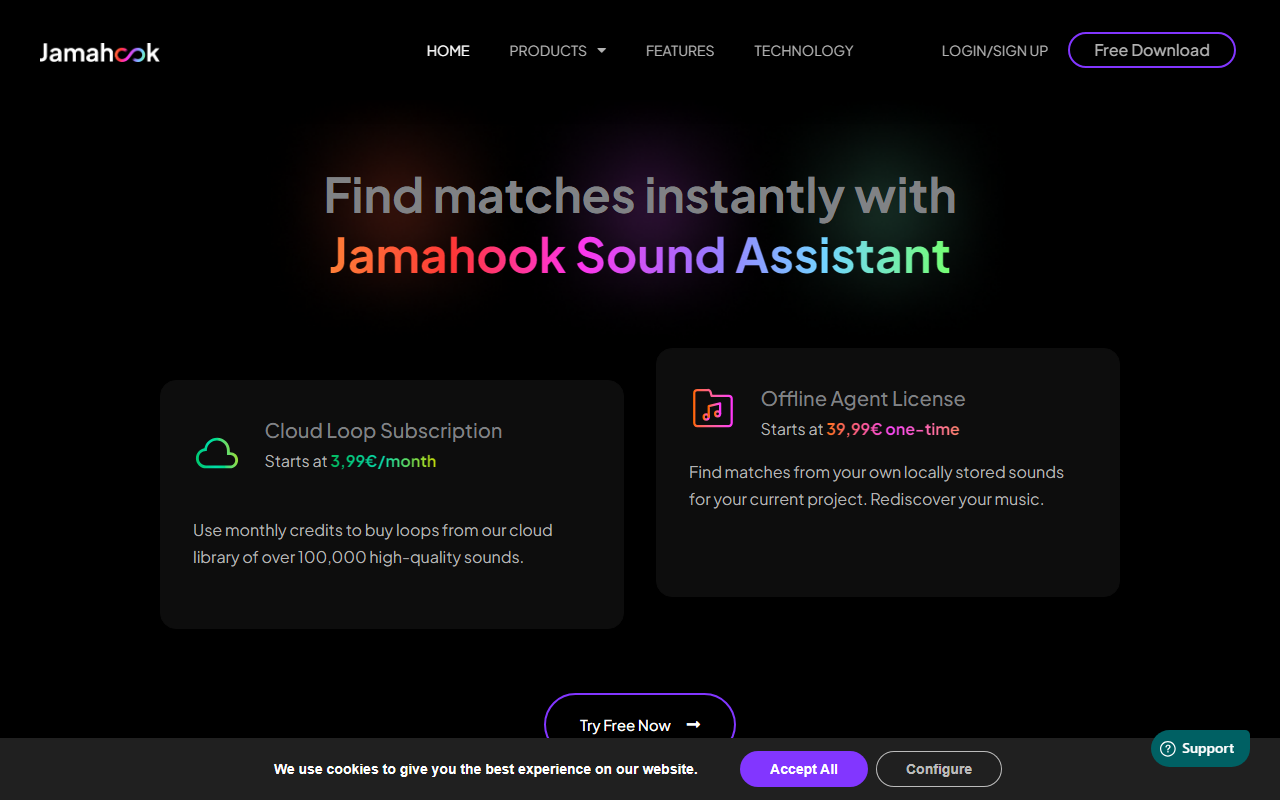
Upon visiting Jamahook's website, I was greeted by a maintenance banner warning that matching on the web portal might be temporarily interrupted – an honest heads-up that sets a transparent tone. The page is clean and direct, with a bold hero section asking me to "Find matches instantly with Jamahook Sound Assistant." I clicked "Try Free Now" and was prompted to sign up for a free account. The process was straightforward: I entered my email, confirmed, and downloaded the installer. Within minutes, the plugin and the Offline Agent were on my Mac. The installer handles both components, which is convenient. I then launched my DAW (Ableton Live) and added the Jamahook plugin as an FX on the master track – exactly as the FAQ instructs. The plugin's interface is minimal but functional: a Match button, a source selector (Cloud or Local), and filter options for mood, genre, instrument, and match strategy. I selected "Local" to test with my own sample library, positioned the trackbar at the start of a beat I was working on, pressed Match, and hit play. The plugin listened for a few seconds, then populated a list of loops from my local collection, all automatically key- and tempo-matched. The latency was minimal, and the matches were surprisingly relevant – a few were exactly what I needed to fill a gap in my arrangement.
Core Features and How It Works
The core value of Jamahook lies in its dual matching engine. You can match against the Jamahook Cloud Library – over 100,000 royalty-free loops – or against your own local sounds via the Offline Agent. The plugin listens to your mix's musical qualities and returns loops that harmonically, rhythmically, or percussively fit. I tested all three matching strategies: Harmonic, Rhythmic, and Drums. The Harmonic strategy gave me pads and bass lines that locked into my chord progression; Rhythmic surfaced percussive loops that matched my tempo and groove; and Drums provided kick and snare patterns that aligned with my beat. A standout feature is Pitch-Shifted Matching: the plugin can find loops even if they are in a different key and automatically transpose them. I threw an off-key piano loop into my collection, and Jamahook returned it correctly transposed – a huge time saver. Filters let you narrow by instrument, mood, or genre. You can also save favourites and review matching history once you log in. The plugin works as VST, AU, or AAX, covering most major DAWs. While the AI model itself is not detailed publicly, the matching quality felt consistent and musically intelligent, outperforming simple key/ tempo detection tools.
Pricing and Value Proposition
Jamahook offers two main purchase options: the Cloud Loop Subscription and the Offline Agent License. The Cloud subscription starts at €3.99/month and gives you monthly credits to buy loops from the cloud library. Each loop purchase deducts credits, and all cloud loops are royalty-free for commercial use after purchase. The Offline Agent license starts at €39.99 one-time, which lets you index and match against your local sounds indefinitely. You can buy either service independently – no requirement to purchase both. There is also a free trial: 14-day Basic Plan for the Offline Agent (up to 10,000 loops) and a 1-month Artist plan for cloud matching. During testing, the free trial was generous enough to evaluate both services thoroughly. Compared to Splice Sounds (which offers credits for loop downloads but no local matching) or LANDR (which focuses on mastering and sample clearance), Jamahook fills a niche for producers who want to rediscover their own sample libraries while also accessing a curated cloud collection. One limitation: the cloud loop credits expire monthly if unused, and the library is smaller than Splice's, though quality is high. Also, the web portal interruption during maintenance may affect cloud browsing outside the plugin.
Who Should Use Jamahook?
Jamahook is best suited for music producers who work in DAWs and often get stuck in sample-browsing loops. If you have a large local collection of sounds but rarely remember what you have, the Offline Agent is a game-changer – it can surface hidden gems from years of accumulated samples. It also helps producers who need quick, musically relevant loops without leaving their creative flow. Beginners will appreciate the simplicity: one button, instant matches. Advanced users can leverage the different matching strategies and filters for precise results. However, producers who rely on massive, constantly updating cloud libraries (like Splice) may find the cloud selection limited. Additionally, the plugin only works within a DAW – there is no standalone app, so casual listeners won't benefit. Overall, Jamahook offers a focused, well-executed tool for speeding up sound discovery inside the production environment. For producers who value both local and cloud matching, the free trial is risk-free and highly recommended. Visit Jamahook at https://jamahook.com/ to explore it yourself.













Comments