

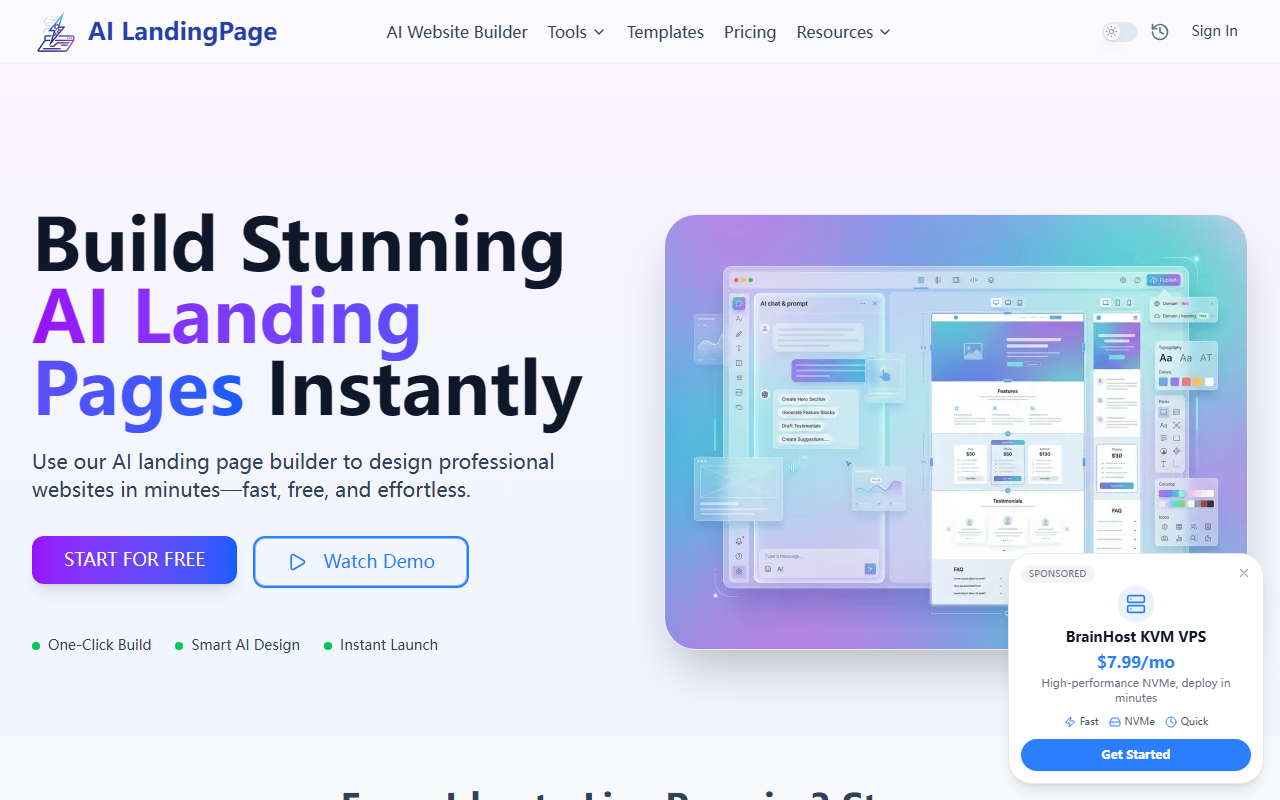
First Impressions: Building a Page in Seconds
Upon visiting Landing Page.io, I was greeted by a clean, modern interface with a single CTA: "Build Your Free Landing Page." The onboarding process is refreshingly simple—there's no sign-up wall, just a text box asking me to describe my product or campaign. I typed "AI-powered project management tool for remote teams," and within about ten seconds, the AI generated a complete landing page draft. The layout included a headline, feature grid with icons, a testimonial section, and a call-to-action button. The entire workflow—from idea to live page—takes roughly three minutes, as promised. The editor lets me tweak text, swap images, and rearrange sections with natural language commands like "make the headline bolder" or "add a pricing table." It felt like using a chat assistant to design a website, which is exactly the experience the tool advertises.
Features and Under the Hood
The AI landing page builder uses a proprietary generation engine that analyzes your input and pulls from a template library optimized for conversion. There are over a dozen pre-built templates for common use cases: SaaS product launches, e-commerce drops, webinar registrations, healthcare clinic lead gen, real estate listings, and more. Each template includes SEO meta tags, mobile-responsive design, and structured sections like hero, features, testimonials, and FAQs. Beyond landing pages, the platform offers a full AI website builder for multi-page sites, blogs, and funnels. A notable feature is the "Fake Website Maker" for creating realistic mockups for presentations or client demos—a clever addition for agencies. The tech stack appears to be lightweight, with pages loading quickly and no noticeable latency during generation. There is no public API documentation, and integrations are limited to basic embedding; you cannot connect third-party tools like Mailchimp or Zapier out of the box, which is a limitation for advanced marketing workflows.
Pricing, Competition, and Target Users
Landing Page.io offers a free tier that lets you build and publish one landing page with limited customization (watermark included). To remove branding, access all templates, and unlock AI-powered conversion optimization, the Pro plan costs $19/month. The Agency plan at $49/month includes up to 10 sites and team collaboration. Pricing is transparent and listed clearly on the pricing page. Compared to competitors like Unbounce or Instapage, Landing Page.io focuses on speed and AI generation rather than A/B testing or deep analytics. It's best suited for solopreneurs, early-stage startups, and marketers who need a quick, decent-looking landing page without touching code. Larger teams or those requiring advanced personalization and integrations should look at tools like Webflow or Leadpages. The free tier is genuinely useful for testing ideas, but the watermark and limited features make it clear where the upgrade path leads.
Strengths, Limitations, and Final Verdict
The biggest strength of Landing Page.io is its sheer speed and ease of use. The AI generates coherent, well-structured pages that look professional even without tweaking. The three-step experience (idea, customize, launch) is frictionless, and the free tier lowers the barrier to entry. However, there are real limitations: the AI-generated copy can sometimes be generic or slightly off-tone, requiring manual editing. The template selection, while broad, lacks deep diversity in design styles—most templates follow a similar card-based layout. There is no native A/B testing, conversion tracking, or integration with email marketing platforms. Custom CSS or HTML editing is unavailable, which may frustrate users who want pixel-perfect control. For a quick launch pad or MVP, this tool excels; for a long-term, scalable marketing engine, it falls short. I recommend trying the free tier first—within 10 minutes you'll know if its simplicity matches your needs. Visit Landing Page.io at https://landing-page.io/ to explore it yourself.













Comments