

First Impressions and Interface
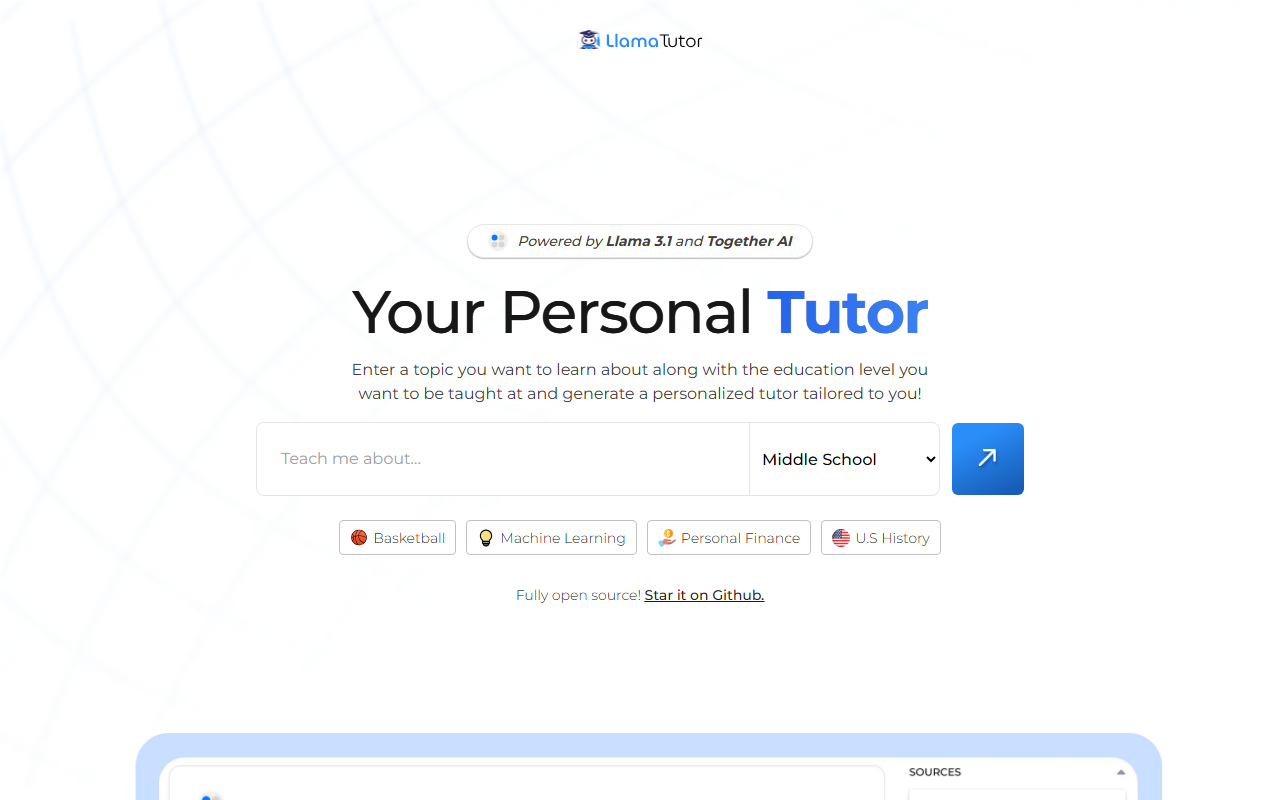
Upon visiting the Llama Tutor site, I was greeted by a clean, minimal dashboard. The tagline — “Powered by Llama 3.1 and Together AI” — immediately signals its technical backbone. The interface is straightforward: a dropdown for education level (Elementary through Graduate) and a text box to enter a topic. Four example topics are listed: Basketball, Machine Learning, Personal Finance, U.S. History. I clicked “Machine Learning” at “College” level to start.
The onboarding takes zero friction — no sign-up required, no API key entry. The response appeared within seconds: a structured lesson with bullet points, definitions, and key concepts. The tone matched the chosen education level, avoiding jargon for lower levels. However, I noticed the responses are plain text without multimedia or interactive quizzes, which limits engagement compared to platforms like Khan Academy or Quizlet’s AI tutor.
Under the Hood: Model and Functionality
Llama Tutor uses Llama 3.1, Meta’s latest open-source large language model, deployed via Together AI’s inference API. This means the tool benefits from Together’s optimized infrastructure for speed and cost-effectiveness. The model appears to generate answers without internet access — it relies solely on its training data up to early 2024. When I asked about “Quantum Computing,” the response was accurate but general, lacking recent developments like Willow (Google’s 2024 quantum chip).
The tool is fully open source; a GitHub link is provided prominently. This is a major differentiator — developers can fork the repo, customize the prompt templates, or even swap the underlying model. The free tier is unlimited at the moment (no pricing listed), but Together AI’s API costs may apply if deployed at scale. For now, it’s entirely free to use on the web. There is no API access for developers unless they self-host.
Strengths and Limitations
Strong points: Zero barrier to entry — no login, no payment, instant results. The education-level customization works well; I tested “U.S. History” at “Elementary” and “Undergrad” and saw clear differences in complexity and vocabulary. The open-source nature invites community improvements and transparency — unlike closed alternatives such as Chegg or Tutor.com.
Limitations: No follow-up or conversational memory. Each query is isolated; you cannot ask a clarifying question and get context. The output is text-only with no diagrams, images, or external links. Also, there’s no feedback mechanism for wrong answers — the model may confidently produce misinformation. For example, my query on “Basketball” at “Middle School” level incorrectly stated a basketball has a circumference of 29 inches (it’s 29.5 inches for men’s). The error was minor but highlights the need for human oversight.
Verdict and Recommendation
Llama Tutor is ideal for curious learners who want quick, structured explanations without the friction of accounts or costs. It’s also a great reference for educators looking for an open-source template to build their own tutoring tools. Developers will appreciate the fully transparent codebase and ability to modify the experience.
However, if you need adaptive, conversational tutoring (like ChatGPT’s voice mode) or rich media integration, look elsewhere. For exam preparation with drill exercises, platforms like Khan Academy still lead. Llama Tutor is a solid proof-of-concept and free utility, but not a replacement for a dedicated tutoring service. I recommend trying it for self-study on any topic you want to understand quickly.
Visit Llama Tutor at https://llamatutor.together.ai/ to explore it yourself.













Comments