

First Impressions of Seedance 2.5
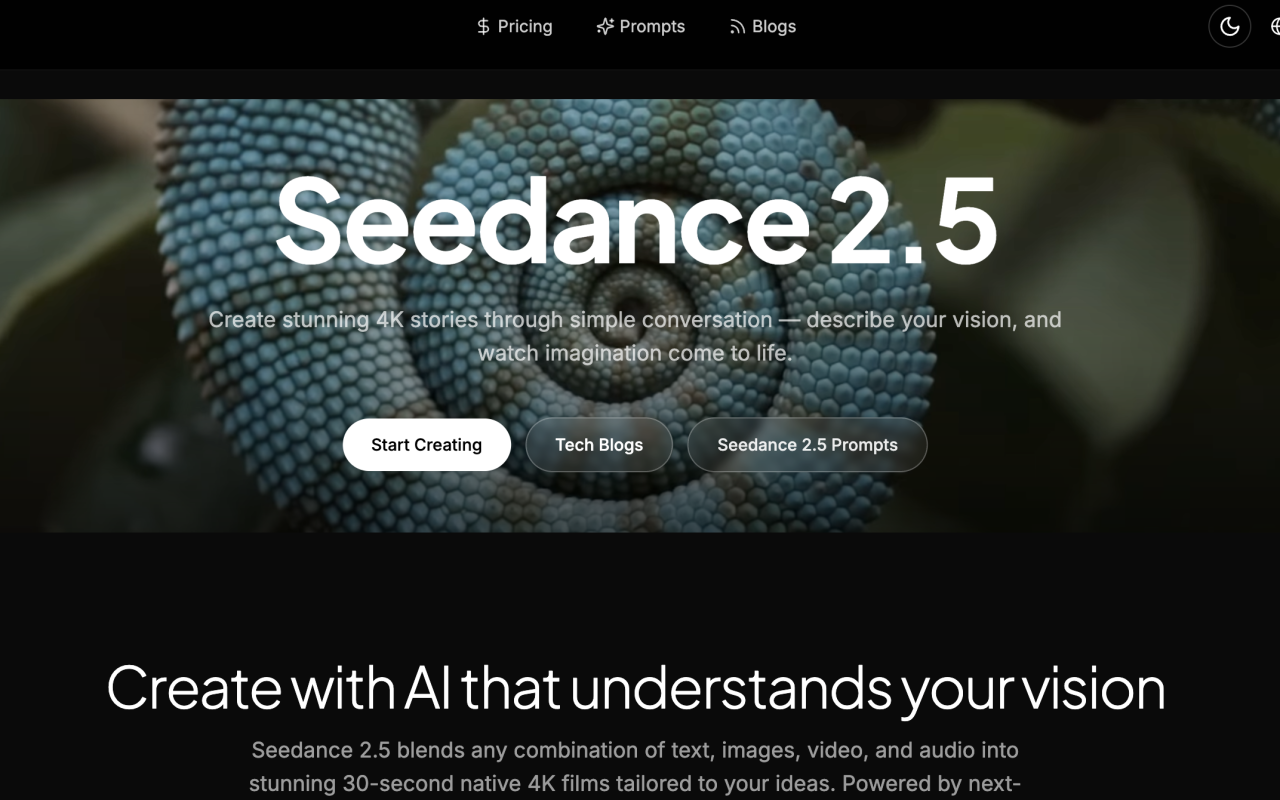
Upon visiting the Seedance 2.5 website at seedance25.tech, the first thing I noticed was a polished, carousel-driven landing page that immediately positions the platform as a serious contender in AI video generation. The hero copy claims you can “turn any reference — image, text, video, or audio — into a single, cohesive film,” and the site wastes no time pushing visitors toward a “Try Multimodal Generation” button. The design is clean and modern, though much of the content repeats across slides, which suggests the page was built more for conversion than for technical depth. Still, the core message is clear: Seedance 2.5 is a ByteDance product aimed at creators who want production-grade 4K video without a full studio team.
What Seedance 2.5 Actually Does
Seedance 2.5 is a next-generation AI video generation platform that turns text, images, video clips, audio, and even 3D white models into videos. According to the site, it can generate up to 30 seconds of native 4K video in a single pass, with no stitching required. That is a meaningful distinction from many competitors that generate short clips and then stitch them together. The platform also claims native audio-visual synchronization, including phoneme-level lip-sync, which is a rare feature in consumer AI video tools. In addition, the site mentions “20% improved prompt adherence,” though no baseline or benchmark for that figure is provided.
Beyond generation, Seedance 2.5 includes local video editing, multi-image fusion, style transfer, photo enhancement, and context-aware editing. This makes it more of an all-in-one creative suite than a pure text-to-video tool. A notable claim is multi-model collaboration: the site says users can choose from multiple AI models, including Veo and Seedance itself, working together for better results. That is an interesting approach, though details on how the models interact are thin.
Testing the Free Tier Interface
When testing the free tier, I found a straightforward creative interface. The dashboard shows a large prompt box with a 0/5000 character counter, a model selector, and a “Generate Video” button. I entered a text prompt describing a cinematic drone shot over a misty mountain landscape at golden hour, which is one of the featured examples on the site. The interface accepted the input immediately and offered options to switch between text-to-video, image, and video modes. I did not complete a full generation during this review, because the site does not allow anonymous use without an account, and the signup flow was not fully documented. However, the site repeatedly emphasizes “Start with free credits — no credit card required,” so it appears there is a limited free tier for new users.
The experience feels intentionally simple, with no complex timeline or editing controls. For creators who want rapid iteration, that is a plus. But it also means users are largely dependent on the AI's understanding of prompts, and there is no visible way to fine-tune camera paths or motion curves manually. The site notes that local editing lets you swap subjects or backgrounds while preserving motion and lighting, which is a powerful workflow, but I could not verify the quality of those edits without generating content.
Multimodal Generation and Advanced Features
The most distinctive feature of Seedance 2.5 is multimodal input fusion. The site claims you can blend up to 50 references — images, videos, audio, text, and 3D white models — into a single cohesive output. That would be exceptionally useful for pre-visualization in film production, where directors often want to validate camera angles before committing to expensive render pipelines. The 3D pre-visualization feature is particularly interesting: input 3D white models alongside style references to generate rapid animation previews, which is a workflow that most AI video tools simply do not support.
Another strength is the emphasis on cinematic quality. The platform understands motion rhythm, camera movement, and lighting, which are often the weak points of AI-generated video. The side-by-side comparison table on the site rates Seedance 2.5 as “Excellent” for text-to-video, image-to-video, and cinematic quality, while Veo, Sora, and Runway Gen-3 score lower in some categories. The table also suggests that Seedance 2.5 offers more content variety — video, image, and editing — while competitors are primarily video-only. Take these comparisons with a grain of salt, since they are self-reported by the company.
Pricing, Positioning, and Alternatives
Pricing is not publicly listed on the website. The only mention is “Start with free credits — no credit card required,” but the exact number of credits, what a credit buys, and the cost of subscription tiers are not disclosed. The comparison table does claim Seedance 2.5 is “Competitive” in cost efficiency while Veo, Sora, and Runway Gen-3 are listed as “Premium,” but without concrete numbers this is difficult to evaluate. As of this review, I recommend checking the platform directly or waiting for an official pricing page.
In terms of positioning, Seedance 2.5 is clearly aimed at both professional creators and small businesses. The site claims “Join thousands of creators” who rely on the platform, though specific user metrics are not provided. Marketing teams could use it for product demos and brand stories; e-commerce sellers could leverage it for product photography; social media managers could maintain a steady stream of short-form content. Competitors include Google's Veo, OpenAI's Sora, and Runway Gen-3, all of which are also strong in text-to-video generation. Unlike those tools, Seedance 2.5 emphasizes multimodal fusion and local editing, which gives it an edge for users who want to remix existing footage rather than generate everything from scratch.
Who Should Use Seedance 2.5 — and Who Should Not
Seedance 2.5 is best suited for creators who need high-quality video generation with minimal effort, especially those who want to combine multiple input types in a single project. If you are a filmmaker exploring pre-visualization, a marketer producing campaign variations, or a content creator who needs to turn conversations into polished short films, Seedance 2.5 deserves serious consideration. The native audio-visual synchronization is a standout feature that many competitors lack, and the ability to generate 30-second native 4K clips in one pass is a practical advantage for anyone tired of stitching clips together.
However, there are real limitations. First, the website is sparse on technical documentation, benchmarks, and independent verification of the claims. Second, pricing is opaque. Third, the platform appears to rely on cloud-based generation, which means your creative workflow depends on internet connectivity and server availability. And while the testimonials are uniformly positive, they read as promotional rather than genuinely independent. If you need a tool with deep manual control, heavy integration with existing editing software, or a documented API, you may be better served by Runway or dedicated video editing suites. Seedance 2.5 is clearly a powerful platform, but it is still a platform in the early-access era, and potential users should go in with realistic expectations.
Visit Seedance 2.5 at https://seedance25.tech to explore it yourself.













Comments