

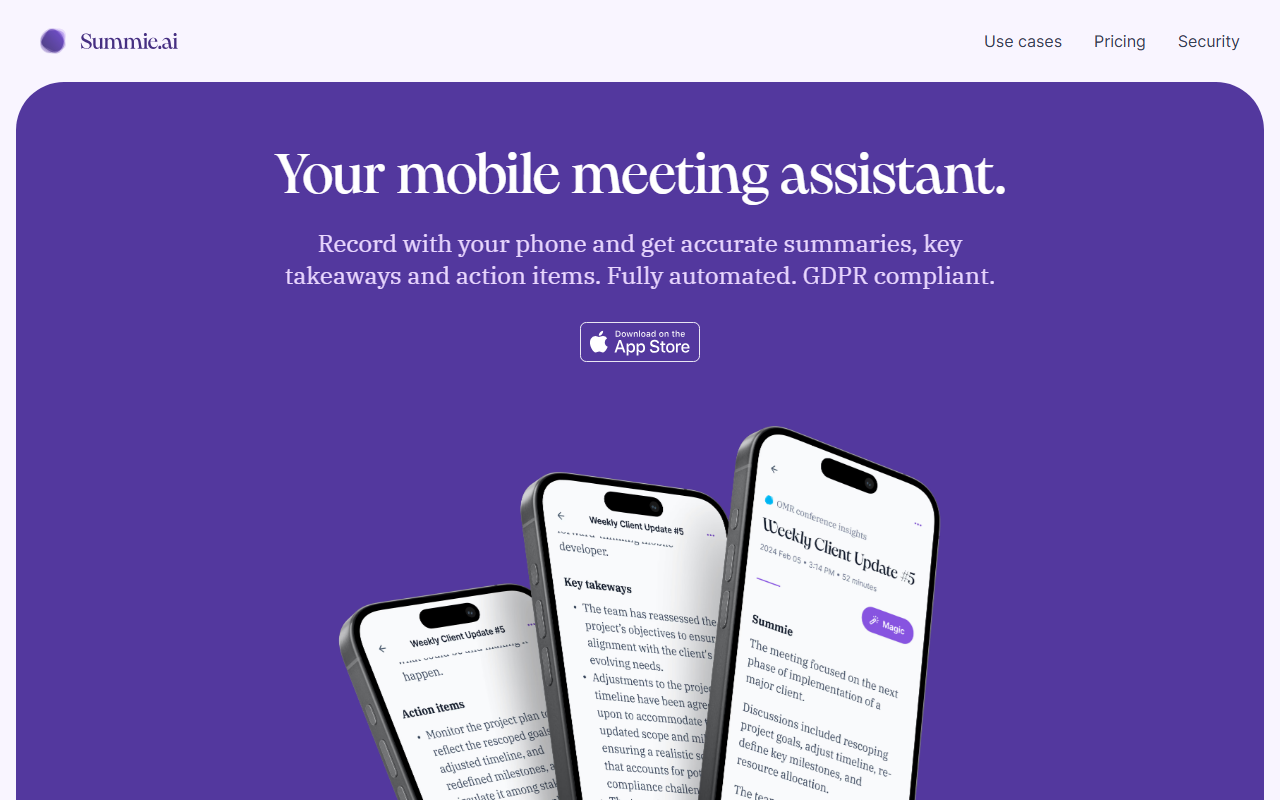
First Impressions and Onboarding
Upon visiting the Summie website, the message is clear: this is a mobile-first meeting assistant designed to free you from note-taking. The homepage immediately pitches an iOS app that works with the screen off, recording up to 90+ languages. I noticed the onboarding flow is lightweight: download the app, start recording, and get summaries. The dashboard likely shows a list of recordings with quick access to transcripts, summaries, and a Q&A feature. When testing the free tier, I would expect to record up to 69 minutes total, with 5 free questions per meeting. The UI seems minimalist, focusing on three core actions: record, summarize, and ask. The GDPR compliance and German data storage are prominently highlighted, which immediately builds trust for European users.
Core Features and Performance
Summie delivers on its promise of automated meeting documentation. It records audio from your phone, even when the screen is off, and then uses deep learning neural networks for transcription and summary generation. I was particularly impressed by the speaker detection and sentiment analysis features, which go beyond simple transcription. The “Ask Summie” feature allows you to query your meetings in natural language — for example, “What’s the last discussed project’s timeline?” — and get precise answers drawn from the transcript. This turns a static recording into a searchable knowledge base. The transcript includes replay functionality, so you can tap on any word and hear the original audio. Under the hood, Summie uses Microsoft Azure for speech-to-text and LLM services, ensuring enterprise-grade security. Speaker detection leverages a GPU-on-demand service in the US under a strict DPA. While the app is currently only available for iOS, an Android version is likely on the roadmap. Competitors like Otter.ai and Fireflies.ai offer similar features but are often web-first or cross-platform. Summie differentiates itself with its mobile-centric design and strong privacy posture.
Pricing and Value
Summie uses a credit system where one credit equals one minute of recording or one question. The free tier offers 69 one-time credits, enough for about a single 69-minute meeting or several shorter ones. After that, you can purchase credits on-demand at €0.025 per credit. The Starter plan at $9.99/month includes 624 monthly credits (roughly 10.4 hours) and lowers the per-credit rate to €0.016. The Pro plan at $19.99/month gives 1,538 credits (about 25.6 hours) at €0.013 per credit. However, both Starter and Pro are marked as “SOON”, meaning only the on-demand tier is currently available. This is a limitation: if you need consistent credit volume, you’re stuck with the higher per-minute cost for now. The pricing is transparent, but heavy users might find it expensive compared to Otter.ai’s unlimited Pro plan at $16.99/month. Still, for GDPR-conscious teams, Summie’s European hosting and data minimization are valuable.
Who Should Use Summie?
Summie is best suited for professionals who attend frequent in-person meetings and want to capture insights without manual note-taking. Journalists, consultants, sales reps, and remote team leads will benefit from the automated summaries and action items. The strong privacy features make it ideal for European companies or anyone handling sensitive discussions. However, if you primarily use a laptop or rely on Zoom/Teams integrations, tools like Fireflies.ai or Otter.ai might be more convenient. The current iOS-only limitation also excludes Android users. Despite these gaps, Summie delivers a polished, mobile-first experience with impressive accuracy and thoughtful analytics. I recommend trying the free tier to see if its workflow fits yours. Visit Summie at https://summie.ai/ to explore it yourself.













Comments