
First Impressions and Onboarding
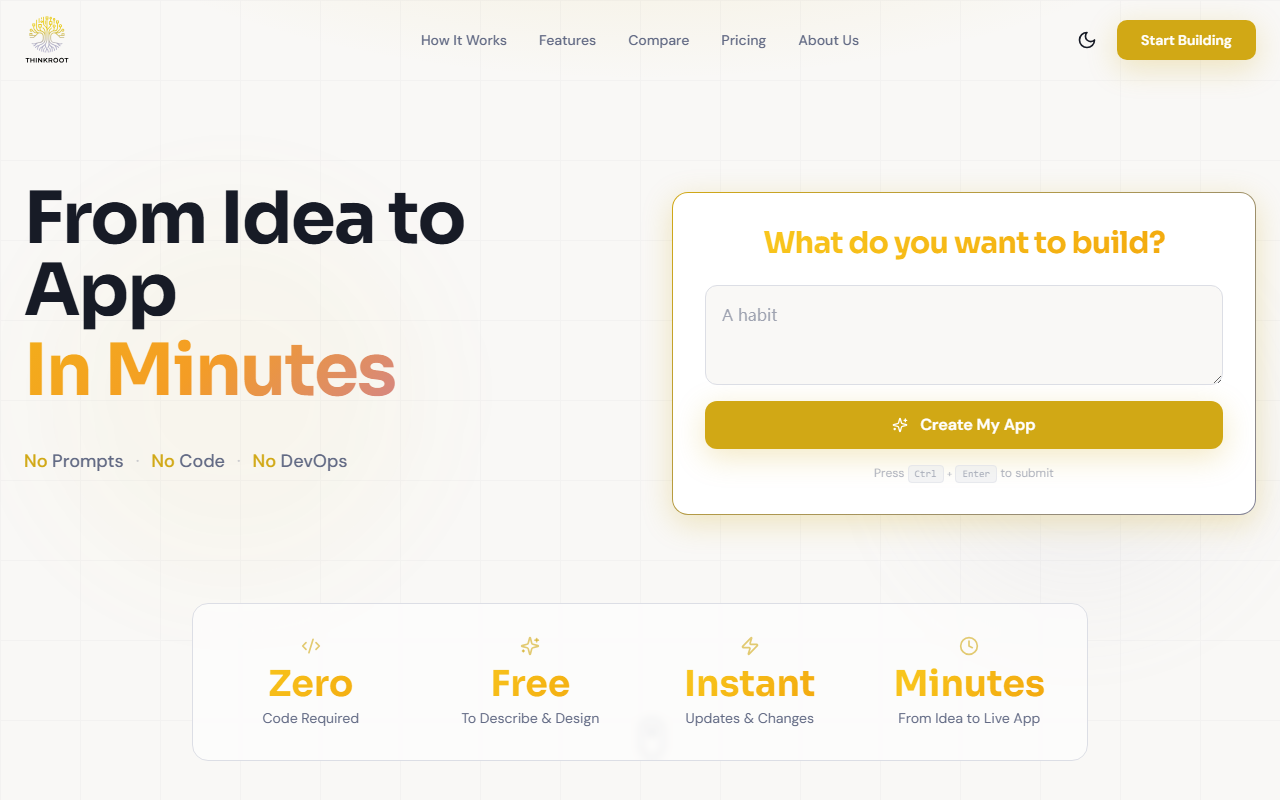
Upon visiting ThinkRoot's website at thinkroot.dev, the first thing that strikes you is the bold tagline: “No Prompts·No Code·No DevOps”. The homepage presents a clean, minimal interface with a single input field: “What do you want to build?”. There is no sign-up wall or tutorial to click through. I typed a simple request — “a task tracker for my remote team with due dates and status updates” — and pressed Ctrl+Enter. Within seconds, the platform acknowledged the input and began its “build” process. The free tier immediately allowed me to author up to five apps and have one running live, which is generous for a zero-commitment trial. The dashboard, once inside, shows a list of applications you have described, each with a status indicator and a shareable link. The onboarding is frictionless, making it clear that ThinkRoot targets non-technical users who want speed over complexity.
How ThinkRoot Works: From Description to Deployment
ThinkRoot calls itself an “AI Compiler”, and the three-step workflow is refreshingly straightforward. First, you describe your app in plain language — no structured prompts or technical jargon needed. Second, the platform transforms that description into a complete specification, then automatically builds the design, code, database, APIs, runs tests, and deploys everything to a live URL. The website claims this happens in minutes. Third, you can share the app globally with a built-in url, track usage analytics, and iterate instantly by editing your description. Changes deploy live without downtime. The platform covers the entire software lifecycle — specification, development, testing, deployment, and operations — which is a far cry from traditional no-code tools that often leave you to handle hosting and maintenance. ThinkRoot also emphasizes automated testing and enterprise-grade security as built-in features, noting that compliance and authentication are handled automatically. While I could not verify the AI models under the hood, the emphasis on “spec → arch → code → tests → deployed” suggests a sophisticated pipeline that goes beyond simple code generation.
Pricing and Positioning in the Market
Pricing is clearly laid out: a Free tier that includes 5 apps authoring and 1 running app forever, with community support and a ThinkRoot subdomain. The Pro plan costs $20/month and unlocks unlimited app authoring, unlimited running apps, custom domains, custom branding, team collaboration (up to 5 users), and priority support. Advanced analytics and API access are listed as “coming soon”. All paid plans include SSL, automatic backups, and a 99.9% uptime guarantee. In the comparison table, ThinkRoot positions itself against “Vibecoding Apps” (listed at $20–50/month), dev agencies ($50K–500K+), and low-code/no-code platforms ($50–500/month). ThinkRoot’s unique selling point is paying only when the app is running, not for engineering or AI token usage. This makes it attractive for prototypers and small teams who want predictable costs. However, the free tier’s one-app limit may frustrate users with broader needs; for that, the Pro plan is a reasonable $20/month. Compared to tools like Bubble or Retool, ThinkRoot removes the need for visual builder learning curves entirely, but it also gives you less granular control over UI and logic.
Strengths, Limitations, and Final Verdict
ThinkRoot’s greatest strength is its radical simplicity. Anyone who can describe an idea in everyday language can get a working app without touching a single line of code. The automated testing and deployment pipeline is a huge time-saver, and the instant iteration — change your description, app updates — is genuinely impressive. The platform also operates with enterprise-grade reliability, which is rare for such young tools. However, there are real limitations. The current offering appears optimized for standard CRUD-style applications (forms, dashboards, records) and may struggle with complex logic, real-time collaboration, or custom integrations. The “API access” and “advanced analytics” are still marked as “soon”, limiting power users. Additionally, because you have no direct control over the code, debugging nuanced behavior is opaque — you can only adjust your description and hope the AI interprets it correctly. Third-party integrations are not mentioned, which could be a dealbreaker for teams reliant on Slack, Salesforce, or similar tools. Who should use it? Product managers, startup founders, and non-technical domain experts who need to validate an idea or build an internal tool quickly will love ThinkRoot. It is also a solid choice for educators or small teams with limited engineering capacity. If you need deep customizability, specific tech stack control, or extensive integrations, look elsewhere. Overall, ThinkRoot delivers on its promise of turning ideas into apps in minutes, and the free tier is a risk-free way to test its capabilities.
Visit ThinkRoot at https://thinkroot.dev/ to explore it yourself.













Comments