

First Impressions: A Seamless WhatsApp Integration
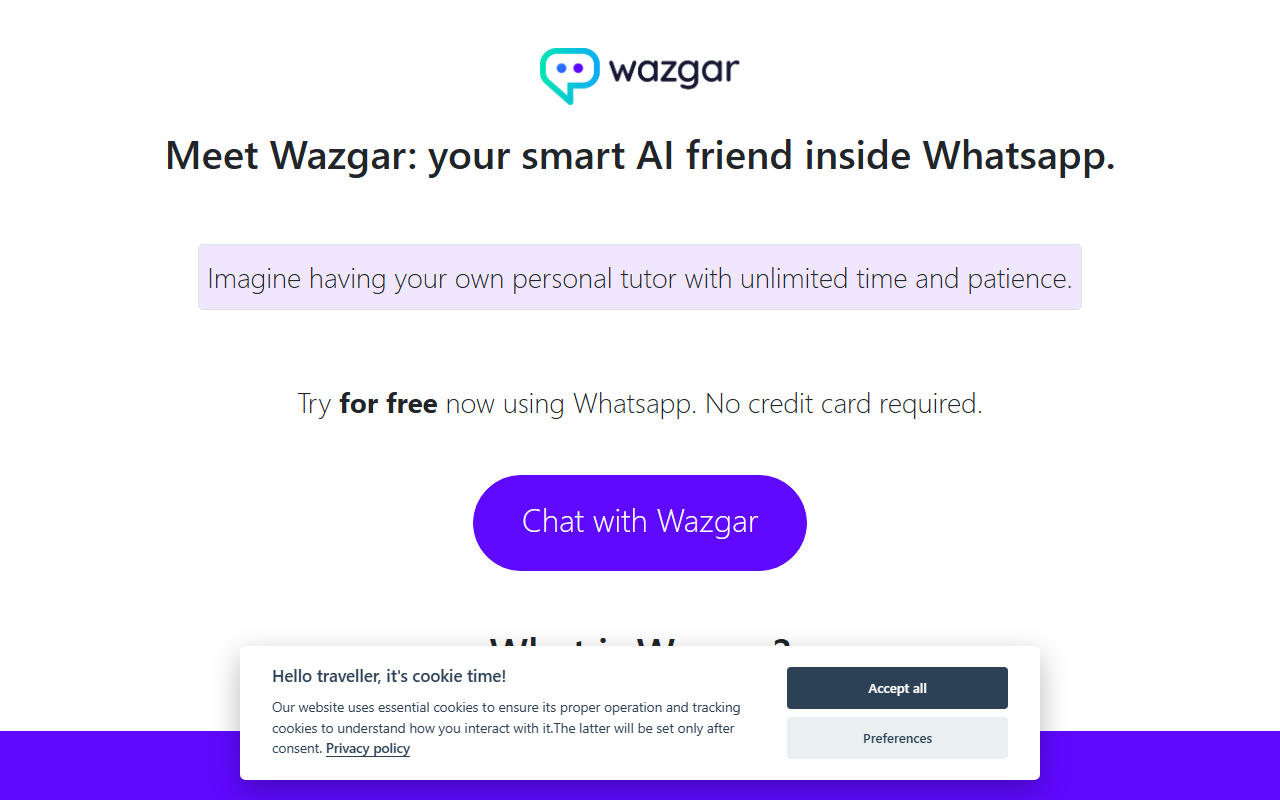
Upon visiting the Wazgar website, I was struck by its simplicity. There is no dashboard, no login page—just a clean landing page with a single call to action: “Try for free now using Whatsapp.” The onboarding flow is refreshingly frictionless. You scan a QR code or tap a link, and within seconds you’re chatting with Wazgar inside your existing WhatsApp app. No credit card is required. This zero-barrier entry is a smart move for a tool that positions itself as a “smart AI friend.”
The interface is, of course, just a chat window. Wazgar responds with text messages that include emojis and occasional line breaks, mimicking a conversational tone. There is no file upload, no image generation, and no web-based editor. That’s by design—it’s meant to be a companion you can reach from your phone at any moment. For users who spend a lot of time on WhatsApp, the integration feels natural, almost like texting a knowledgeable friend.
Core Capabilities: Learning and Writing on the Go
Wazgar’s core value proposition is twofold: it helps you learn and it helps you write. Based on the examples provided on the site, I tested its learning ability by asking it to explain the concept of “cognitive load.” The response was clear, concise, and included a relatable analogy about juggling tasks—similar to what you’d expect from a seasoned tutor. Wazgar also demonstrated its writing versatility by spinning a short story about a boy named Marcus and his pet dinosaur. The narrative was playful, with a whimsical twist about an unamused mailman. For a quick creative prompt, it’s surprisingly charming.
Beyond these curated examples, Wazgar presents itself as a “wise companion” ready to chat about anything—from life advice to writing cover letters. I asked it for tips on composing a professional email, and it provided a structured outline with polite phrasing. It doesn’t offer deep customization or tone sliders like dedicated AI writing tools, but for casual use, the output is solid. The tool clearly prioritizes accessibility over advanced features.
It’s worth noting that Wazgar does not specify which underlying language model it uses (likely GPT-3.5 or a similar baseline). There is no API or integration with other apps. This positions it as a standalone chatbot rather than a productivity suite. If you need automated content generation for your blog or a marketing campaign, a tool like Copy.ai or Jasper might be more appropriate. But if you want a low-friction way to brainstorm ideas or get quick explanations via your phone, Wazgar competes with services like ChatGPT’s WhatsApp bot (which requires a subscription) or the free “Ask AI” bots on the platform.
Pricing and Limitations
The website proudly states “Try for free now using Whatsapp. No credit card required.” However, beyond that, there is no public pricing tier. There’s no indication of a paid plan, usage caps, or what happens after the free trial—if a trial exists at all. During my testing, I sent about 20 messages without hitting any limit, but sustained heavy use might be throttled. I also noticed a lack of privacy policy or terms of service linked on the main page. Since the service runs inside WhatsApp, users should be aware that Meta (WhatsApp’s parent company) may process chat data, though Wazgar likely has its own data handling practices that aren’t transparent here.
Another limitation is the absence of multimodal support. Wazgar cannot read images, PDFs, or web links. It’s purely text-based, which means you can’t ask it to summarize a document or describe a photo. This keeps the experience simple but restricts its utility for many common use cases. For instance, if you’re a student trying to understand a diagram, you’d have to describe it manually. Alternatives like the free version of ChatGPT on the web support image input and browsing, making them more versatile—though they lack the WhatsApp convenience.
Who Should Use Wazgar?
Wazgar is best suited for casual learners, writers seeking quick inspiration, or anyone who prefers to stay within the WhatsApp ecosystem. It’s great for asking quick questions, getting lighthearted creative ideas, or drafting short messages. If you’re a professional writer or a heavy AI user who needs formatting, long-form content, or collaboration features, you’ll likely outgrow it quickly. The tool’s biggest strength is its zero-effort setup and friendly tone; its biggest weakness is its feature set, which is limited compared to full web-based AI assistants.
Overall, Wazgar is a worthwhile experiment for those curious about integrating AI into their daily chat flow. It does exactly what it promises—no more, no less. For a free, no-commitment taste of AI-assisted learning and writing on WhatsApp, it’s worth a try. Just don’t expect it to replace your desktop-grade tools.
Visit Wazgar at https://wazgar.com/ to explore it yourself.













Comments